

Search
Grid allows variety of different options to make search feature more usable.
Autofilter toolbar
Section titled “Autofilter toolbar”You can enable it by setting:
$g->set_actions(array( // ... "autofilter" => true // ... ) );By default it will be hidden and once you set xs+ autofilter will come back on extra small and onwards.
$opt["search_options"]["autofilter"] = "xs+"; // xs+, sm+, md+$g->set_options($opt);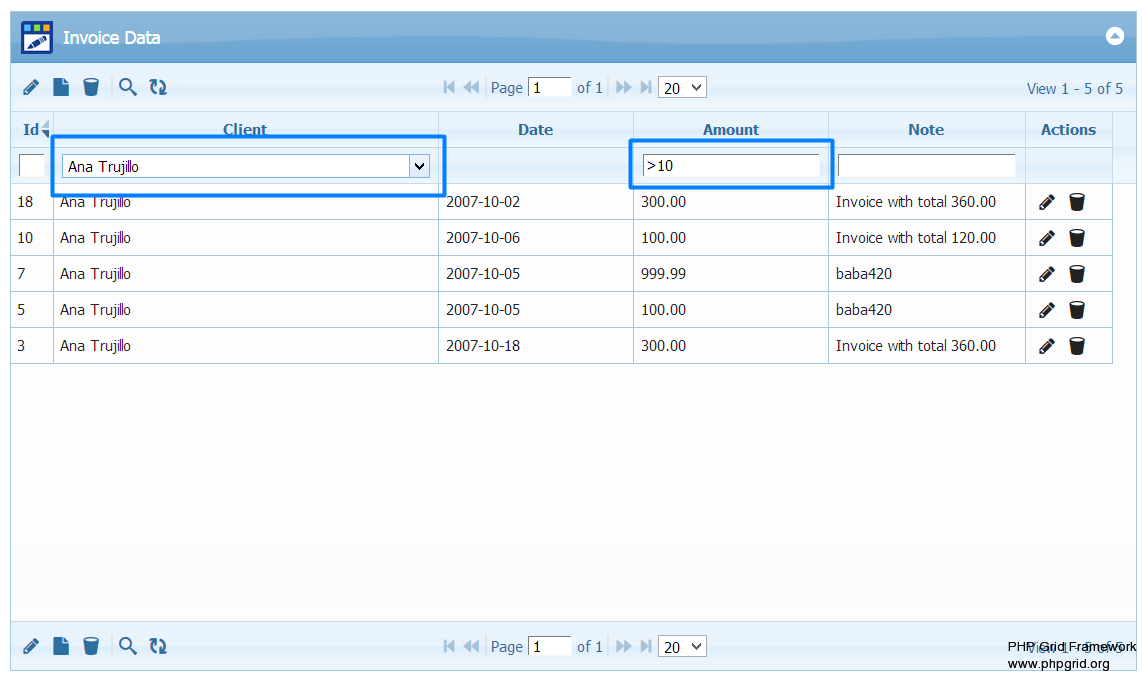
Search Dialog
Section titled “Search Dialog”Basic search dialog can be enabled by search key in set_actions function.
Possible values are simple, advance
| Values | Description |
|---|---|
simple |
Single column search dialog |
advance |
Multi column search with AND / OR option |
group |
Multi column search with multiple AND / OR groups |
$g->set_actions(array( // ... "search" => "advance" // ... ) );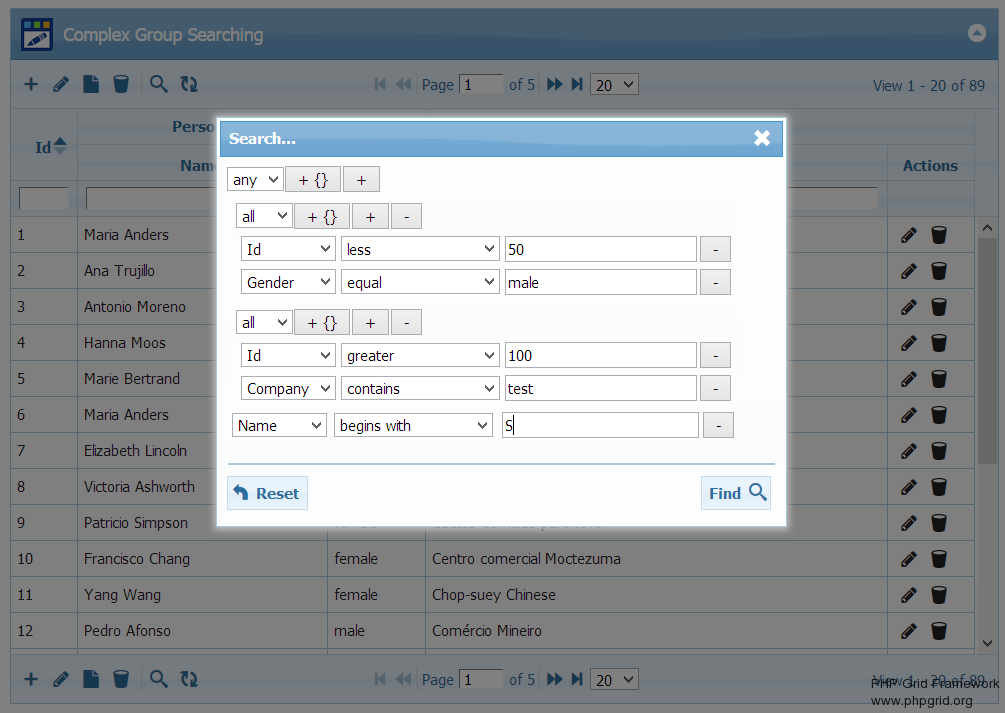
Resources
Section titled “Resources”See Live Demo
- You can check this demo in archive
demos/search/search-group.php
Search Templates
Section titled “Search Templates”You can also set predefined search templates using grid options.
// Define predefined search templates$opt["search_options"]["tmplNames"] = array("Template1", "Template2");$opt["search_options"]["tmplFilters"] = array(  array(    "groupOp" => "AND",    "rules" => array (            array("field"=>"name", "op"=>"cn", "data"=>"Maria"),            array("field"=>"closed", "op"=>"cn", "data"=>"No"),            )  ),  array(    "groupOp" => "AND",    "rules" => array (            array("field"=>"total", "op"=>"gt", "data"=>"50")            )  ));
$g->set_options($opt);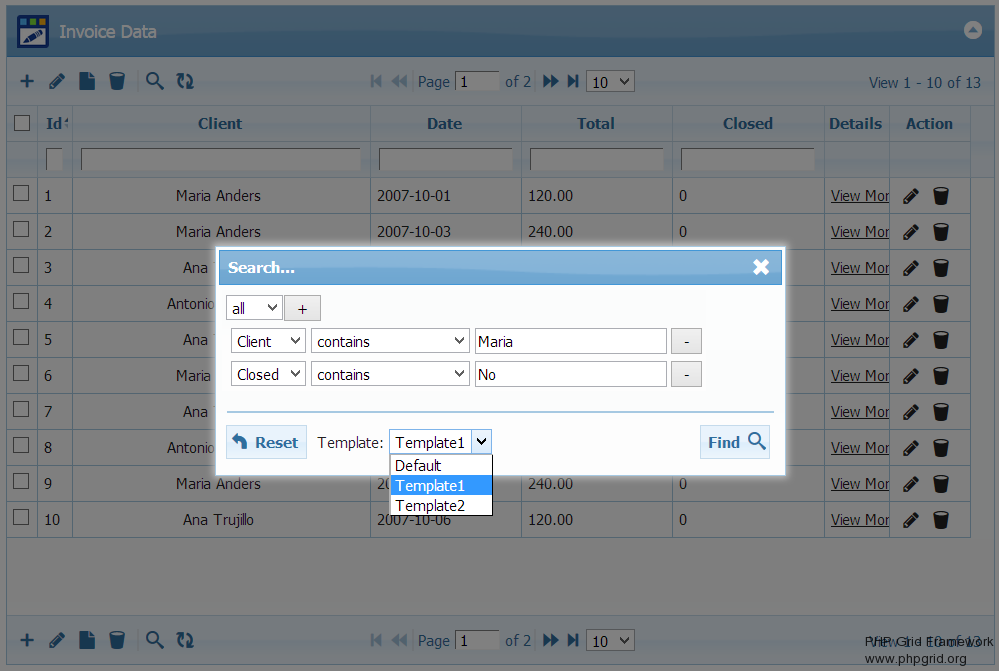
Resources
Section titled “Resources”See Live Demo
- You can check this demo in archive
demos/search/search-template.php
Search External Form
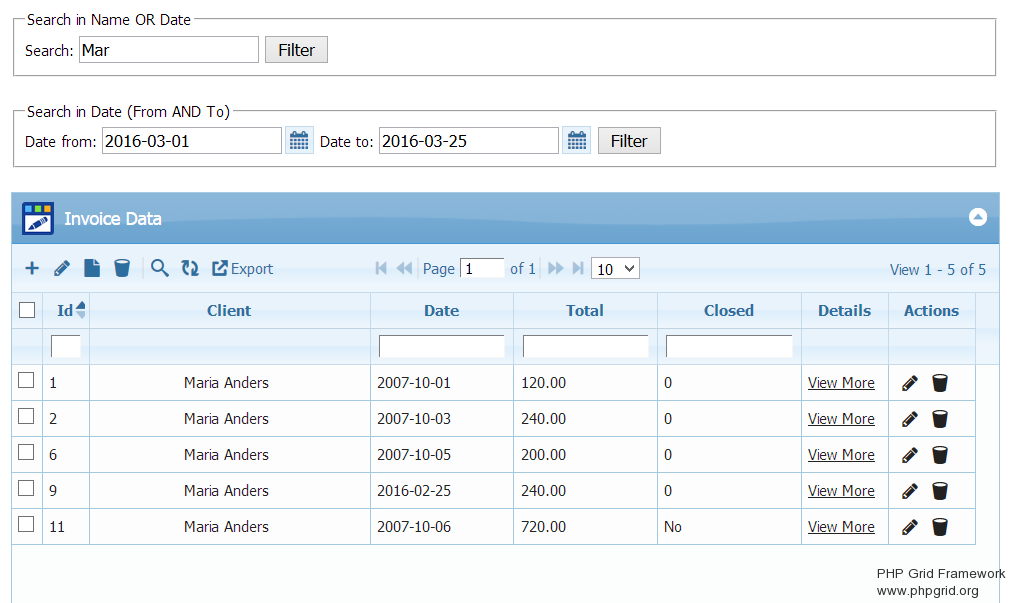
Section titled “Search External Form”For further customizations, you can create an custom HTML form and connect it to datagrid search javascript api.
Resources
Section titled “Resources”See Live Demo
- You can check this demo in archive
demos/search/search-form.php
Search on Load
Section titled “Search on Load”Following config will enable search on load. Initialize search with name field equal to eq ‘Client 1’
$sarr = <<< SEARCH_JSON{  "groupOp":"AND",  "rules":[    {"field":"name","op":"eq","data":"Client 1"}   ]}SEARCH_JSON;
$opt["search"] = true;$opt["postData"] = array("filters" => $sarr );
If you wish to persist search settings on page reload:
$opt["persistsearch"] = true;Resources
Section titled “Resources”See Live Demo
- You can check this demo in archive
demos/search/search-onload.php
Search based on URL parameters
Section titled “Search based on URL parameters”You can filter datagrid based on URL parameter as well. Url format is {gridid}_{colname}={value}
e.g. page.php?grid_id=list1&filter_closed=1 will filter grid with id list1 on page.php with column name closed to 1
You can add multiple filtering (AND) conditions as shown in image.

To have a numeric range filter, (total > 10) you can set e.g. ?grid_id=list1&filter_total=>10
Resources
Section titled “Resources”See Live Demo
- You can check this demo in archive
demos/search/search-onload-url.php
Show / Hide columns based on URL parameters
Section titled “Show / Hide columns based on URL parameters”You can show or hide certain column based on URL parameter as well. Url format is {gridid}_showcols={col1},{col2} or {gridid}_hidecols={col1},{col2}
e.g. page.php?list1_showcols=id,invdate,note&list1_hidecols=total
This will show columns with name id,invdate,note (if defined and hidden) and hide column name total
where list1 is grid id on page.php.
Useful JS Search Events
Section titled “Useful JS Search Events”You can also use following events to perform custom operation after search.
// invoked after toolbar search$opt["autofilter_options"]["afterSearch"] = "function(){alert('after search toolbar');}";
// invoked after dialog search$opt["search_options"]["onSearch"] = "function(){alert('after search dialog');}";