

Footer Summary
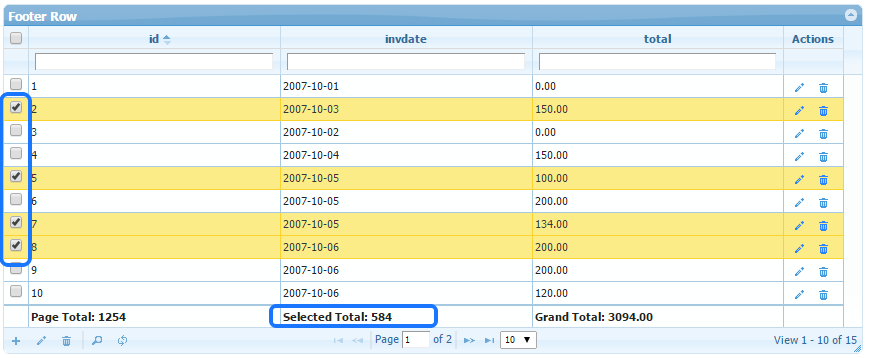
Step1: Enable footer in grid options and connect grid load event.
$opt["footerrow"] = true;$opt["loadComplete"] = "function(){ grid_onload(); }";$g->set_options($opt);Step2: Write JS code to fill footer row.
<script>// e.g. to show footer summaryfunction grid_onload(){  // where list1 is grid id  var grid = $("#list1");
  // get sum of column `total`  // can use other functions like 'sum, 'avg', 'count' (use count-1 as it count footer row).  var sum = grid.jqGrid('getCol', 'total', false, 'sum');
  // set in footer under another column 'id'  grid.jqGrid('footerData','set', {id: 'Total: ' + sum});};</script>
If using formatter in columns (like currency etc), you need to pass 4th param to false. e.g.
grid.jqGrid('footerData','set', { id: 'Total: €' + sum.toFixed(2) }, false);For more advanced example, refer sample code below.
Resources
Section titled “Resources”See Live Demo
- You can check this demo in archive
demos/appearance/footer-row.php