

Localization
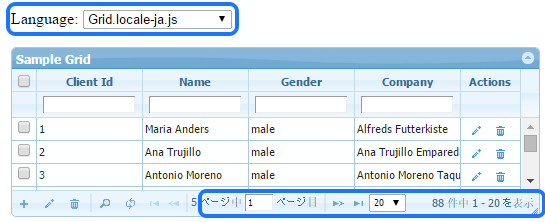
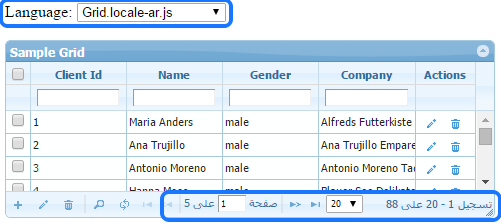
To enable text labels in your desired language, change source of the local javascript file. Available language packs are stored in this folder js/jqgrid/js/i18n/. Over 39 language packs are in the solution. (see localization.php)
<!-- to enable arabic --><script src="js/jqgrid/js/i18n/grid.locale-ar.js" type="text/javascript"></script>
<!-- to enable spanish --><script src="js/jqgrid/js/i18n/grid.locale-es.js" type="text/javascript"></script>
<!-- to enable french --><script src="js/jqgrid/js/i18n/grid.locale-fr.js" type="text/javascript"></script>
<!-- to enable italian --><script src="js/jqgrid/js/i18n/grid.locale-it.js" type="text/javascript"></script>
Resources
Section titled “Resources”See Live Demo
- You can check this demo in archive
demos/misc/localization.php
To change string constants, you can edit related lang file e.g. “lib/js/jqgrid/js/i18n/grid.locale-en.js” OR do JS override on page:
<script>$.jgrid.edit.bSubmit = "Save";</script>To change submit button text for add/edit dialog,
$opt["add_options"]["bSubmit"] = "Add";$opt["edit_options"]["bSubmit"] = "Update";// ...$g->set_options($opt);