Integrate Supabase with Your Existing PHP App in Minutes

Integrate Supabase with Your Existing PHP App in Minutes (Without Rewriting Everything).

TL;DR: If you already have a PHP application and want Supabase features (Postgres, Auth, Storage, APIs) without switching stacks, GridPHP lets you plug Supabase into your PHP workflow fast — with CRUDs, admin panels, and APIs generated for you.

👉 Check out this step by step guide and connect Supabase today.


The Problem PHP Developers Face in 2026

You already have:

  • A working PHP app
  • Business logic written over months or years
  • Clients who don’t care about stacks — they care about features

Then you discover Supabase:

  • Hosted Postgres
  • Auth & Row Level Security
  • Realtime & Storage

Sounds perfect… until you realize:

“Most Supabase examples assume JavaScript, Next.js, or full rewrites.”

So the real question becomes:

❌ Rewrite in a new stack?
❌ Maintain raw SQL + custom admin panels?
❌ Build APIs, validation, and UI manually?

This is where GridPHP changes the equation.

The GridPHP Advantage: Supabase + PHP Without Friction

GridPHP can be used to integrate Supabase with existing PHP applications.

It works with Supabase PostgreSQL databases and allows PHP developers to:

  • Generate CRUD interfaces
  • Build admin panels
  • Manage Supabase data visually
  • Secure data using Supabase Row Level Security

GridPHP does not require JavaScript frameworks or PHP framework migration.

With GridPHP, Supabase becomes:

  • A managed PostgreSQL backend
  • A secure data layer
  • A rapid CRUD + admin system

…all usable from PHP.

No framework lock-in. No forced rewrites.

What If You Could Ship Supabase Features Today?

Imagine this flow:

  1. Connect GridPHP to your Supabase Postgres database
  2. Auto-generate:
    • CRUD interfaces
    • Admin panels
    • Filters, search, pagination
  3. Secure it with Supabase Row Level Security
  4. Embed it inside your existing PHP app

⏱️ Time saved: Weeks → Hours

Supabase Is Powerful — But UI Is Still Your Job

Supabase gives you infrastructure.

It does not give you:

  • Business admin screens
  • Data management UIs
  • Internal tools
  • Client dashboards

That’s where most projects slow down.

GridPHP fills that gap

GridPHP sits on top of Supabase and gives you:

  • Ready-to-use data grids
  • Editable forms
  • Role-based access
  • Export, import, reporting

All driven directly from your Supabase database.

❓ Can Supabase really be used with PHP?

Yes. Supabase is built on PostgreSQL and exposes standard database connections that work with PHP. Tools like GridPHP make Supabase integration faster by providing ready-made CRUD and admin interfaces.

❓ Is there a PHP admin panel for Supabase?

GridPHP acts as a PHP-based admin and CRUD layer for Supabase databases, allowing developers to manage Supabase data without building custom UIs. And Supabase don’t ship with a application specific backoffice admin panel.

❓ Do I need Next.js or JavaScript to use Supabase?

No. Supabase can be used directly with PHP using PostgreSQL connections. GridPHP removes the need to build frontend dashboards manually.

Stop Writing the Same CRUD Code Again

Every PHP developer knows this pain:

SELECT * FROM users
INSERT INTO orders
UPDATE settings
DELETE logs

You don’t get paid to repeat this.

GridPHP lets you:

  • Define once
  • Generate instantly
  • Customize only when needed

Supabase handles the data. GridPHP handles the boring parts.

How GridPHP + Supabase Work Together (Conceptually)

Supabase

  • PostgreSQL database
  • Auth & security (RLS)
  • Storage & realtime

GridPHP

  • PHP-based CRUD builder
  • Admin UI generator
  • API-friendly architecture

Together:

Supabase = backend power GridPHP = productivity layer

Typical Use Cases

This combo is especially powerful for:

  • SaaS admin panels
  • Internal business tools
  • Backoffice dashboards
  • Data-heavy apps
  • MVPs that must ship fast

If your app is:

  • PHP-based
  • Database-driven
  • Evolving frequently

You are the ideal user.

GridPHP + Supabase is ideal for:

  • PHP developers building SaaS products
  • Agencies modernizing legacy PHP systems
  • Business owners needing admin dashboards
  • Developers replacing Firebase with Supabase
  • Teams that want Supabase without rewriting to JavaScript

Works With Your Existing PHP Stack

GridPHP does not require:

  • Laravel
  • Symfony
  • New frameworks

It works with:

  • Core PHP
  • Legacy apps
  • Custom MVCs
  • Mixed environments

That means:

You modernize your backend without breaking what already works.

Why Developers Choose GridPHP

Developers use GridPHP because:

  • It saves real development time
  • It avoids unnecessary rewrites
  • It fits real-world PHP projects
  • It scales from MVP to production

And yes — it works perfectly with modern backends like Supabase.

Supabase + PHP Options (Comparison)

Approach What It Means Drawbacks
Raw PHP + SQL Directly calling Supabase Postgres or REST APIs and writing queries by hand Slow development, repetitive CRUD, manual auth, high maintenance
Supabase + JS Frameworks Using Supabase as intended with React, Next.js, Vue, etc. Requires rewriting existing PHP apps, new stack, higher learning cost
Supabase + GridPHP Connect Supabase to PHP using GridPHP’s backend-driven CRUD & APIs Fastest option for PHP apps, minimal code, no rewrite

Getting Started Is Simple

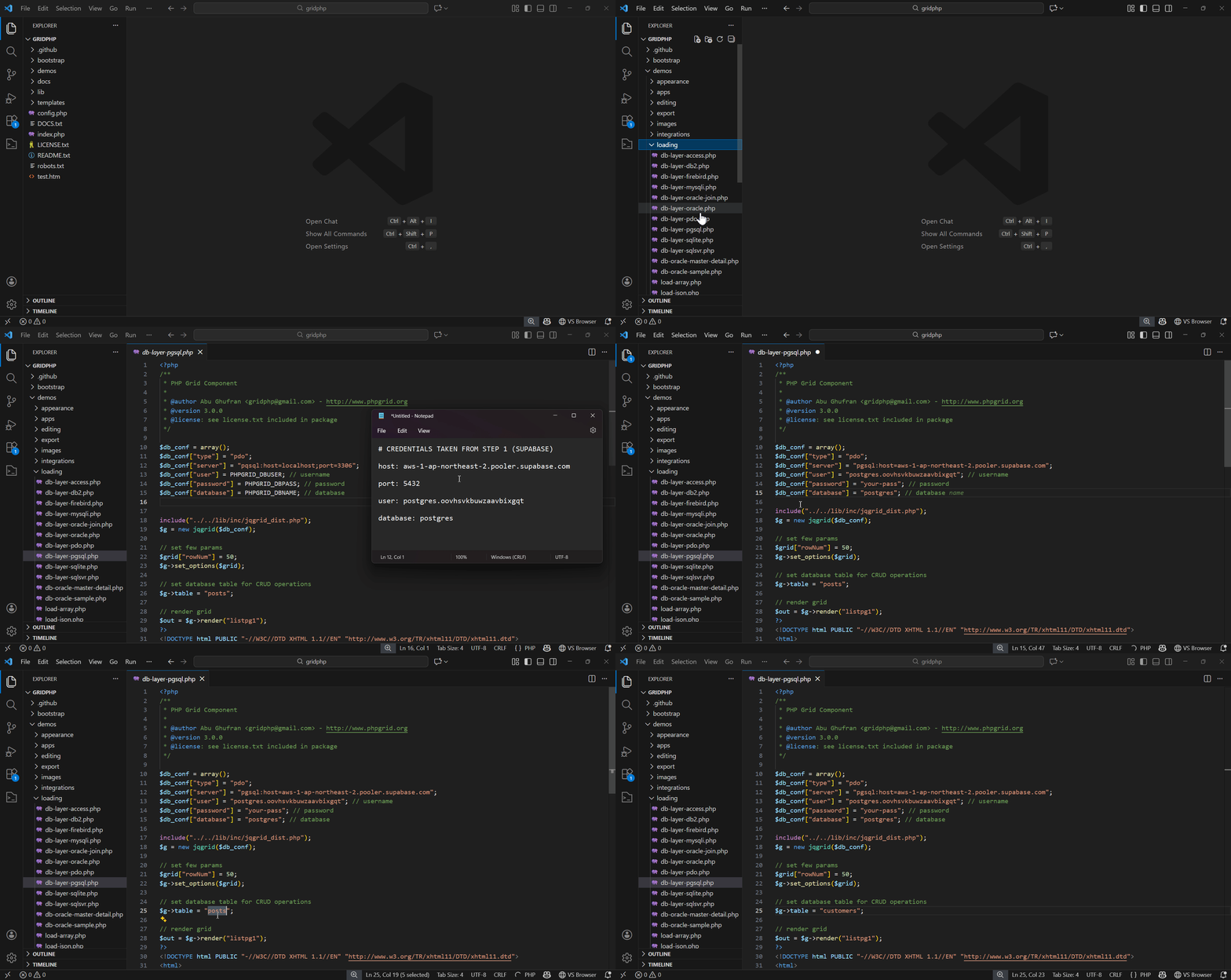
Step 1) Create or use an existing Supabase project

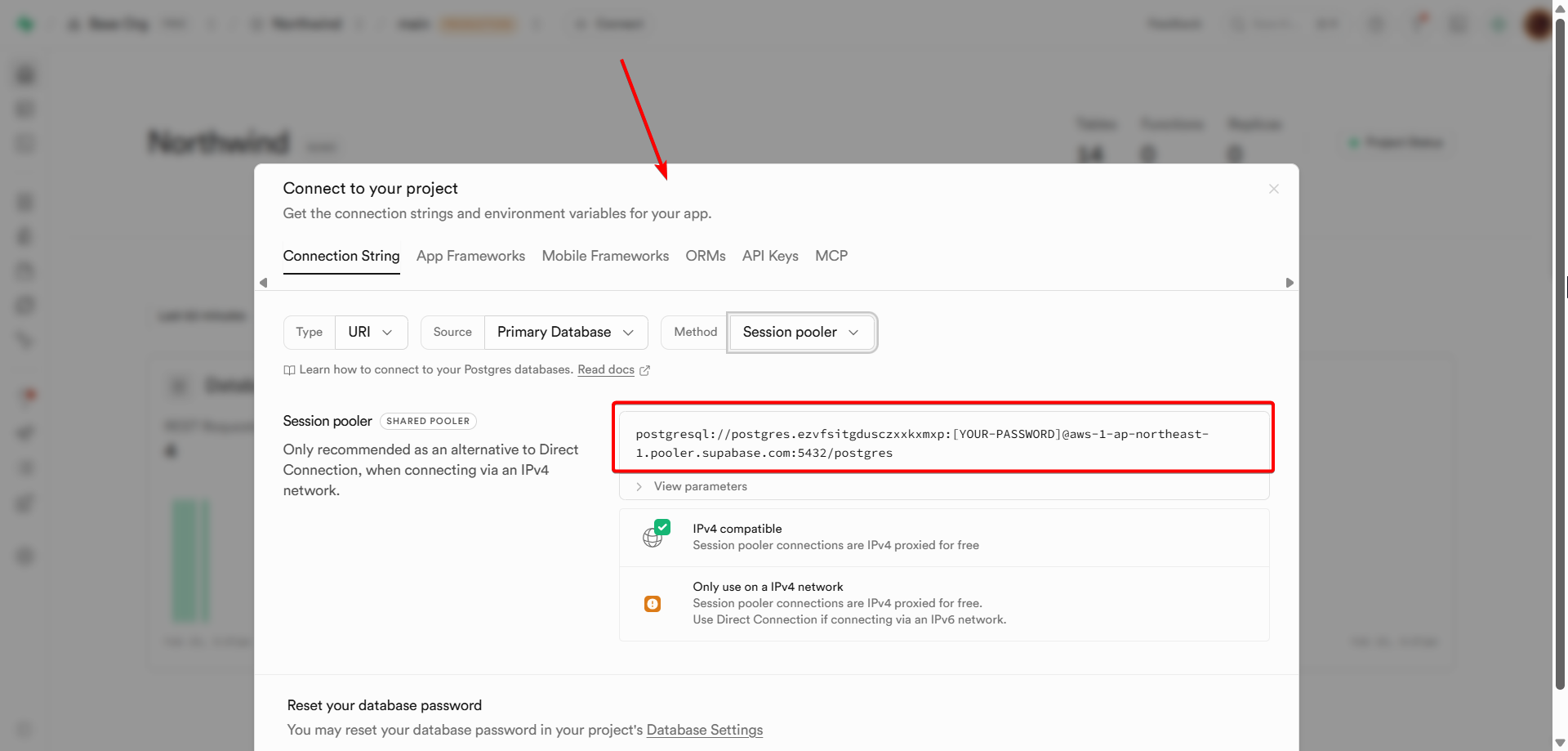
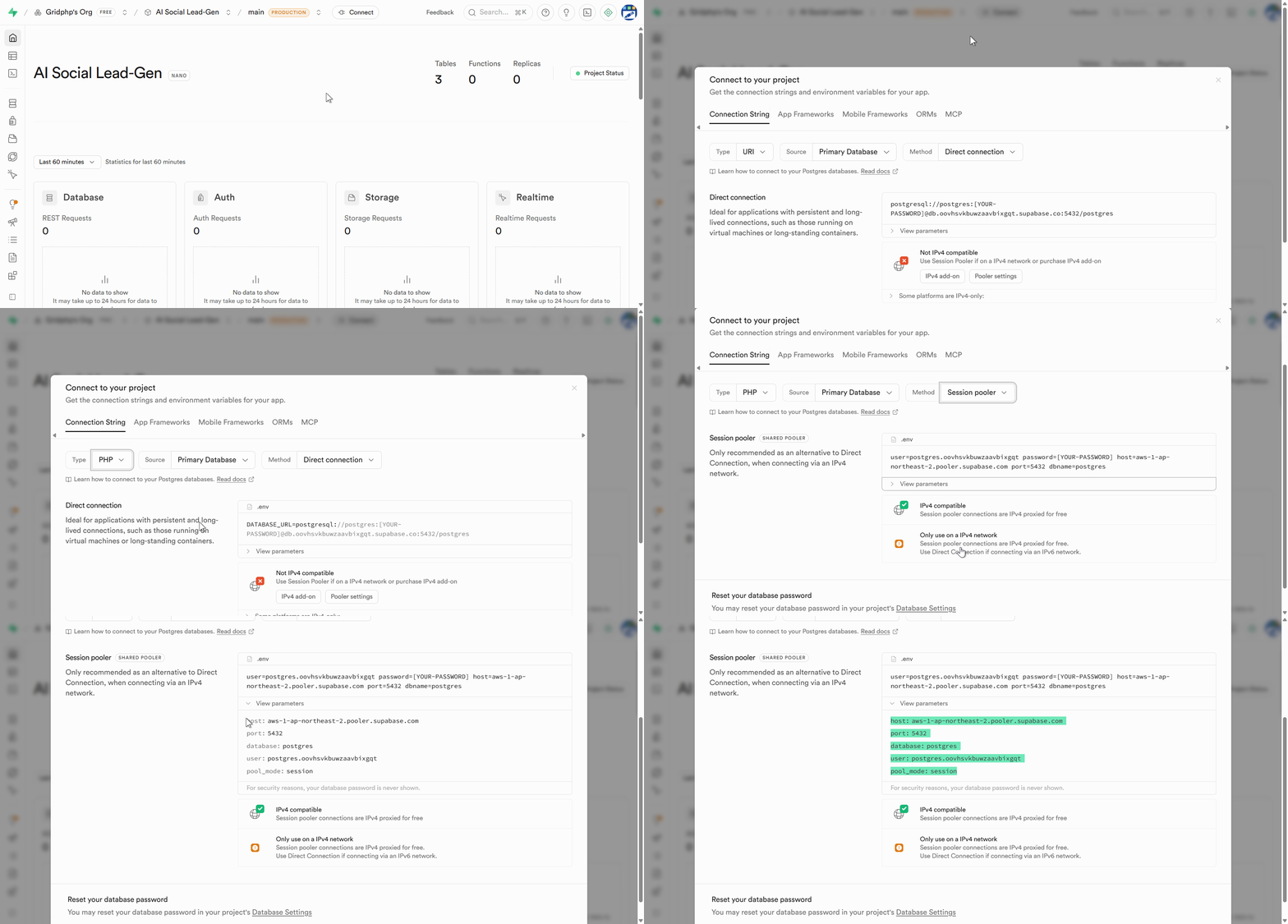
Step2) Get your Postgres connection details

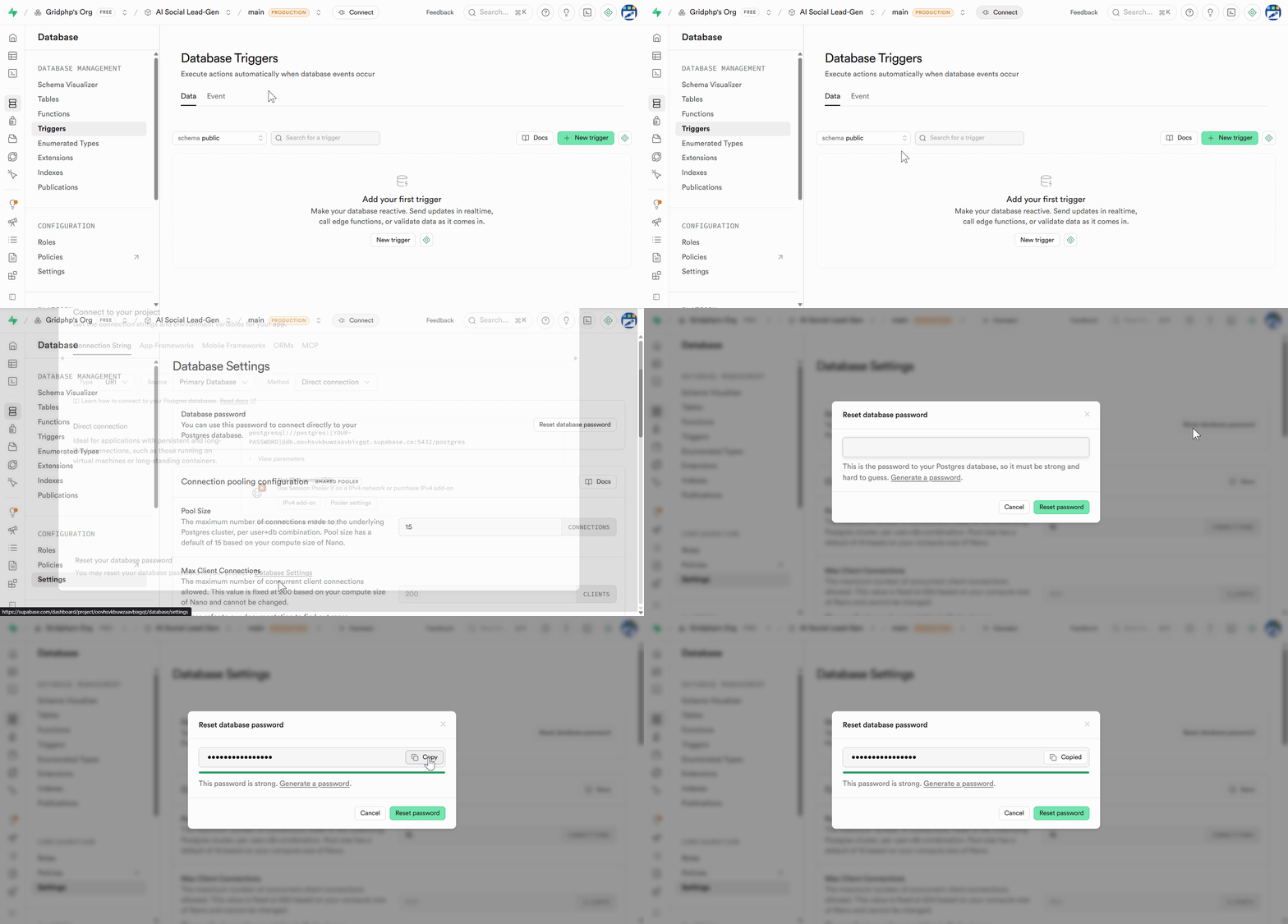
Step 3) Generate DB Password

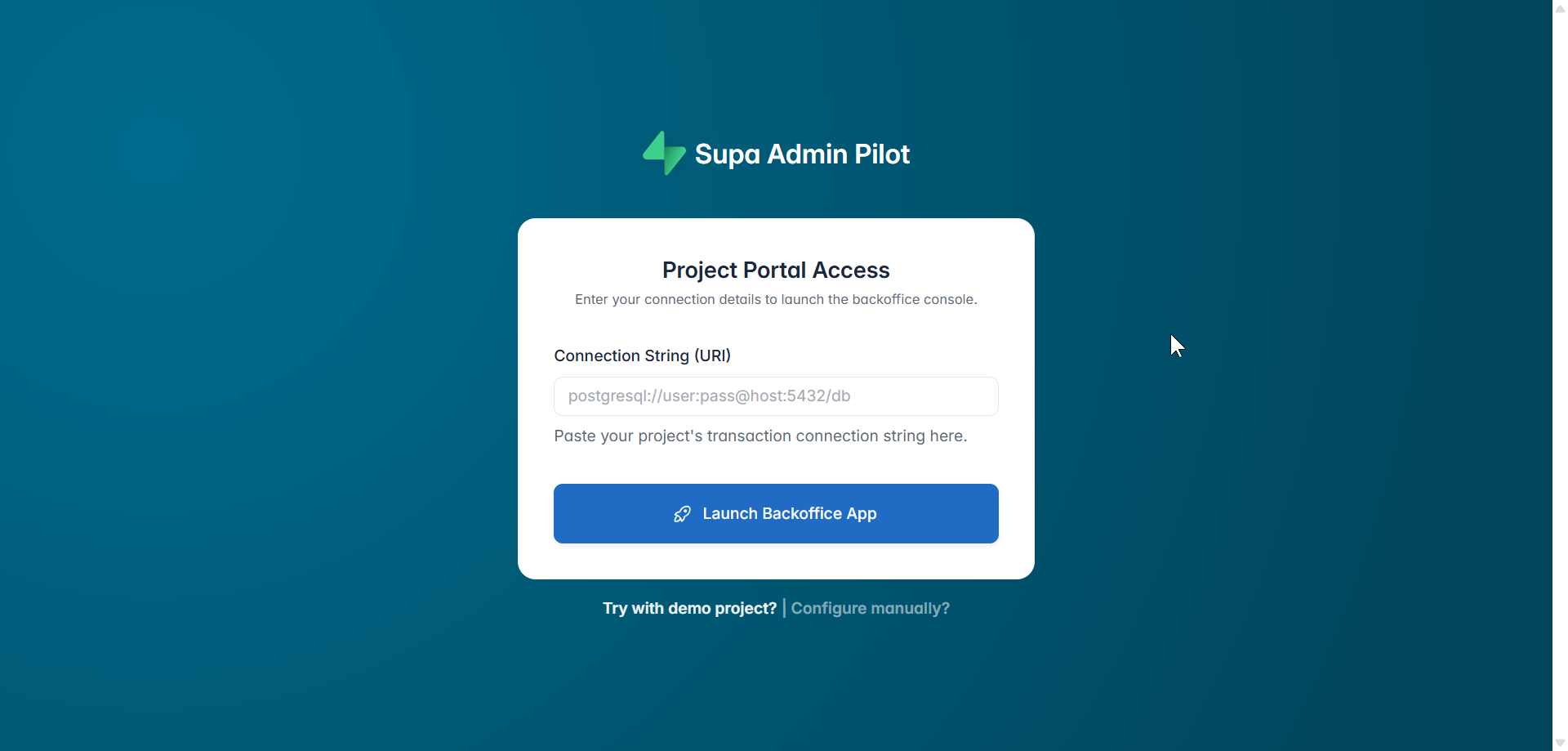
Step 4) Download & Extract the GridPHP package in webroot and plug Supabase credentials into GridPHP

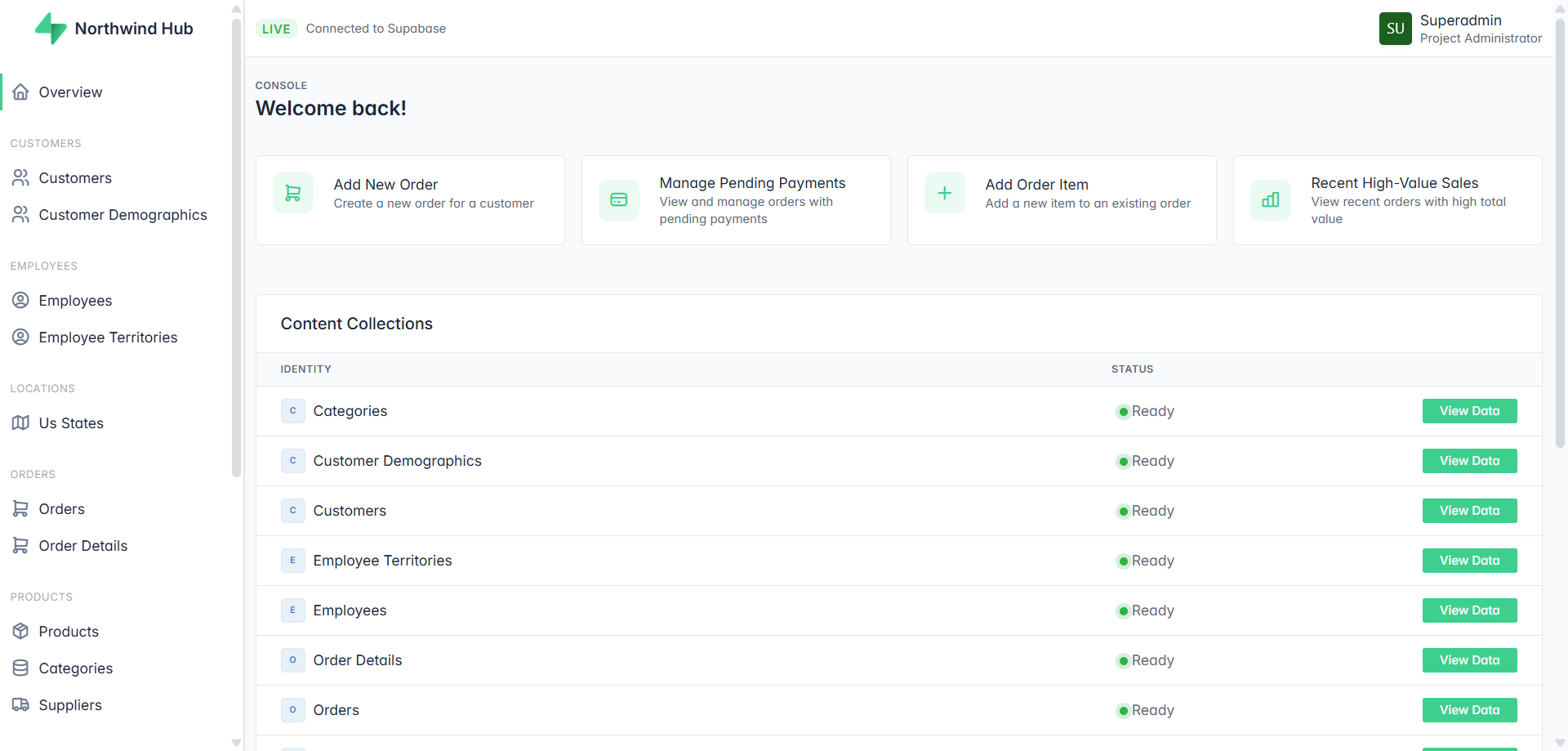
Step 5) Run / Upload to your server

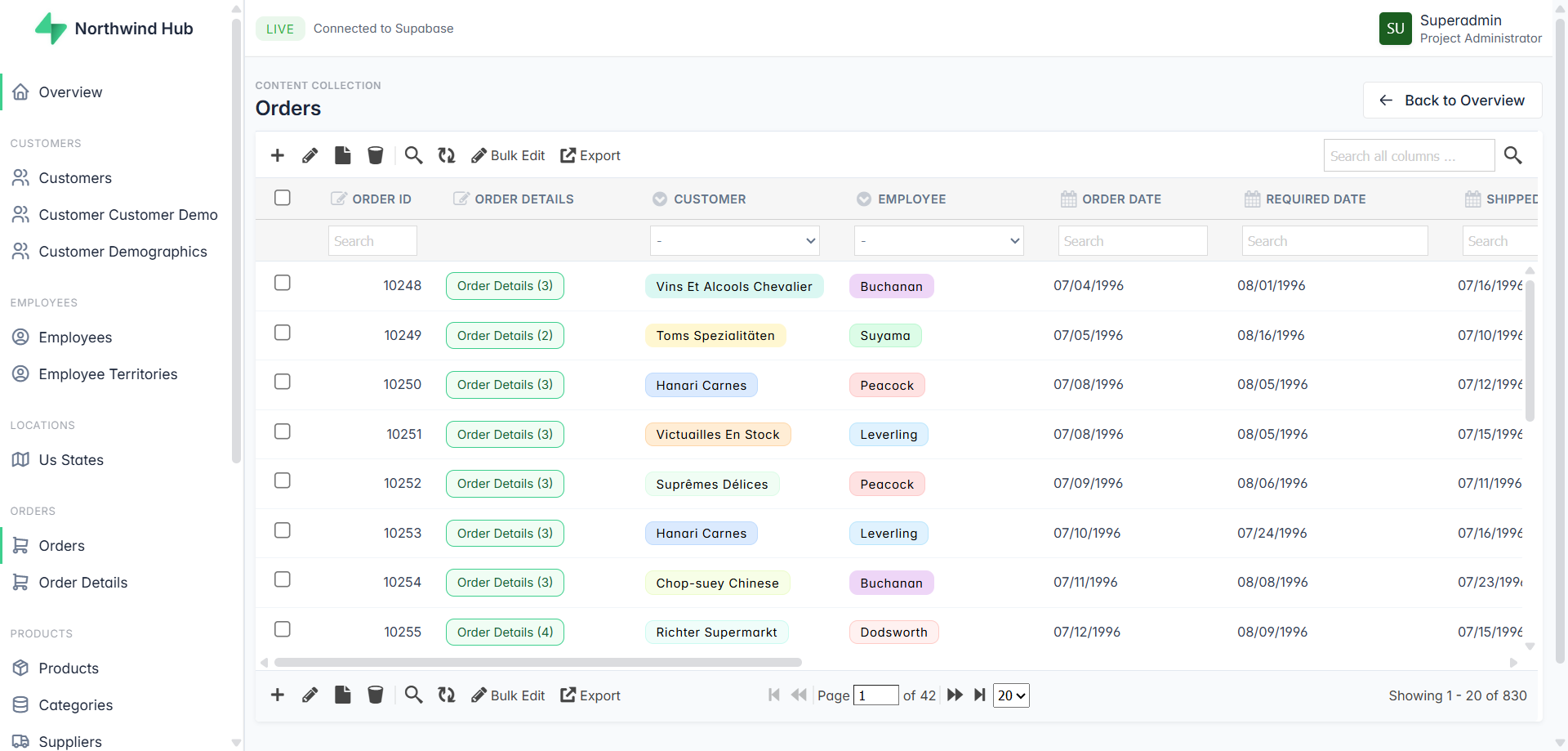
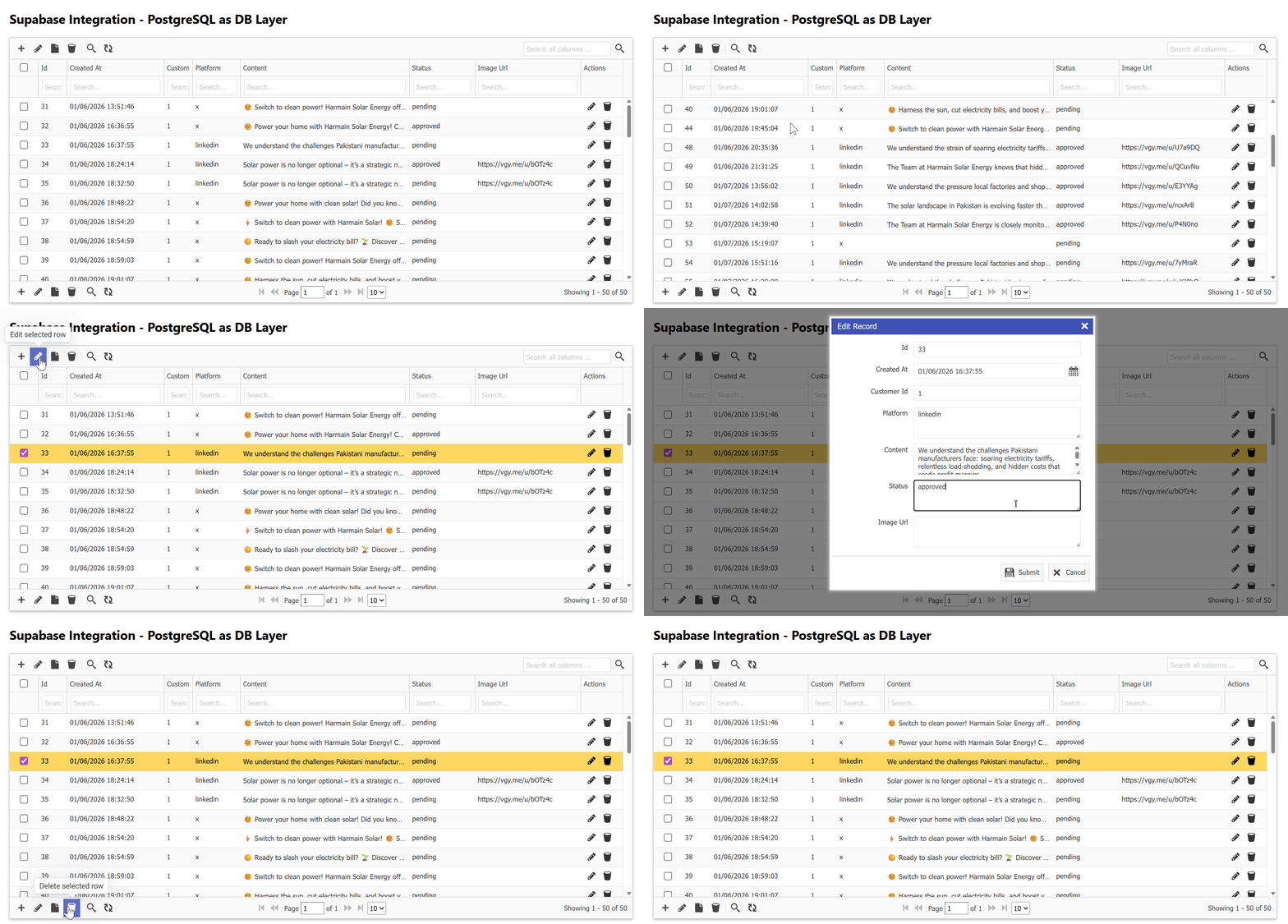
You’ll see results immediately.

GridPHP offers a free version that PHP developers can use to connect Supabase databases and generate CRUD interfaces instantly.

Whats Next 🚀

If you’re a developer who wants:

  • Supabase power
  • PHP simplicity
  • Faster delivery

🚀 Download the free version of GridPHP and connect it to Supabase today.

Start building features — not boilerplate.


GridPHP is designed for developers who ship, not just experiment.

Released Version 3.0

Welcome to the new release (version 3.0) of the Grid 4 PHP Framework. There are many updates in this version that we hope you will like. The following are some of the key highlights.

  • Ready-made Application Templates
  • Laravel v12 Integration
  • Improved WordPress v6 Integration
  • UI and Design improvements
  • Free Version with Premium Features
  • Several Optimizations & Updates

Ready-made Applications: We’ve developed several ready-to-use applications using our PHP DataGrid Framework, which includes built-in features such as:

  • Authentication System
  • Role-based authorization
  • User management.

In the code, simplicity is maintained to make it easier to understand and customizable. Making these applications significantly enhanced the core library and added many improvements.

We have released five application templates so far, with more coming soon.

  1. Sales CRM
  2. Inventory Tracking System
  3. Employee Directory
  4. Donation Management
  5. Expense Tracker

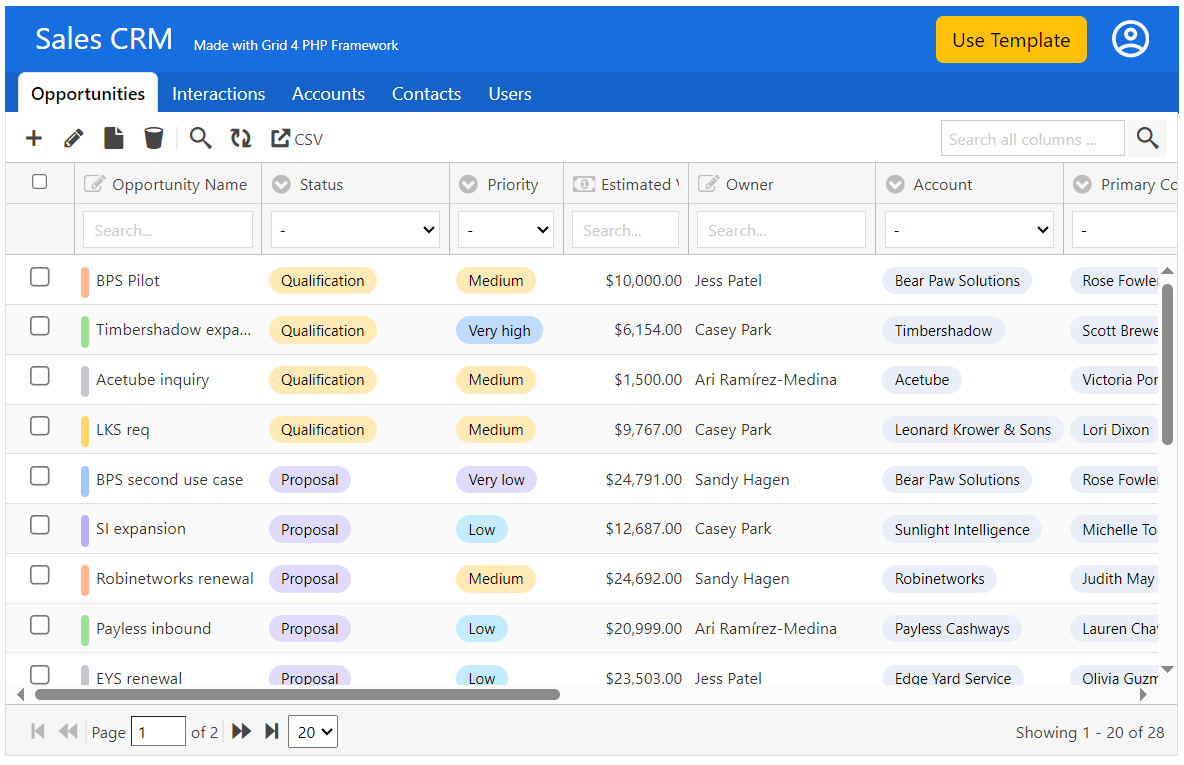
Following is the screen of Sales CRM Demo:

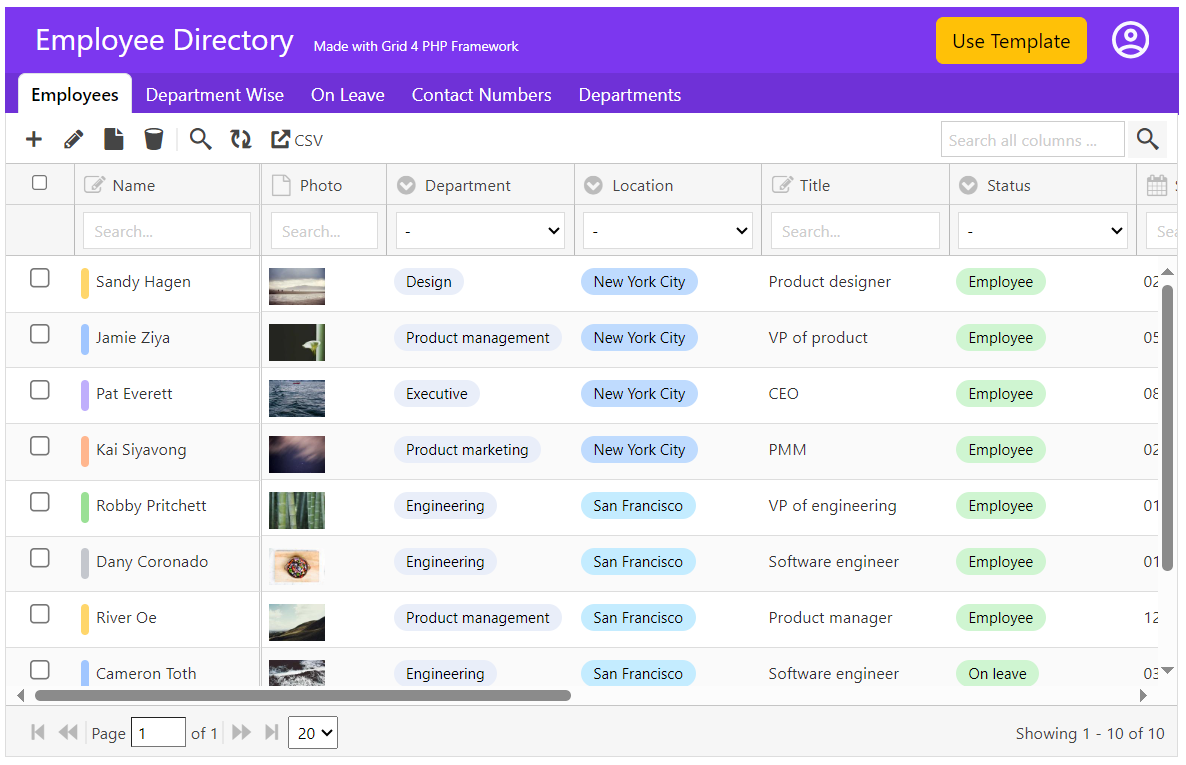
Following is the screen of Employee Directory Demo:

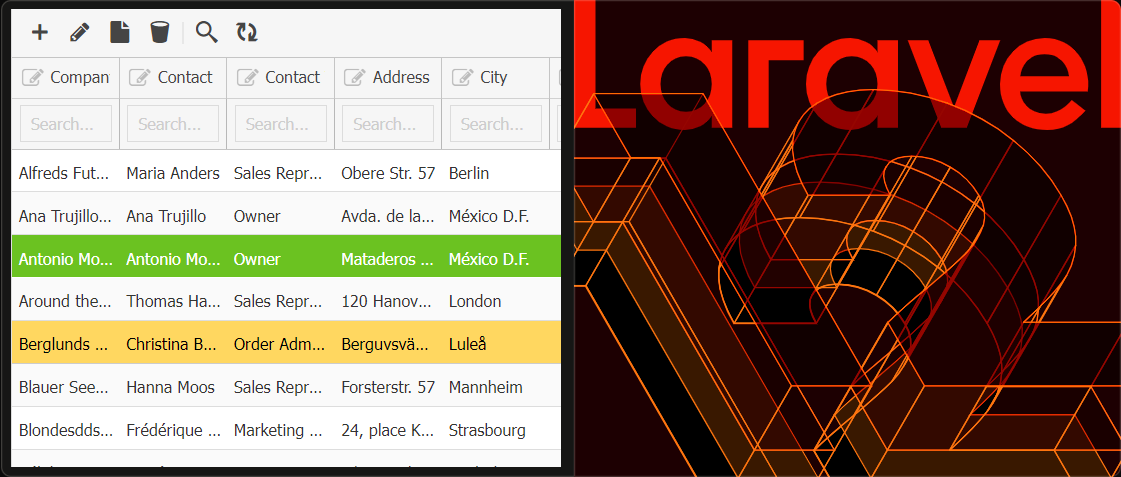
Laravel v12 Integration: Grid 4 PHP Framework is tested with Laravel v12. Seamlessly combine the power of responsive PHP DataGrid with Laravel to build your next web application with ease and efficiency.

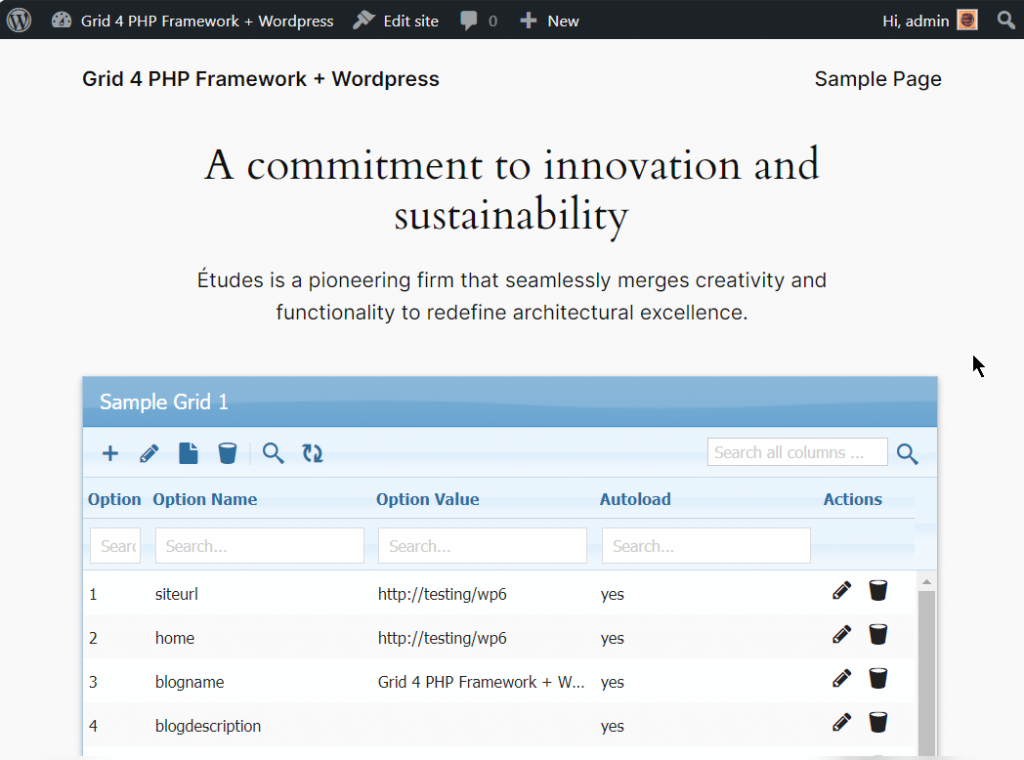
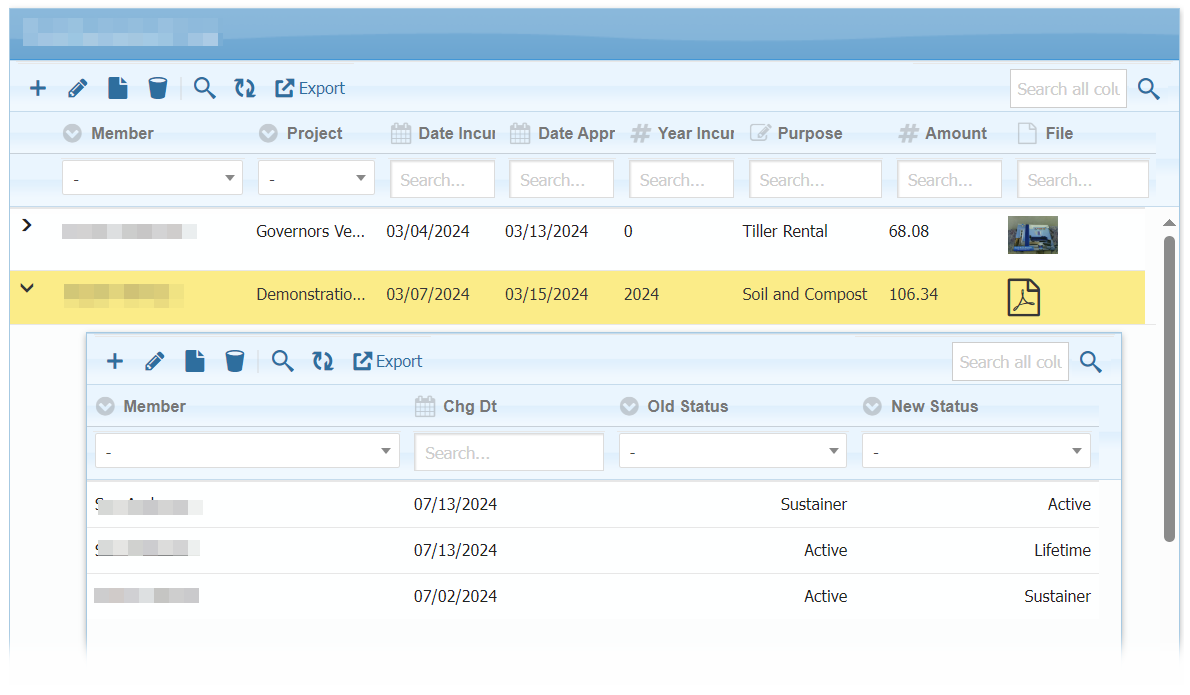
WordPress6 Integration: We’ve further enhanced the integration of our DataGrid solution with WordPress, now supporting Master-Detail Sub-Grids and file uploads. Read more here.
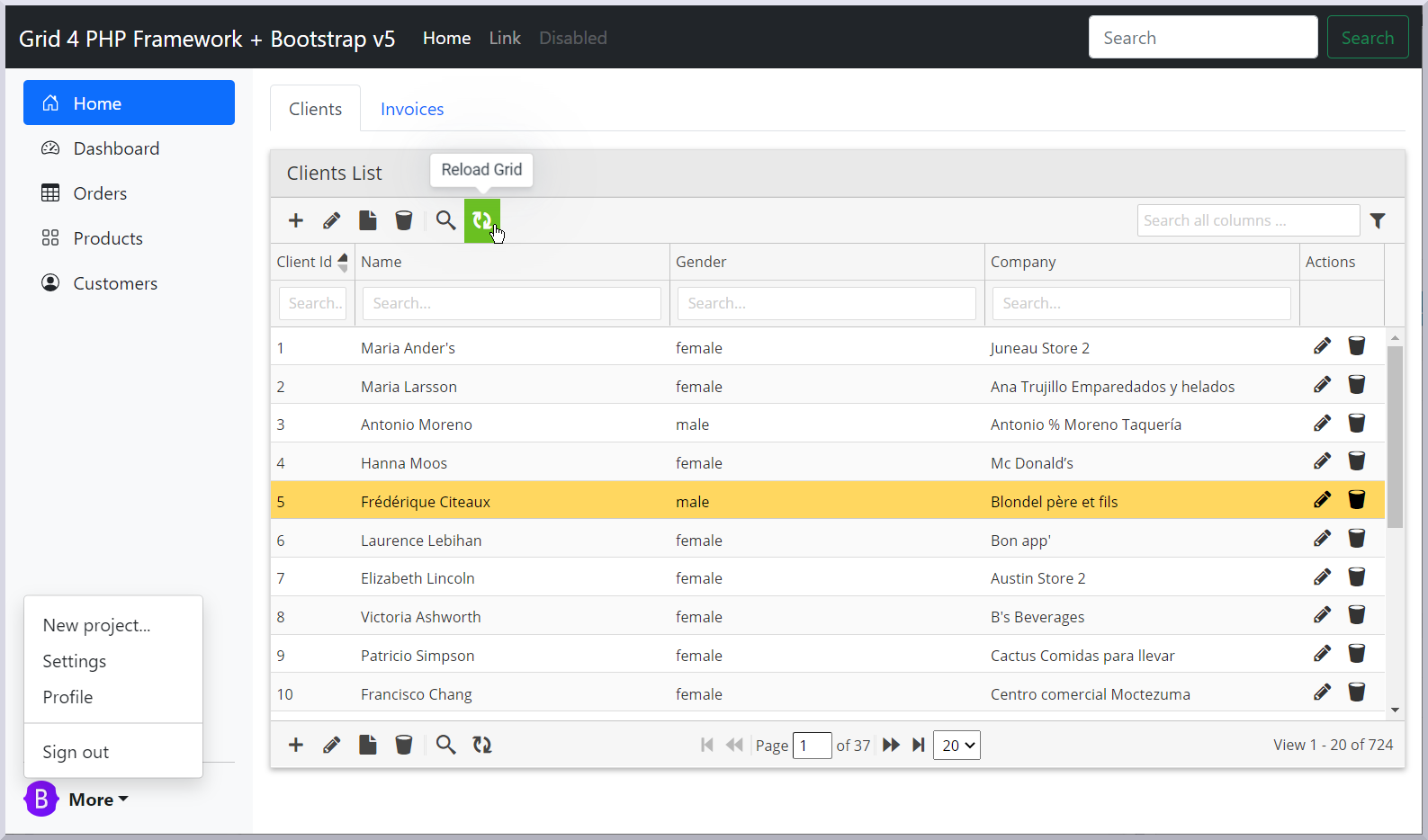
Bootstrap5 Integration: Grid 4 PHP Framework is ready to use with Bootstrap v5.3. Roll-out your next web-application with combining power of responsive PHP Data Grid and Bootstrap5 UI design.

Free Version with Premium Features:

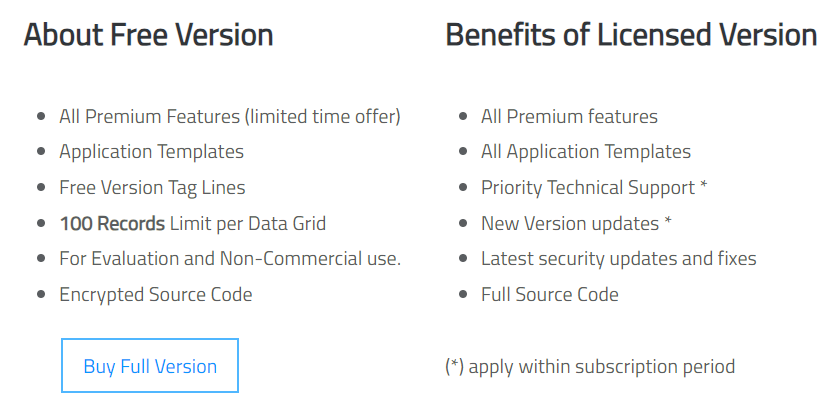
In this release, we’ve revamped the packaging of our free version! It now includes all premium features, including sample application templates, allowing free users to experience the full power of our product. The only limitation? A restricted number of records per grid.

The free version is available for evaluation and non-commercial use, giving you a complete preview of what our framework can do before upgrading.

Other Updates & Optimizations:

  • Direct URL of add/edit/view dialogs
  • Enhanced URL based filtering scheme
  • Import module now updates data based on existing first column
  • Integrated select2 component for dropdowns if JS library included
  • Audit log data added for insert and update events

Next Actions:

Active License Subscription customers can get free upgrade using this link.

Drag-and-Drop Row Sorting, Effortlessly

Hello,

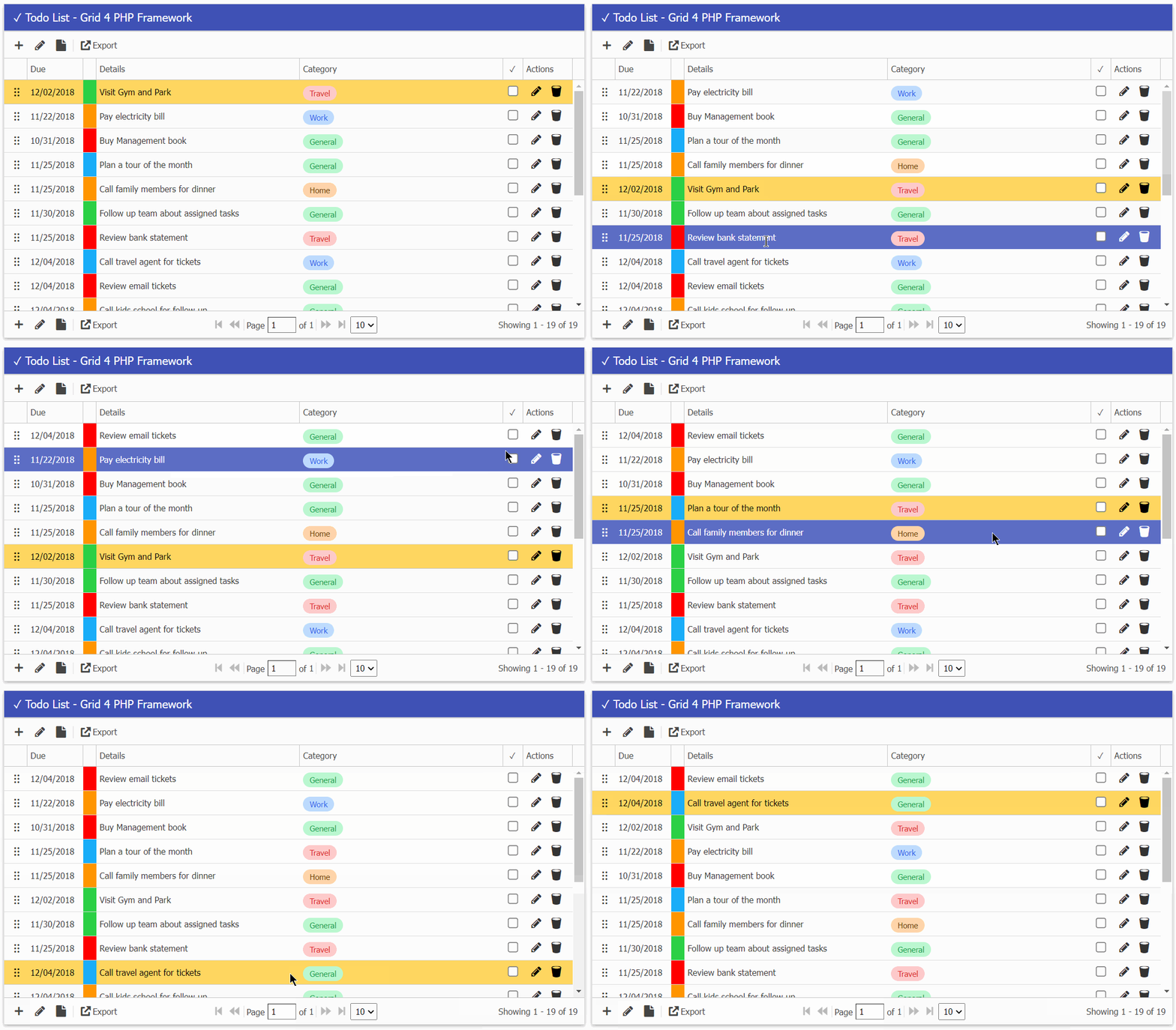
We are thrilled to share an exciting new feature of ‘Row Drag-and-Drop Sorting’ to manage and organize your data in an intuitive and user-friendly manner. With this feature, you can now effortlessly rearrange data rows within your tables by simply dragging and dropping them into the desired position.

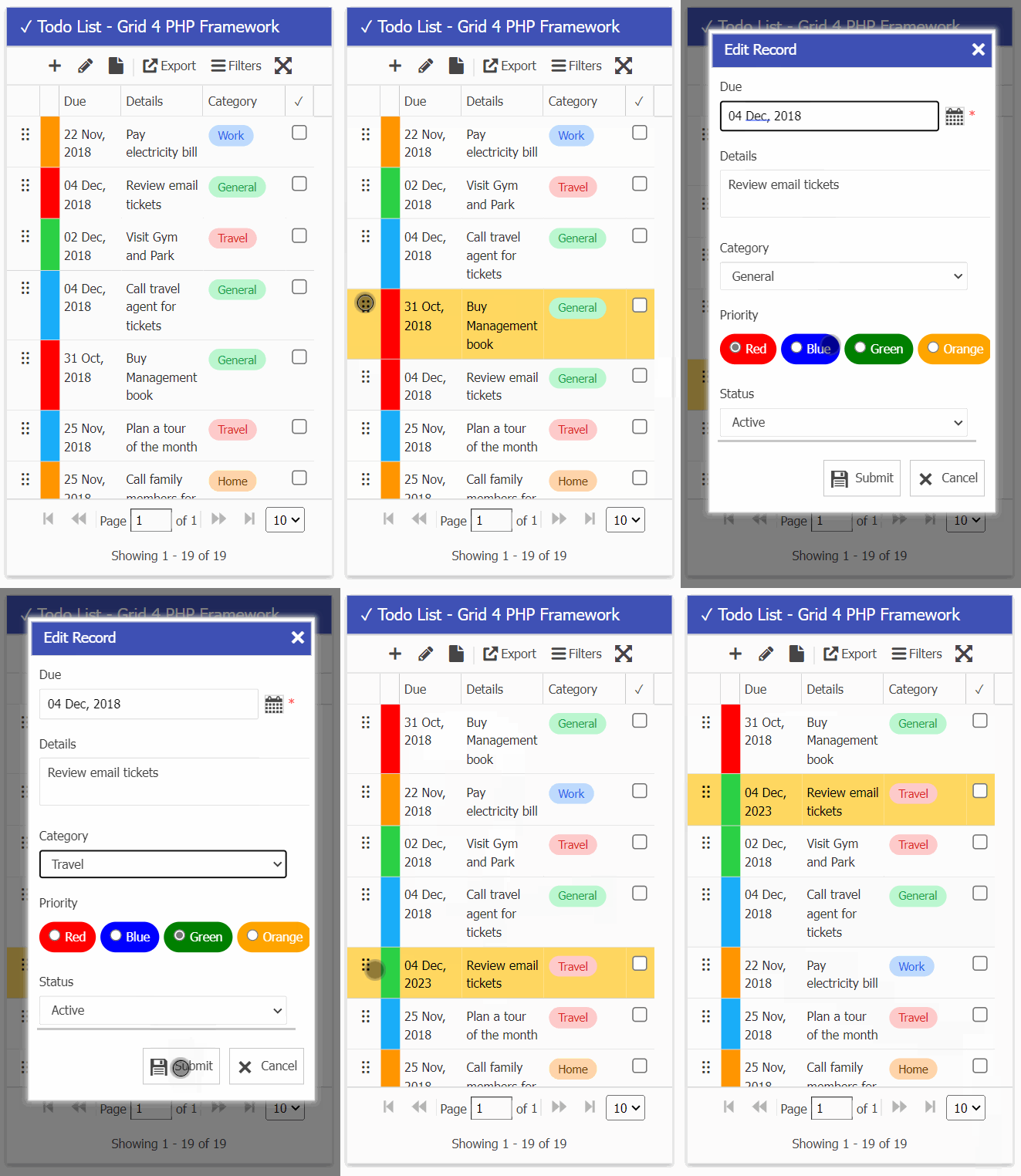
The todo-list demo is mobile friendly and drag drop feature can be used on mobile devices as well.

See Screencast below.

Mobile View:

The working demo can be checked online and inside full version package in demos/apps/todos.

Live Demohttps://www.gridphp.com/demo/demos/apps/todos.php

This feature is a part of our upcoming version 2.9.0 and active subscription customers can request free upgrade or renew your expired subscription using this link.

What Next:

Re-Branding and Logo Updates

Hello Everyone!

This is Abu from PHP Grid Framework. An important update for all customers / developers, With a new season we’re re-branding our product. Now it will be called ‘Grid 4 PHP Framework‘ with a new logo designed as well. Our new logo will be used now in support forum and payment pages.

Our domain name will also be updated from
www.phpgrid.org … to … www.gridphp.com.

These changes will be in transition and old systems will keep working till complete shift.

Nov 2018 Release (version 2.6.2)

Welcome to the release of this month. This is a post release update of major build v2.6. In this release which we have made several updates and fixes on last version. Highlights mentioned below.

Highlights:

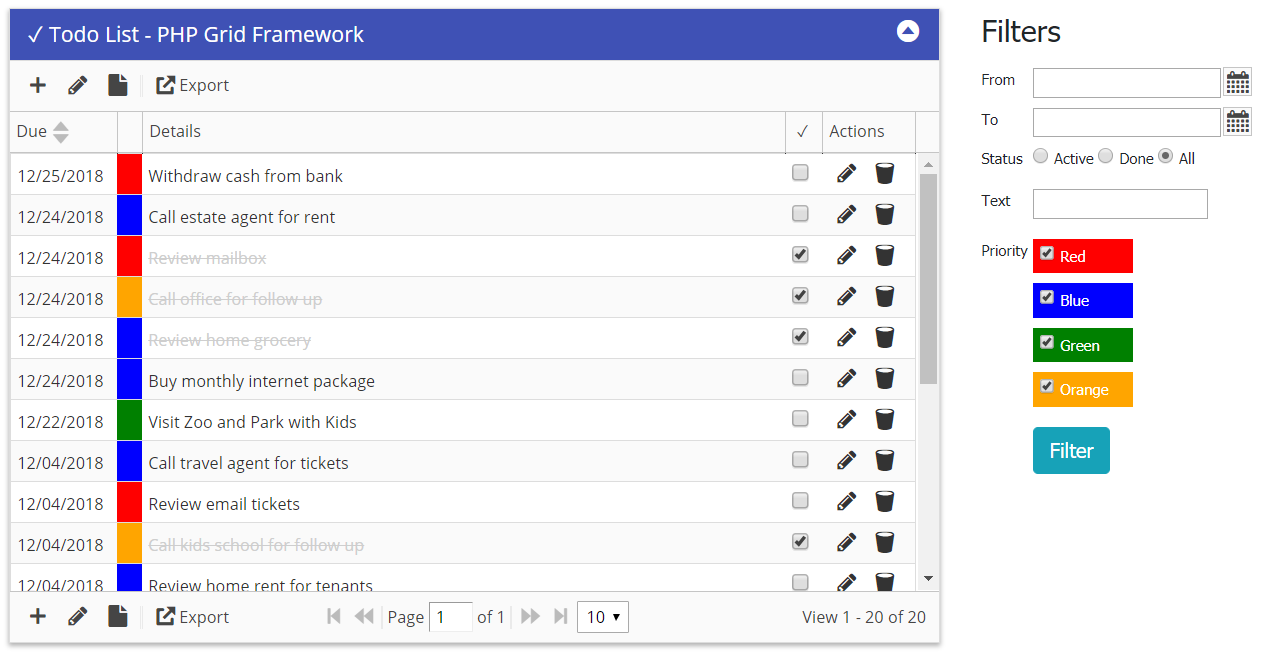
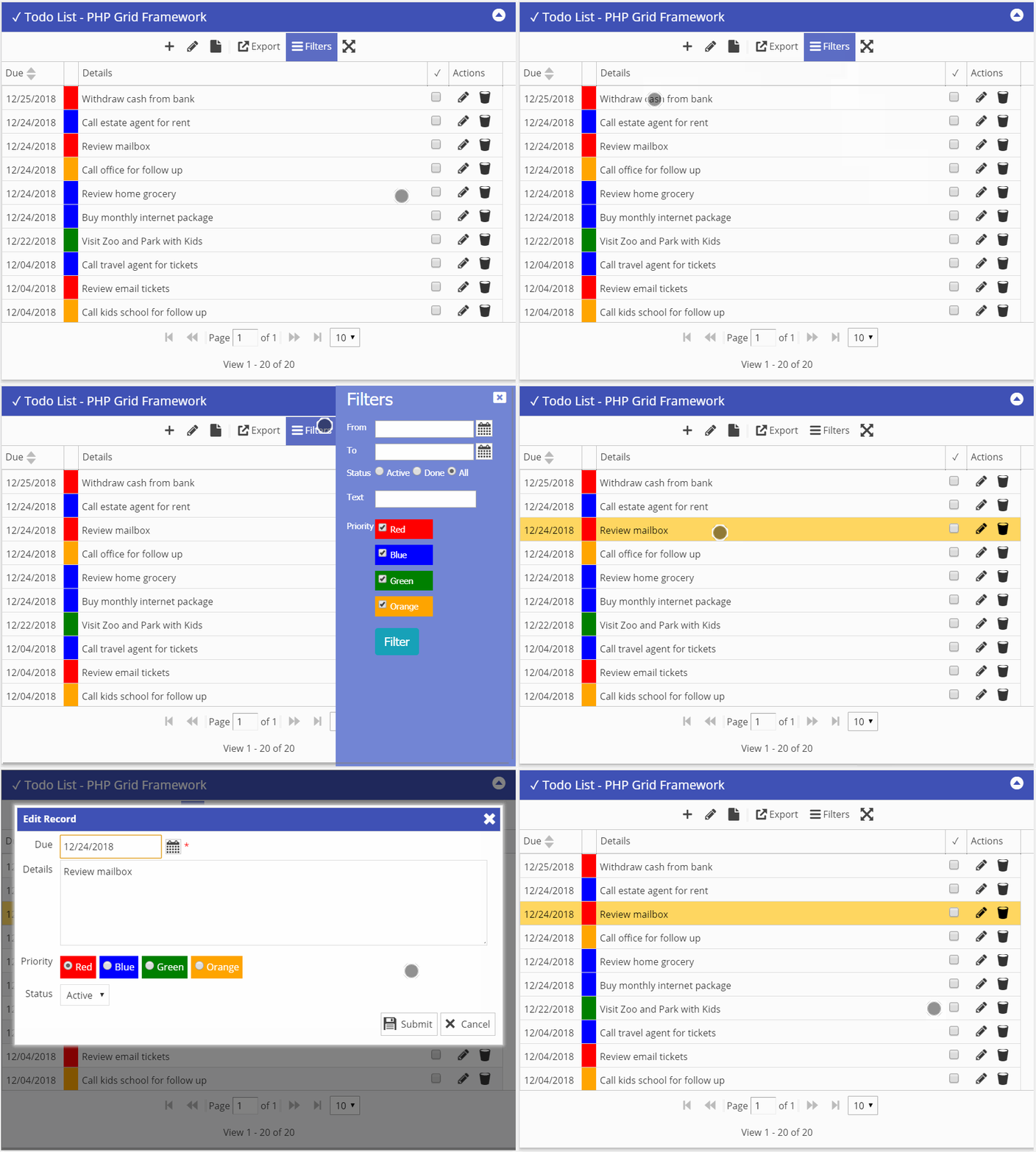
Demo App: Basic Todo List

Desktop view:

Mobile View:

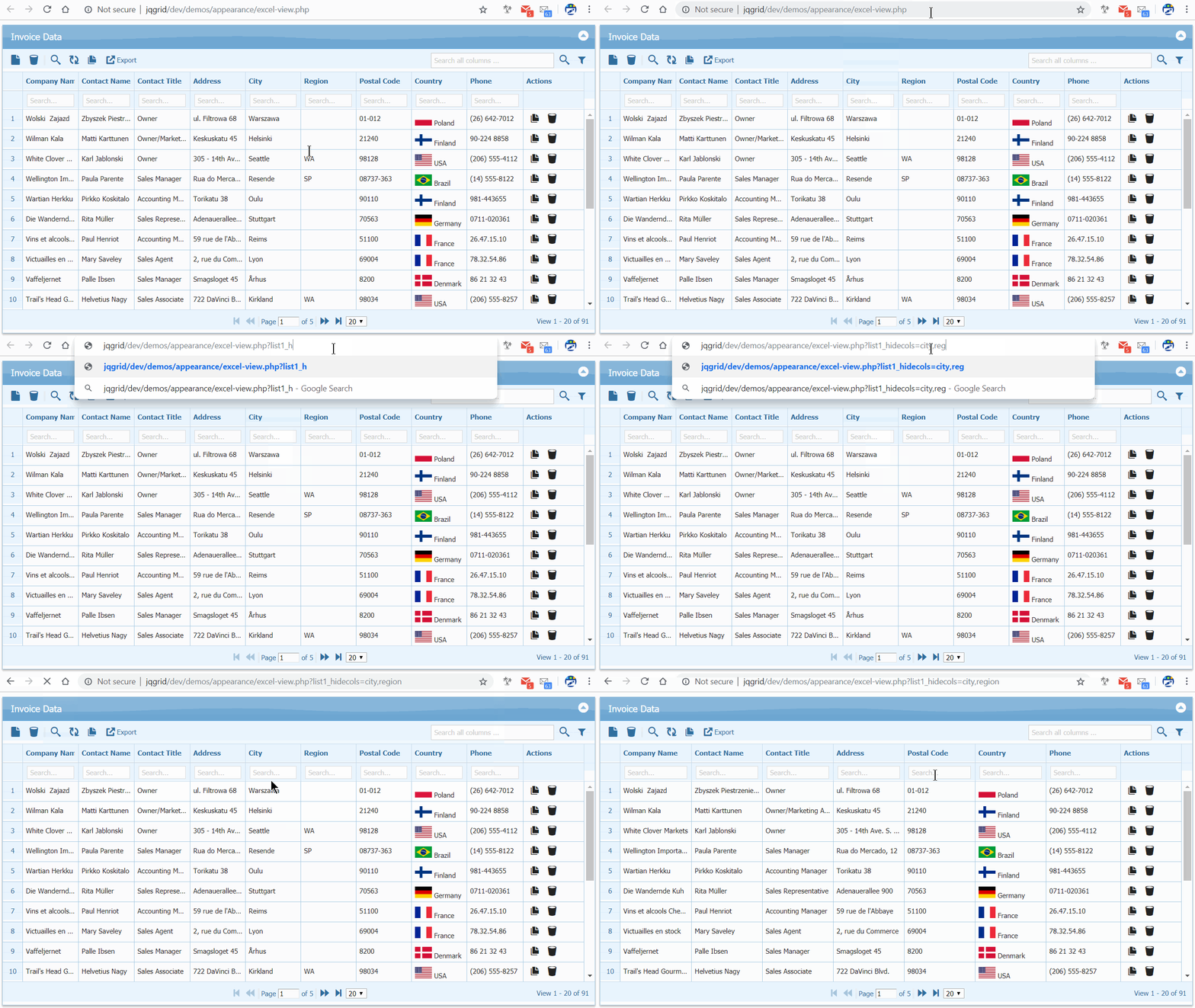
Columns hide/show with URL parameter

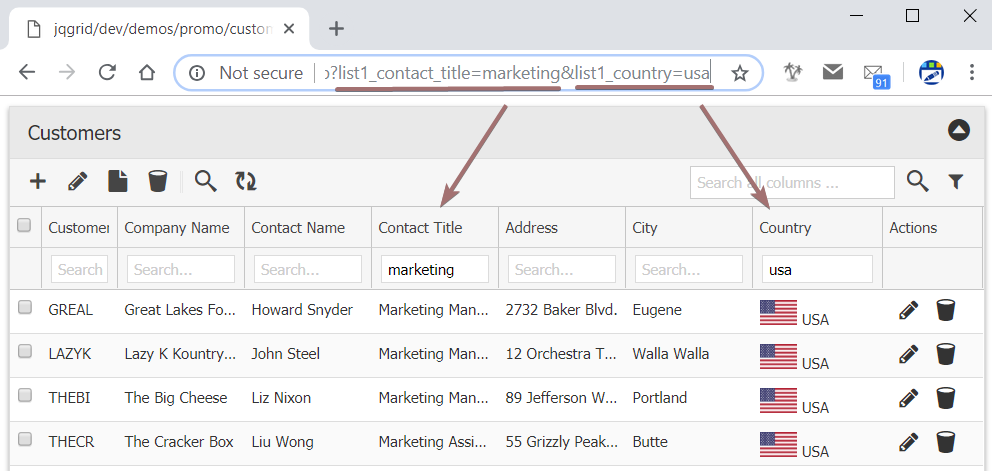
Now you can hide or show certain column based on url parameter (?list1_showcols=id,invdate,note&list1_hidecols=total)

We already have URL based filtering support as explained in this link.

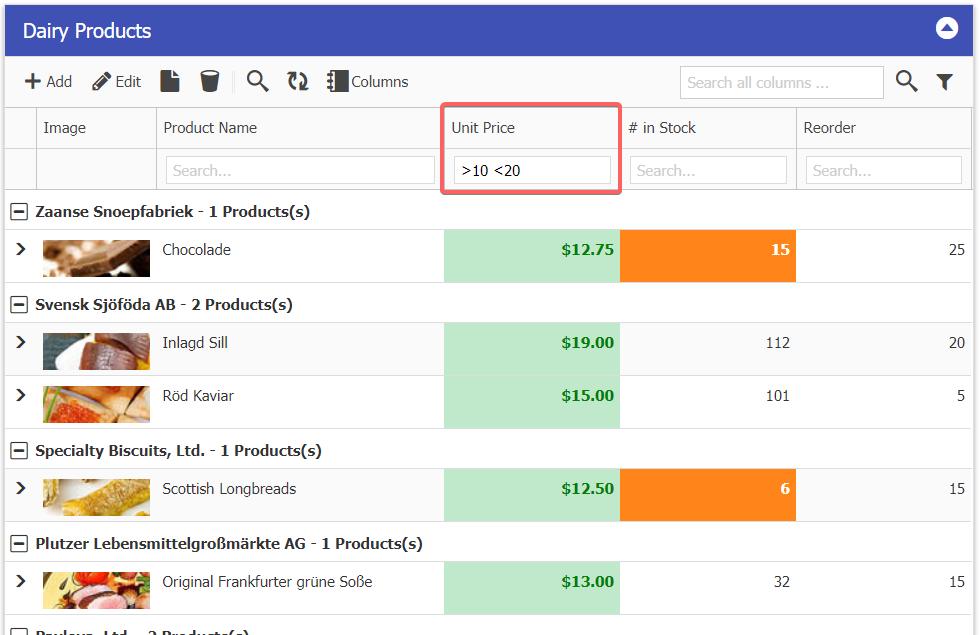
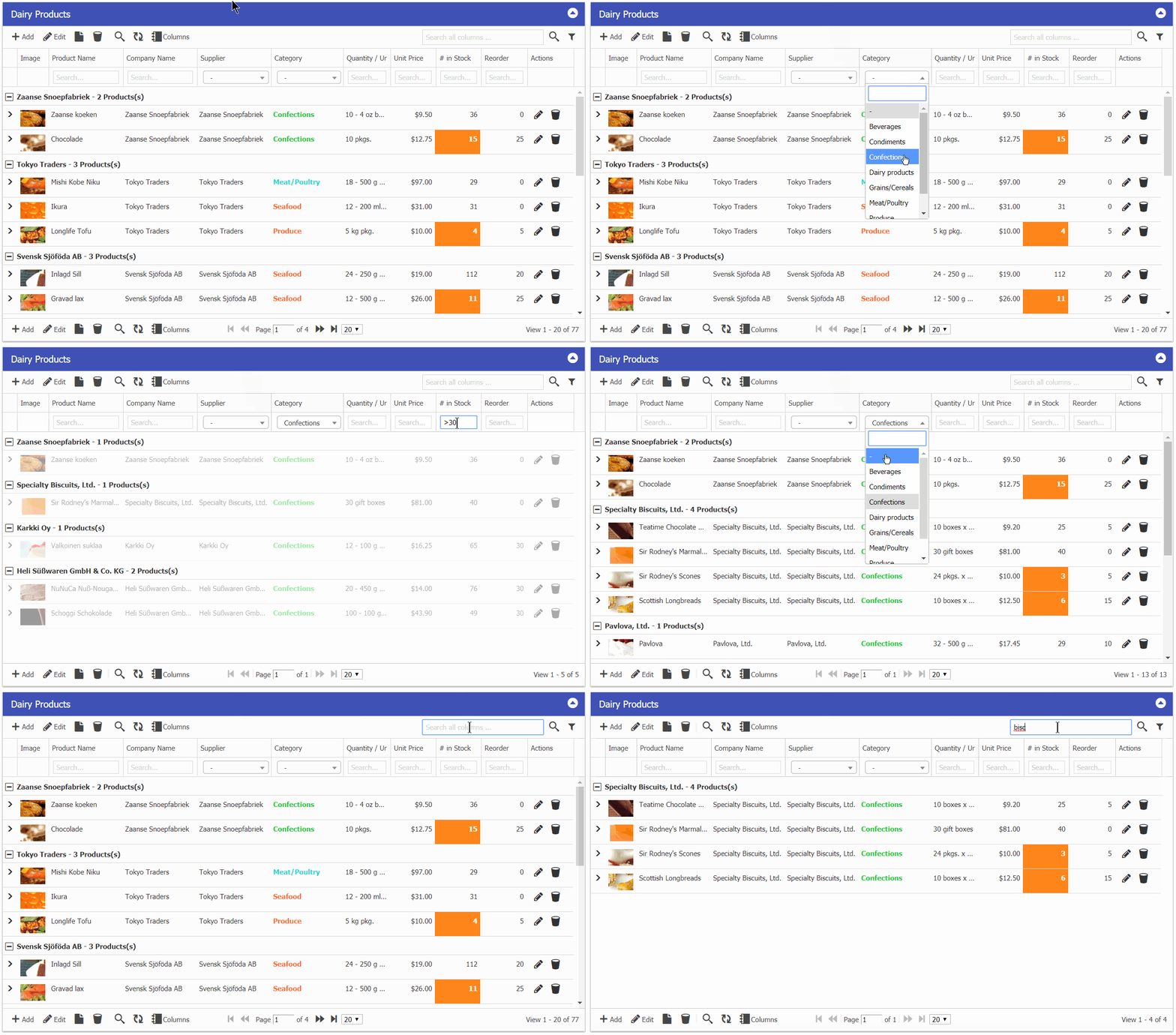
Numeric range autofilter ( >10 <20 )

Autocomplete force selection (combo-box)

If you want to use autocomplete but do not allow new entries and force selection from list (combobox style), then you can set:

$col[“formatoptions”][“force_select”] = true;

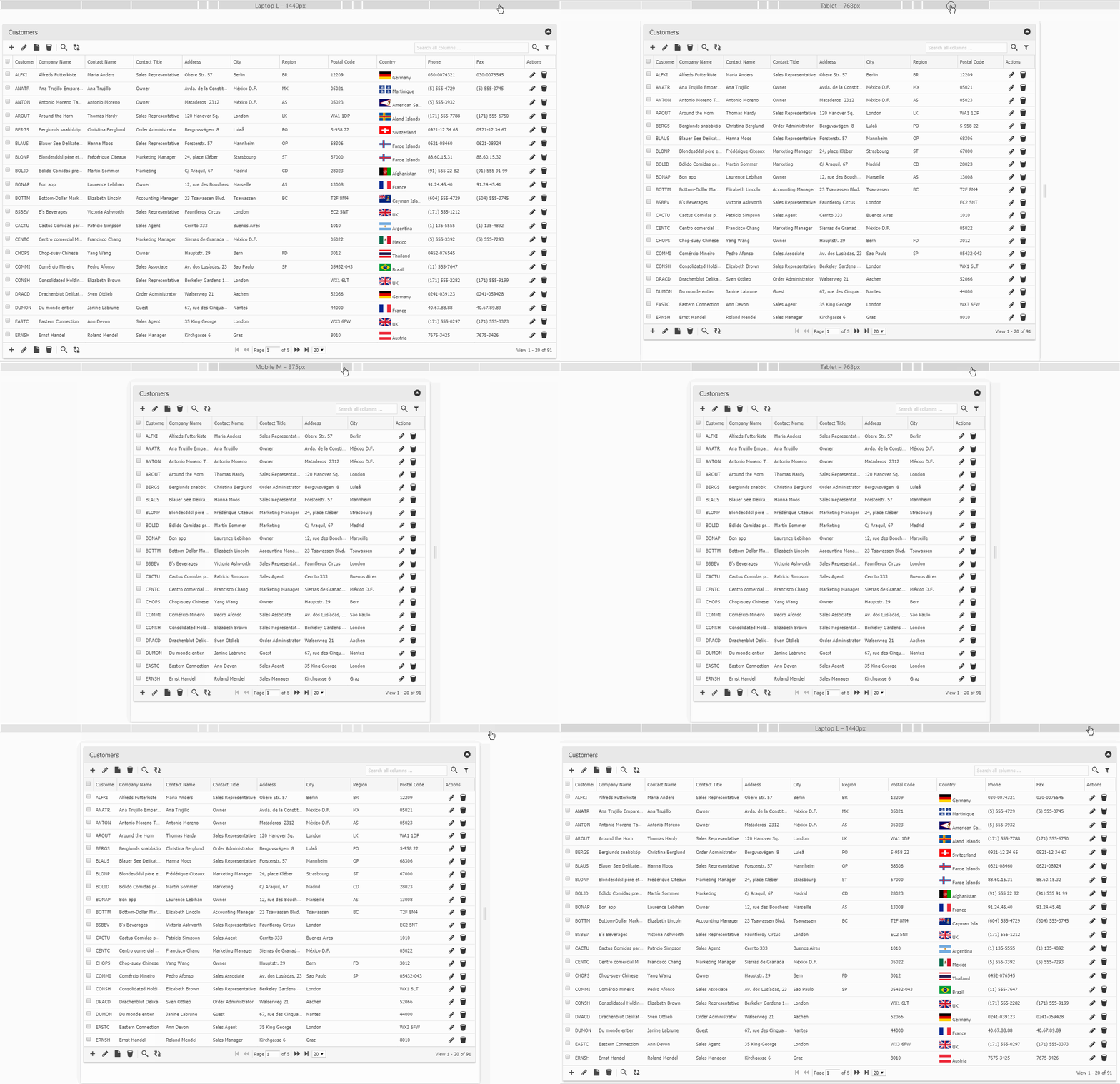
Optimized mobile layout

Removed action icons for xs devices and added fullscreen support that gives native app experience.
Notable Fixes & Updates:

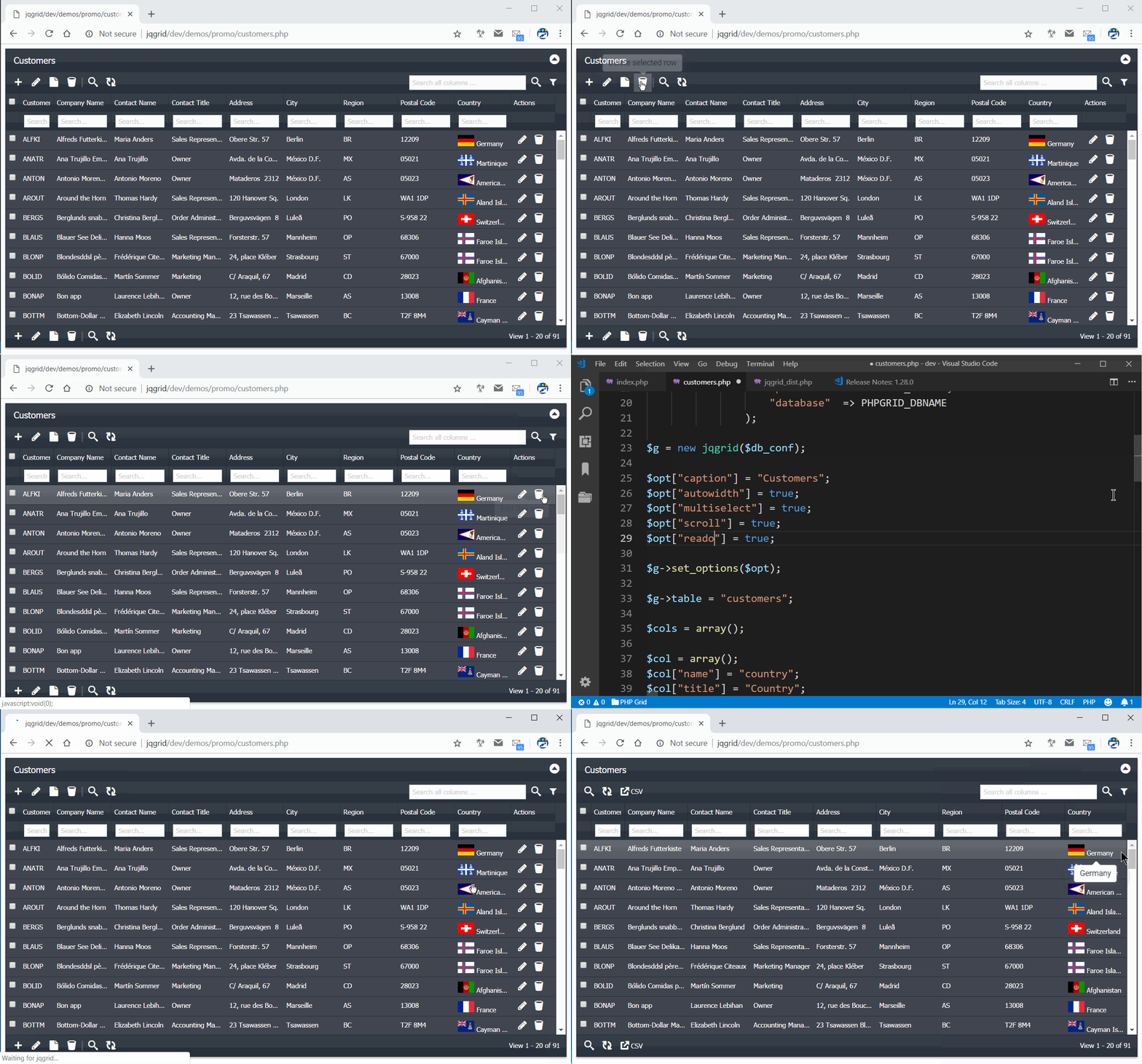
– Moved default edit all rows button to toolbar
– Hotkeys added for first grid. a,e,d. (disabled by default, set $opt[“hotkeys”] = true)
– Removed export from readonly
– Performance issues fixed by disabling tooltip from ellipses (slow rendering for large dataset)
– Css fix mobile spacing button & pager bar auto height
– Removed binary data from database.sql & db script constraints
– Removed sortby check to allow complex sort in $opt[“sortname”], sqlsvr fix
– Reformat date after cancel
– Firefox dependent dropdown update
– Fix error msg spacing, promo fix, dialog mobile position fix
– New line fix for sql server limit query regex
– Fix multiselect css
– Fix multicolumn search when searchtype=global
– Optimized url based filters
– BOM character fix for all files

We’re working on couple of demo apps and most wanted pivot table feature which we plan to release in next build.

Next Actions:

Active License Subscription customers can get free upgrade using this link.


Announcing PHP Grid Framework v2.6

Welcome to the release of PHP Grid Framework v2.6. There are a number of significant updates in this version that we hope you will like, some of the key highlights mentioned below.

Highlights:

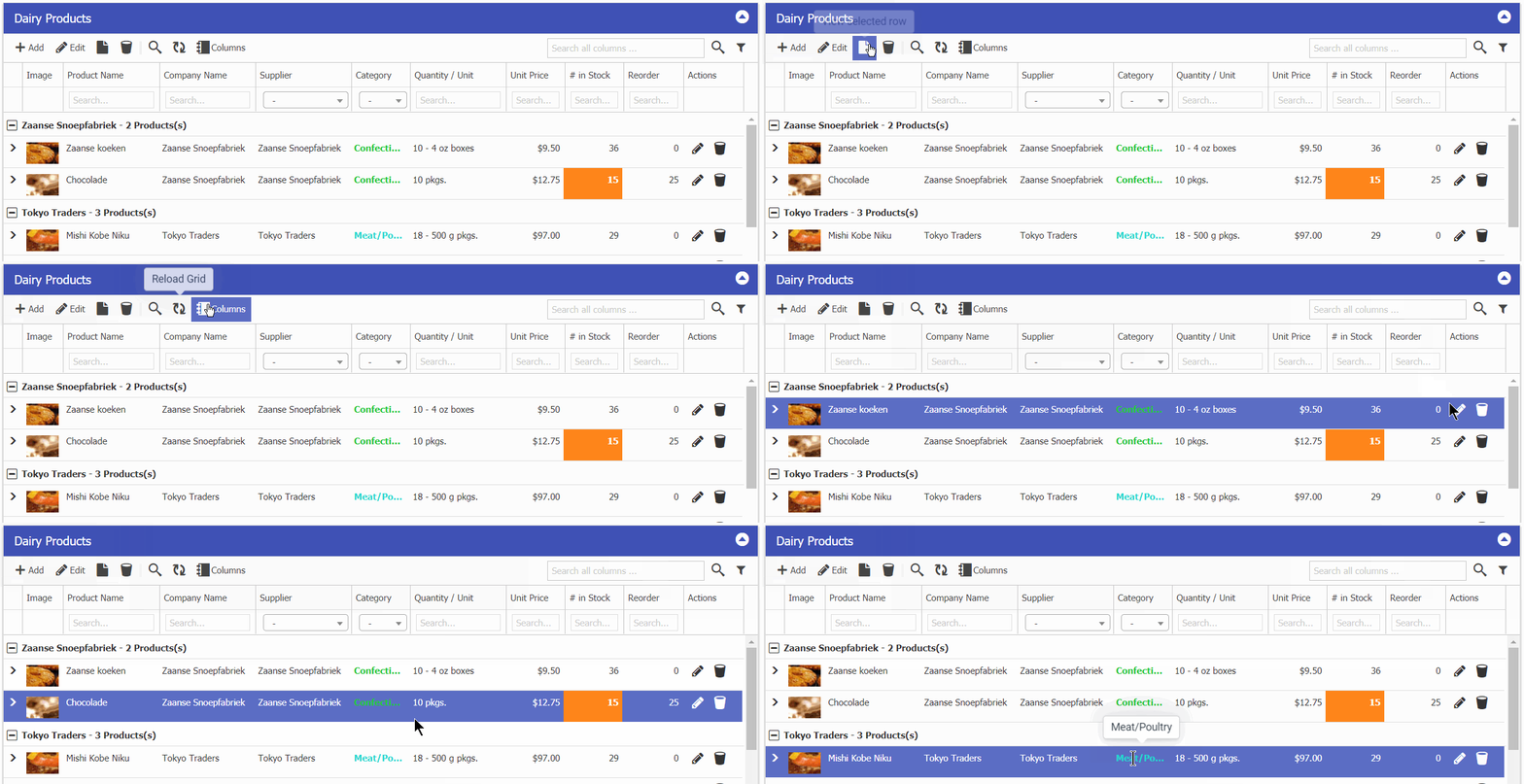
Overall User Interface Enhancement, Font-awesome Icons, Shaded border, Tooltips

Optimized for mobile devices

Automatic hiding of columns on small device breakpoints

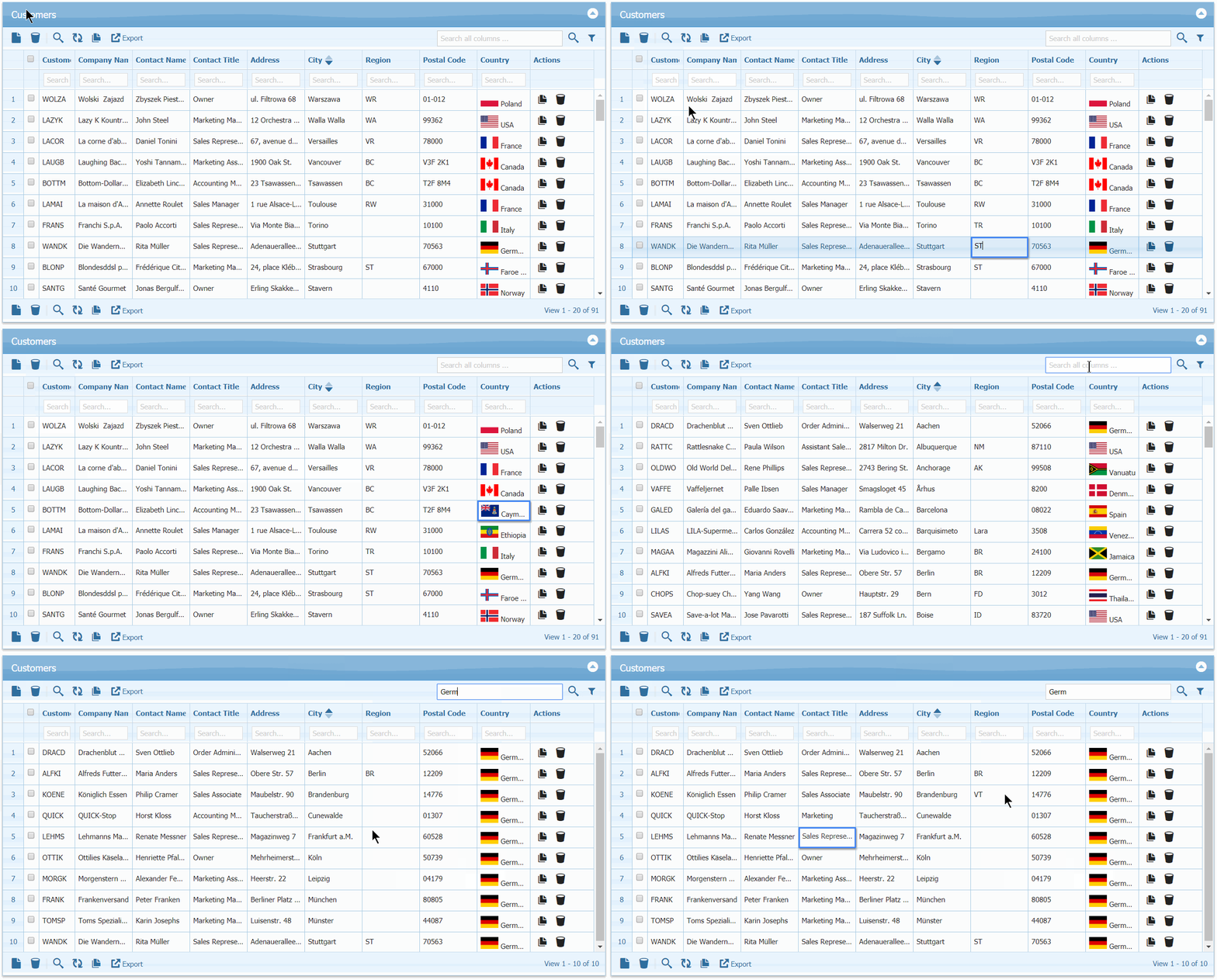
Enhanced Excel Style navigation, just like Google Sheets & MS Excel with no saving delay.

Added Tooltips where required. Added ellipses (…) for long content.

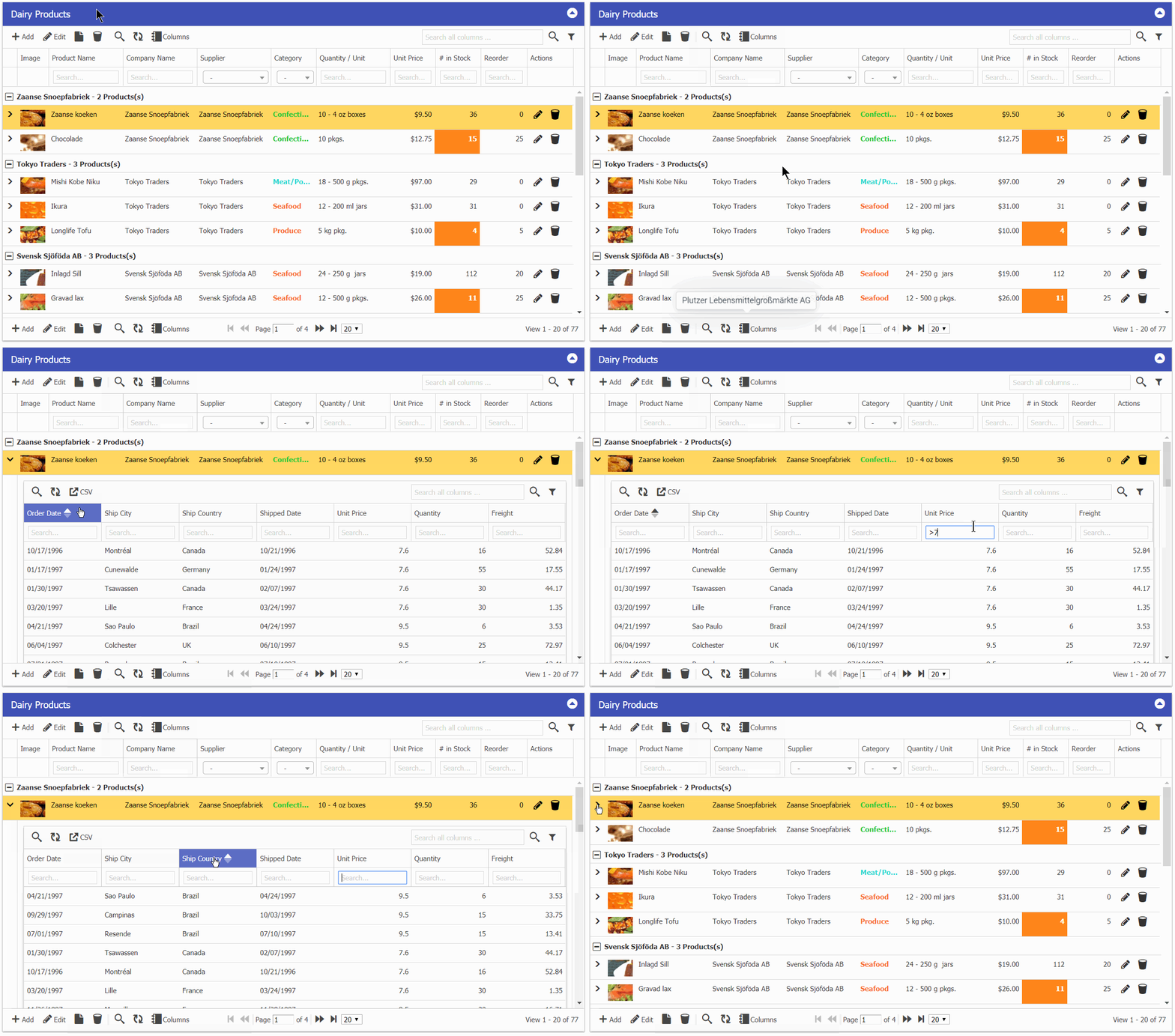
Lookup search, Numeric Range search, Global search

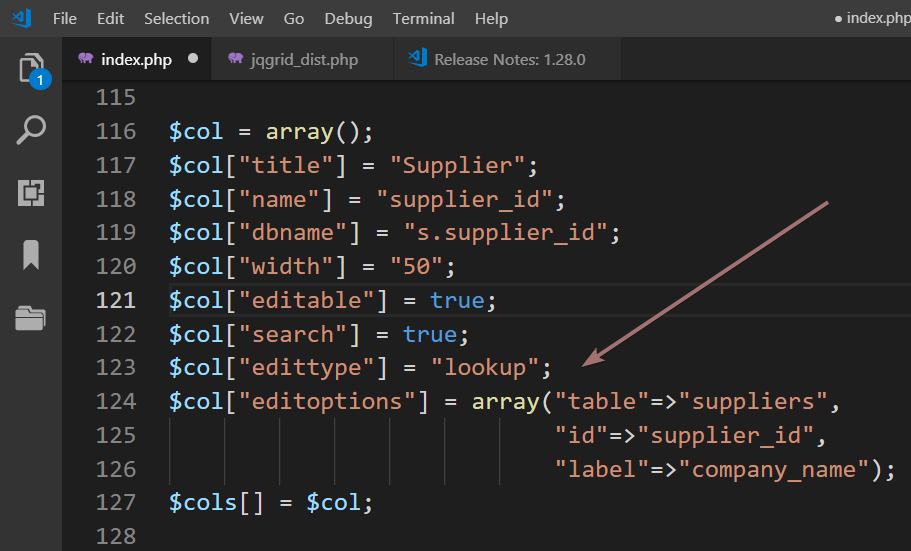
Lookup edit type

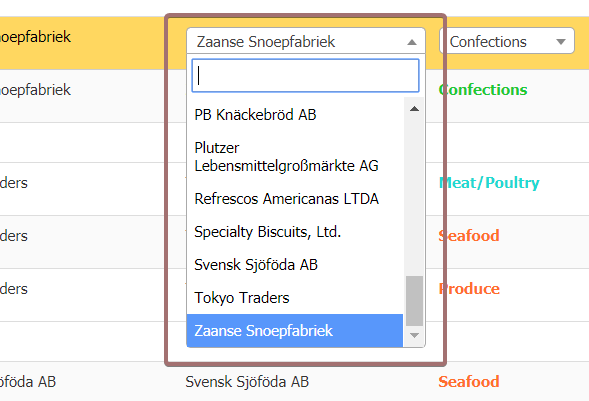
and it will result following searchable lookup dropdown.

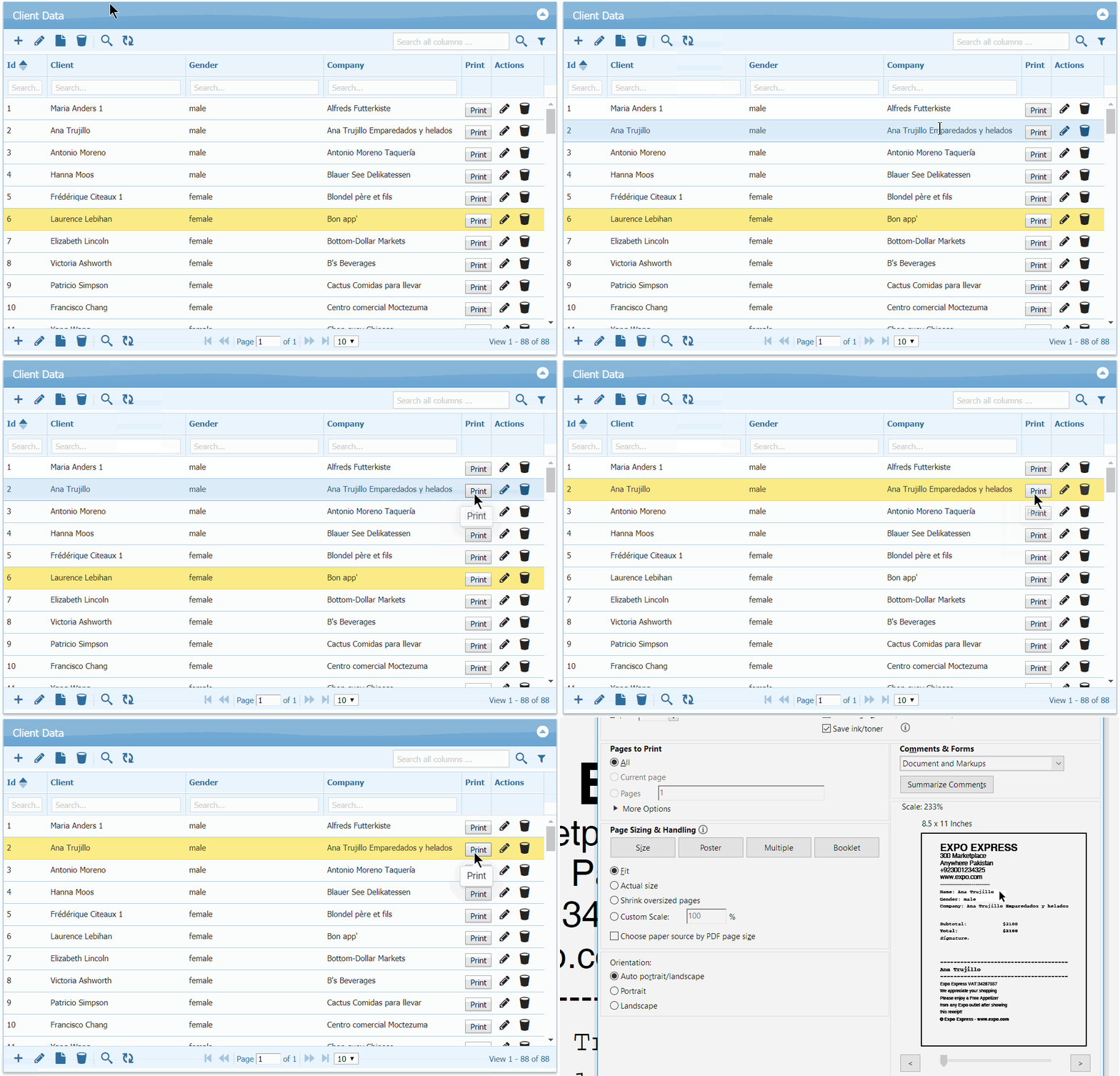
Exporting single row (e.g. Sales receipts)

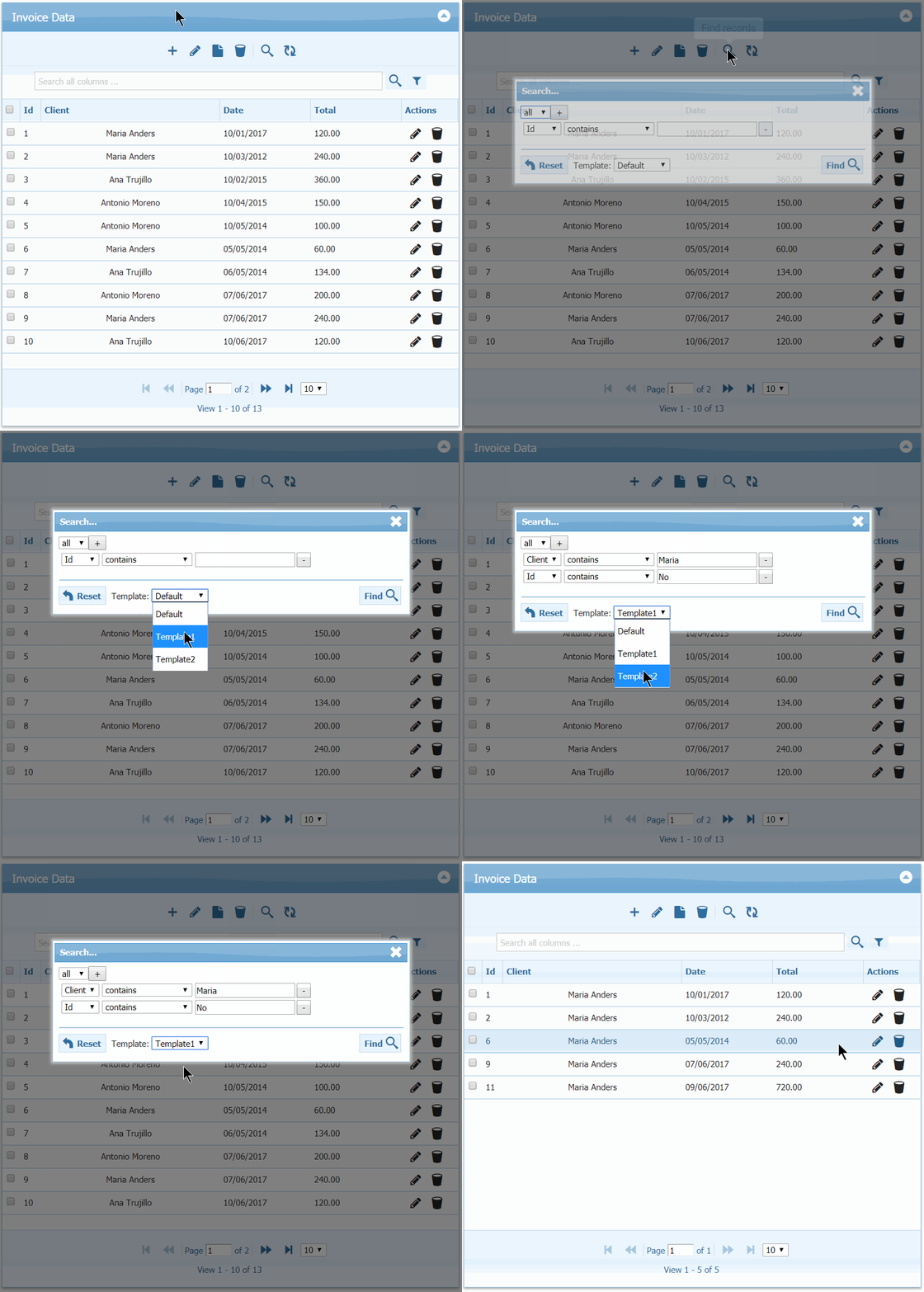
Predefined Search Templates

URL based grid filtering (filters permalink)

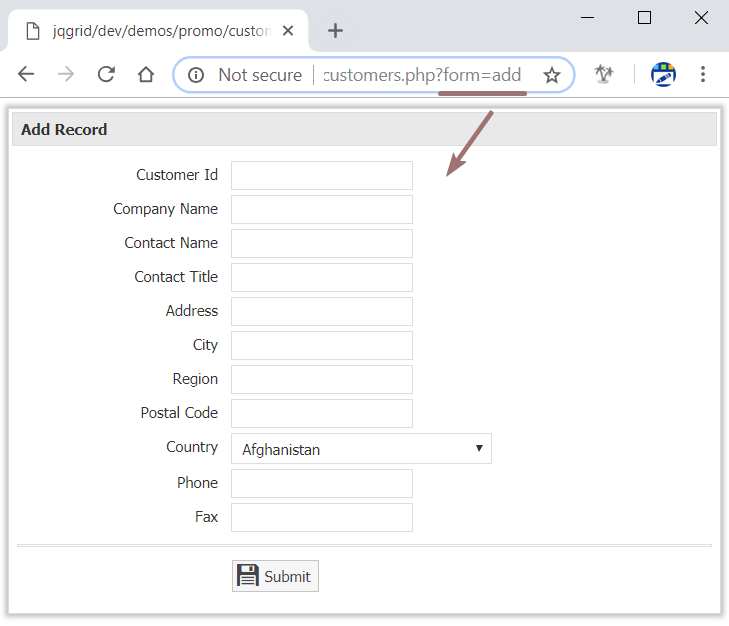
Directly Open Add Form, instead of grid

Read-only preset of grid (e.g. Reports) + Dark-One theme

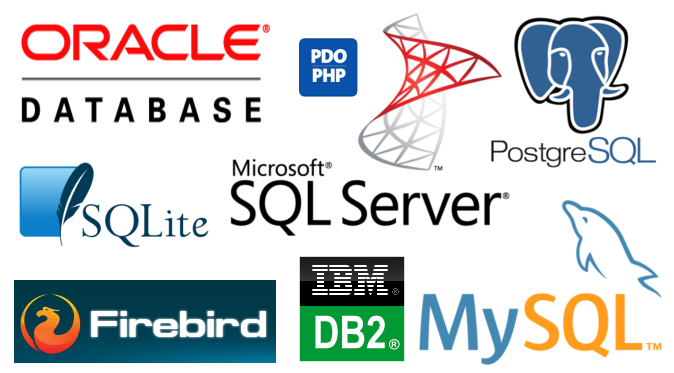
Optimized Database drivers supported
db

And finally, great experience on modern browsers.
Browsers


Notable Fixes & Updates:

  • Selecting specific field to map on imported CSV file
  • Updated Excel export library included
  • Updated PDF export library included
  • Updated Database Abstraction library included
  • Important Security Fixes (XSS, SQL injection)
  • Added set_titles function to override titles
  • Added rowheight property to increase row space
  • Security: File upload File Extension Filtering
  • Excel mode: On enter move down or next
  • Replaced CKeditor with Trumbowyg editor due to licensing limits
  • Auto remove uploaded image on close and cancel dialog
  • Excel view: Textarea shift enter for new line
  • Around 200 fixes and updates.

Last but certainly not least, a big Thank You! to our customers who helped to make our product even better.

Next Actions:

Active License Subscription customers can get free upgrade using this link.


PHP Database Table Editor v2.0

Lightweight & Feature-Rich PHP Database Editor for SQL, MySQL, Oracle, PostgreSQL, DB2

In today’s fast-paced development environment, developers and administrators often need instant access to database tables without the overhead of writing full CRUD (Create, Read, Update, Delete) modules. Whether you work with MySQL, SQL Server, Oracle, PostgreSQL (PgSQL), or DB2, PHP Grid offers a lightweight and powerful solution. With just a few configuration steps, you can access and edit your database tables directly within your existing PHP application.

Why PHP Grid Database Editor is a Time-Saving Tool

The PHP Grid Database Editor is designed for simplicity and efficiency. Instead of building complex modules for add, edit, delete, and search operations, you can get a fully functional database grid by setting the $g->table attribute to your selected database table.

Example code:

$g = new jqgrid();

// set few parameters
$grid["caption"] = "Grid for '$tab'";
$grid["autowidth"] = true;
$g->set_options($grid);

// set database table for CRUD operations
$g->table = $tab;

// render grid
$out = $g->render("list1");

This lightweight PHP database grid can be easily extended with additional features such as:

  • Access Control (ACL)

  • Exporting data (PDF, CSV, XLS)

  • Bulk editing with multi-selection

  • Grid persistence (column resizing, filters, sorting)

The demo above is based on MySQL, but the same code works seamlessly with MS SQL Server, Oracle, PgSQL, and DB2 databases.

Key Features of PHP Grid

  • CDN-based CSS/JS files for faster page loading

  • Hide or show specific columns

  • Select tables and fields for editing at runtime

  • Bulk editing and multi-selection support

  • Grid persistence (resizing, filtering, sorting)

  • Free and licensed versions available: Connect to MySQL, SQL Server, Oracle, PgSQL, and DB2 databases, with the licensed version offering advanced integration features

Frequently Asked Questions (FAQ)

Q: What is PHP Grid?
A: PHP Grid is a lightweight PHP-based database editor that allows developers and administrators to view, edit, and manage database tables without writing full CRUD modules. It supports MySQL, SQL Server, Oracle, PostgreSQL, and DB2.

Q: Who uses PHP Grid?
A: PHP developers, database administrators, and software teams who need fast and easy database management within PHP applications use PHP Grid. It is ideal for internal admin panels, dashboards, and rapid development projects.

Q: How does PHP Grid work?
A: PHP Grid works by connecting to your database using credentials in a config file. You set the target table in the $g->table attribute, and PHP Grid generates a fully interactive table grid with add, edit, delete, and search functionality.

Q: Can PHP Grid handle multiple databases?
A: Yes! PHP Grid supports MySQL, MS SQL Server, Oracle, PostgreSQL, and DB2. The same interface works for all supported database types.

Q: Is PHP Grid free?
A: PHP Grid comes with both Free and Licensed versions. The free version allows connection to multiple databases, while the licensed version adds advanced features and integration options for enterprise-level applications.

Q: Can I export data from PHP Grid?
A: Absolutely. PHP Grid supports exporting data in PDF, CSV, and XLS formats, making it easy to share reports or backups.

Get Started with PHP Grid

You can download PHP Grid today and save hours of development time. Integrate a powerful database editor directly into your PHP applications and start managing your tables instantly.

Complete code for this demo can be accessed from this link.

You can Download and Start saving your time now!

Announcing PHP Grid v2.0

Today, we are glad to announce the release of PHP Grid v2.0.
Adding a lot of features, updates, optimizations and fixes. Thanks for all who contributed in evaluation.

Major Highlights:

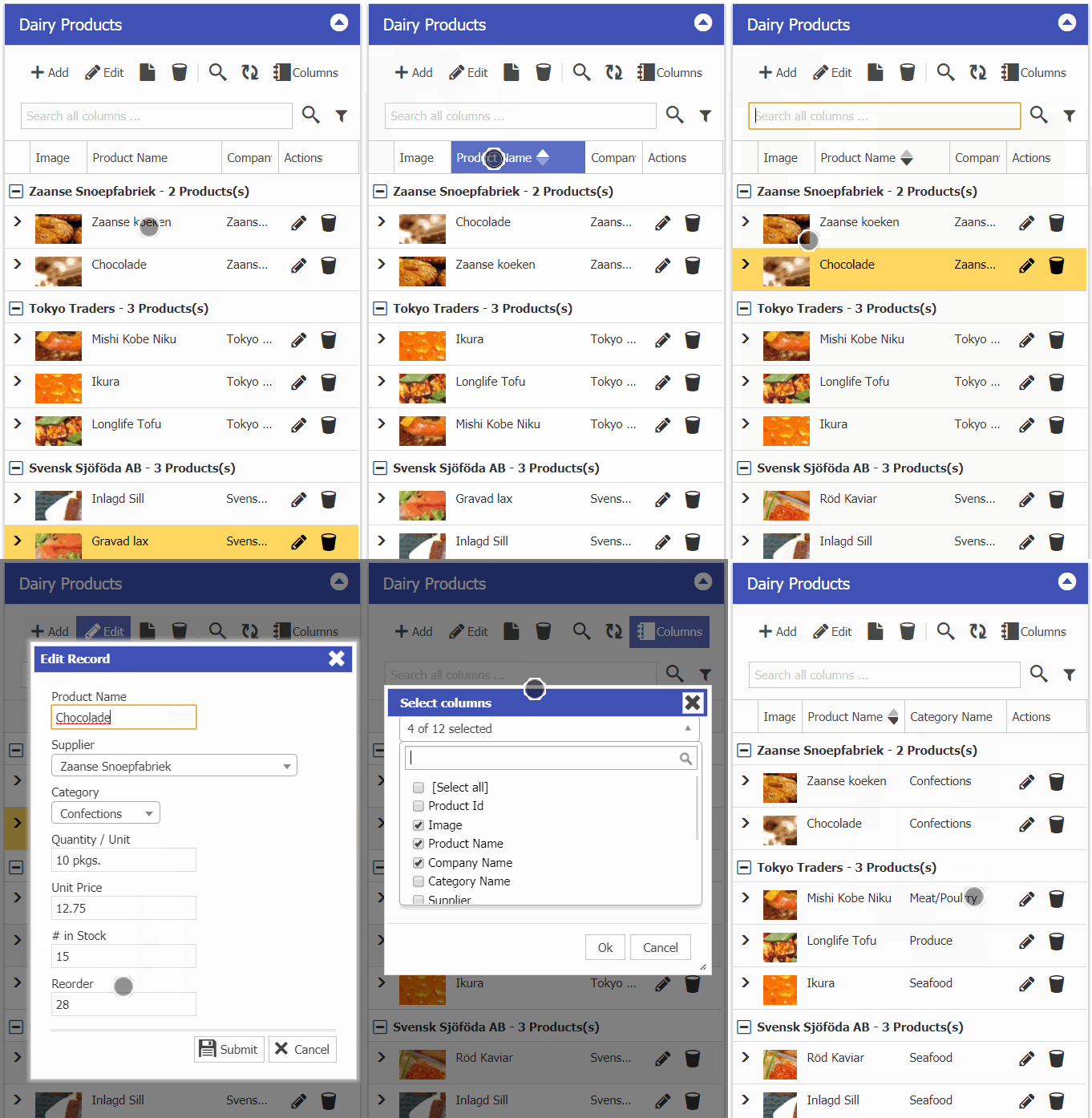
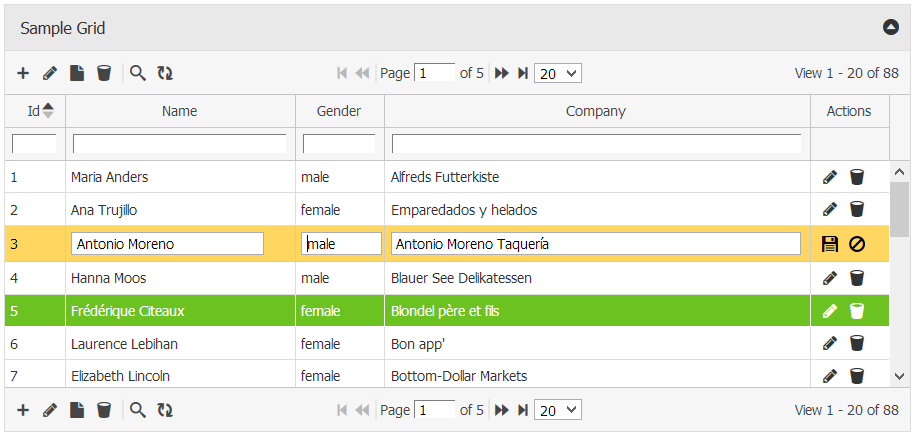
  • Overall User Interface Enhancement, New Glyph Icons, Cozy Spacing Layout enabling it to be used on mobile devices easily.  Bootstrap3 is also supported now. This version comes with 3 layouts, i.e. Cozy, Bootstrap and Classic (old slick version).
    basic
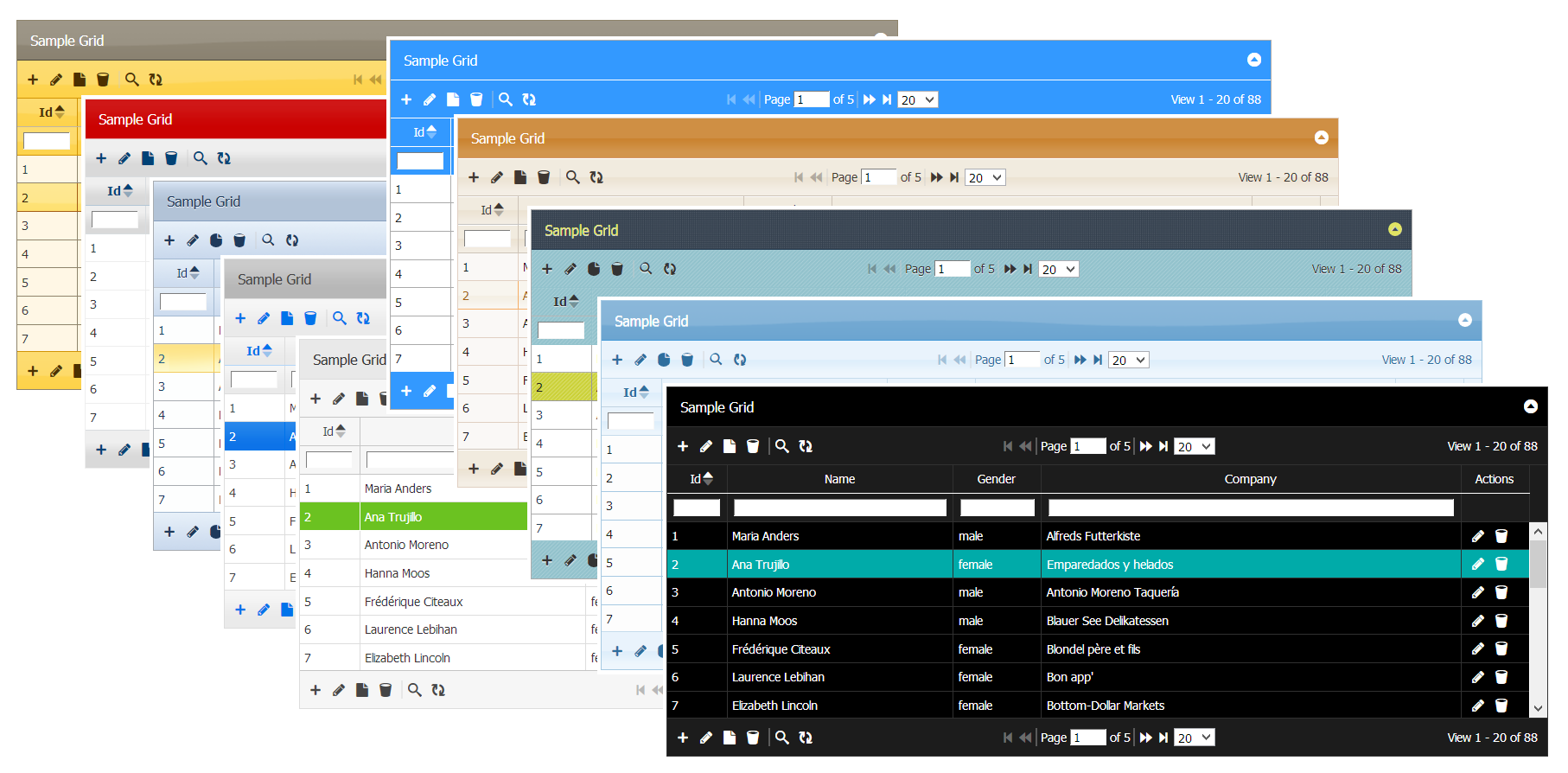
  • New Professional Themes (Dark, Light, Colored). Metro Color Themes light/dark/black are recently added. You can also rollover your custom color theme using jQueryUI.
    themes
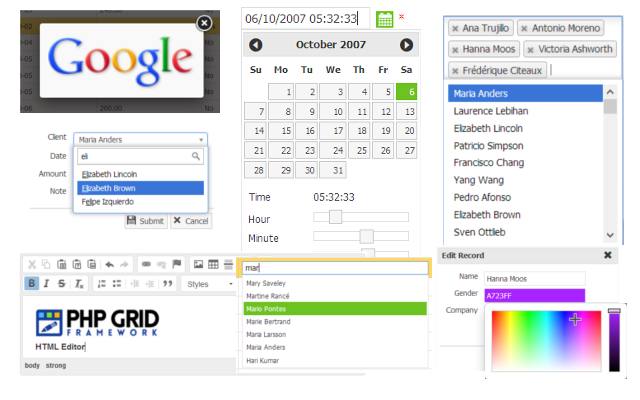
  • Integration with jQuery Plugins. Now you can connect plugins like datetime, autocomplete, select2, fancybox, ckeditor, jscolor and many others with simple process, enabling endless possibilities in features.
    3rdparty
  • Added support for many missing database engines
    db
  • And finally, all such features gave same experience on modern browsers.
    Browsers

Technical Change-log:

  • Added support for PHP v5.0+ to v7.0
  • PDO and MySqli Drivers support
  • New Glyphicon (Iconset) / Bootstrap3 support
  • Muliple File Uploading Support
  • Support for SQLite and Firebird databases
  • Advanced Search Conditions (Search in Groups)
  • Exporting selected rows and columns
  • Session data based grid (with add/edit/del)
  • Exporting Master Detail PDF
  • Image auto-embed support in PDF export
  • Select2 plugin support for data entry and search form
  • Over 200+ fixes and updates.

Next Actions:

Active license customers can request free upgrade using this link.

Get a complete Features Tour by vising our website.


Logo, Faqs & Theme Redesigned!

Hello Everyone!

This is Abu from PHP Grid. As written in post title, we have rolled out several changes through out the website. Just wanted to give some quick updates:

  • Logo is redesigned. Our new flat logo will now be used in support forum and checkout page.

  • New responsive theme is rolled out for website.

new-home-pic

  • Howtos & Faqs page is redesigned for fast lookup of your query. We’ve tons of faqs so make sure you review them before waiting for answer. Support forum search is also there for help.

What’s coming next … we’re working hard in rolling out new version of PHP Grid (v1.6) with lots of updates and new features, so stay tuned.