
TL;DR
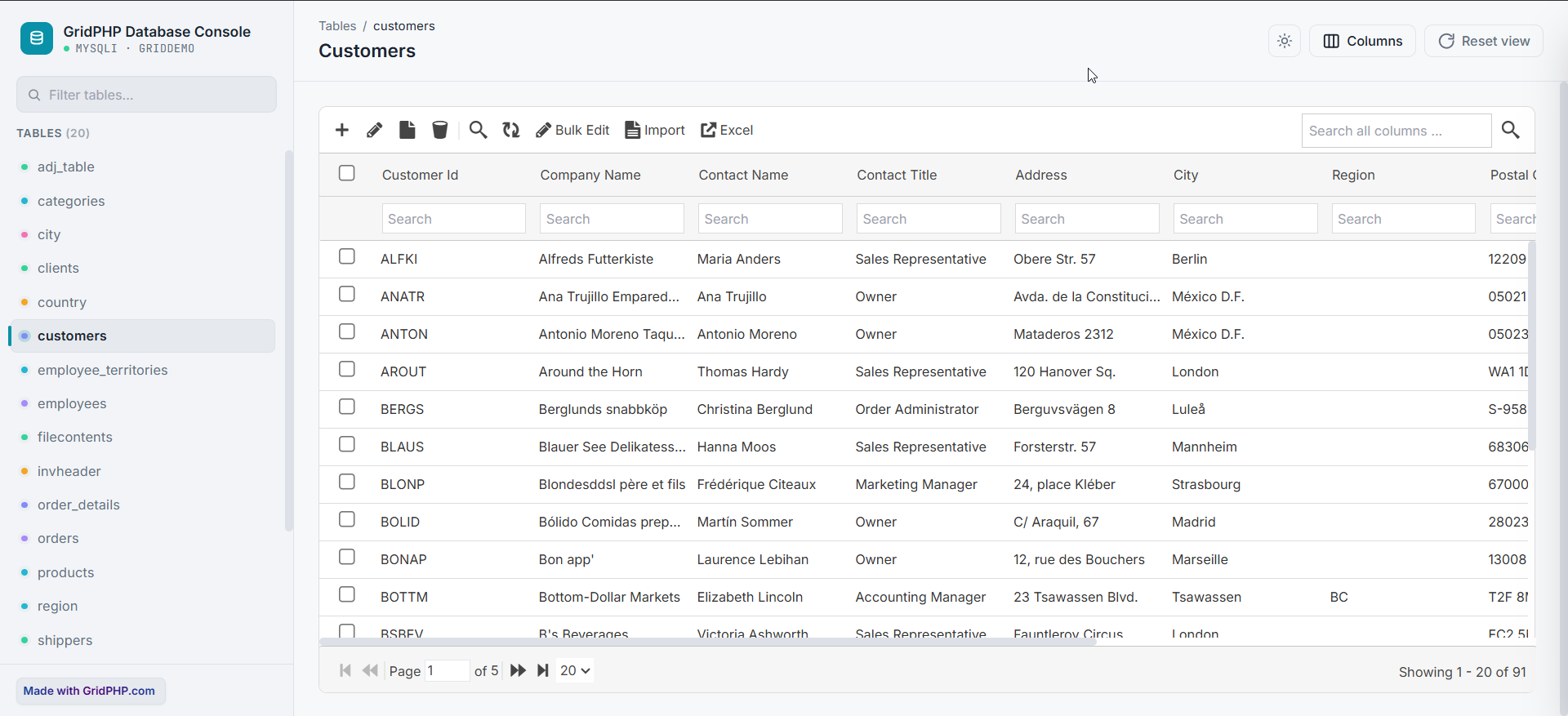
GridPHP Database Editor turns any supported database table into a powerful, editable PHP data grid with minimal code. Instead of building CRUD screens, search, filtering, sorting, bulk editing, and data export from scratch, simply connect your database and point GridPHP to the table you want to manage.
It supports MySQL, SQL Server, Oracle, PostgreSQL, and DB2, making it a practical choice for admin panels, internal tools, dashboards, and database management applications. You can also extend it with features such as access control and grid persistence.
Ready to build faster?
Stop writing CRUD code for every database table. Try GridPHP Database Editor and get a fully functional database editor in minutes.
Feature-Rich PHP All-Databases Editor & CRUD Admin
In today’s fast-paced development environment, developers and administrators often need instant access to database tables without the overhead of writing full CRUD (Create, Read, Update, Delete) modules. Whether you work with MySQL, SQL Server, Oracle, PostgreSQL (PgSQL), or DB2, GridPHP offers a lightweight and powerful solution. With just a few configuration steps, you can access and edit your database tables directly within your existing PHP application.
Why GridPHP Database Editor is a Time-Saving Tool
The Grid Database Editor is designed for simplicity and efficiency. Instead of building complex modules for add, edit, delete, and search operations, you can get a fully functional database grid by setting the $g->table attribute to your selected database table.
Example code to make grid:
The demo above is based on MySQL, but the same code works seamlessly with MS SQL Server, Oracle, PgSQL, and DB2 databases.
Key Features of PHP Grid
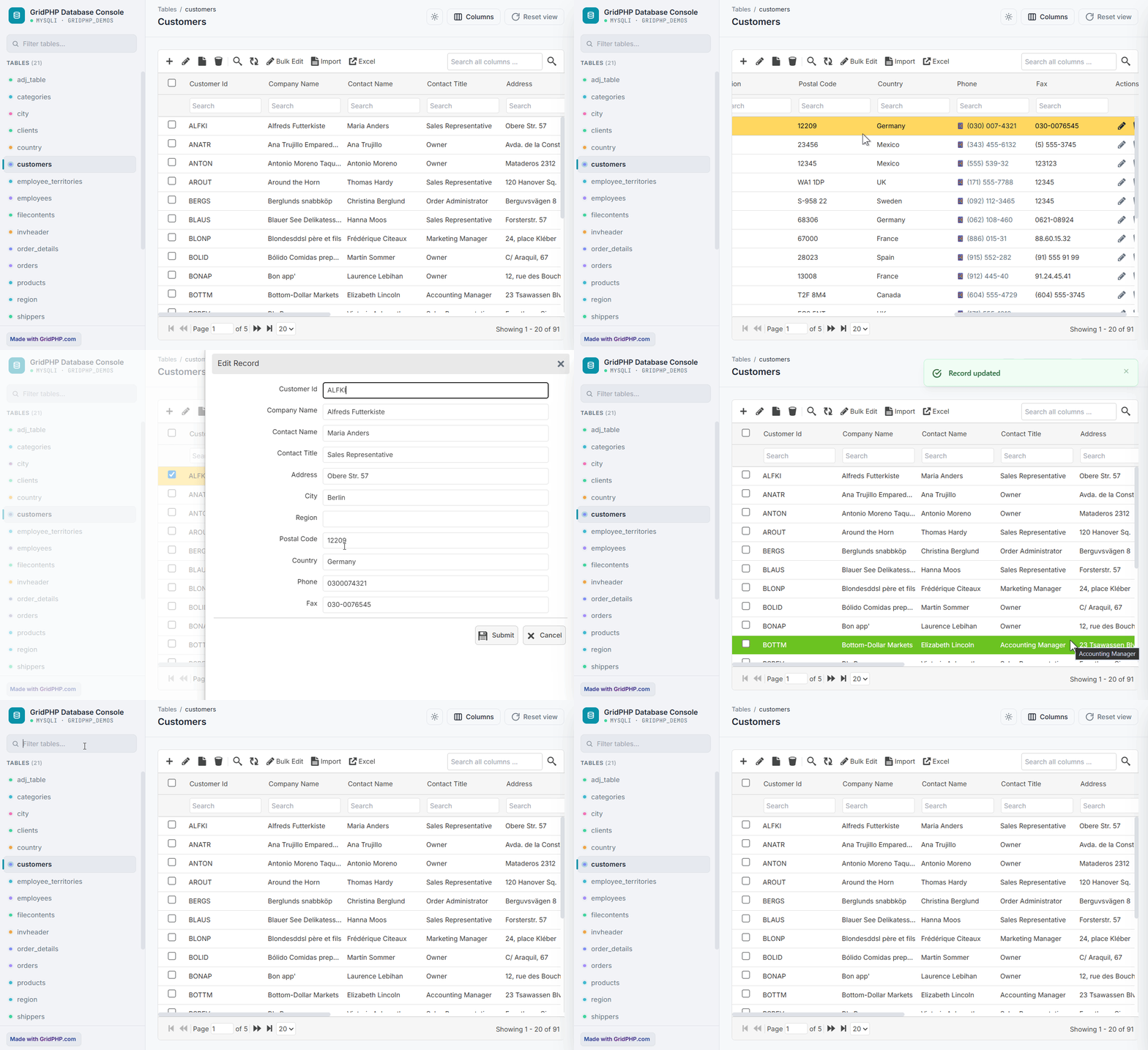
- Bulk editing and multi-selection support
- Import CSV / Exporting data (PDF, CSV, XLS)
- Hide or show specific columns
- Select tables and fields for editing at runtime
- CDN-based CSS/JS files for faster page loading
- Free and licensed versions available: Connect to MySQL, SQL Server, Oracle, PgSQL, and DB2 databases, with the licensed version offering advanced integration features
- Access Control (ACL)
- Grid persistence (column resizing, filters, sorting)
Frequently Asked Questions (FAQ)
Q: What is GridPHP?
A: GridPHP is a lightweight PHP-based database editor that allows developers and administrators to view, edit, and manage database tables without writing full CRUD modules. It supports MySQL, SQL Server, Oracle, PostgreSQL, and DB2.
Q: Who uses GridPHP?
A: PHP developers, database administrators, and software teams who need fast and easy database management within PHP applications use GridPHP. It is ideal for internal admin panels, dashboards, and rapid development projects.
Q: How does GridPHP work?
A: GridPHP works by connecting to your database using credentials in a config file. You set the target table in the $g->table attribute, and GridPHP generates a fully interactive table grid with add, edit, delete, and search functionality.
Q: Can GridPHP handle multiple databases?
A: Yes! GridPHP supports MySQL, MS SQL Server, Oracle, PostgreSQL, and DB2. The same interface works for all supported database types.
Q: Is GridPHP free?
A: GridPHP comes with both Free and Licensed versions. The free version allows connection to multiple databases, while the licensed version adds advanced features and integration options for enterprise-level applications.
Q: Can I export data from GridPHP?
A: Absolutely. GridPHP supports exporting data in PDF, CSV, and XLS formats, making it easy to share reports or backups.
Get Started with GridPHP
You can download Grid today and save hours of development time. Integrate a powerful database editor directly into your PHP applications and start managing your tables instantly.
Stop writing CRUD code for every database table. Try GridPHP Database Editor and get a fully functional database editor in minutes.