
Stop Building SPAs for Internal Tools: The Modern PHP Alternative
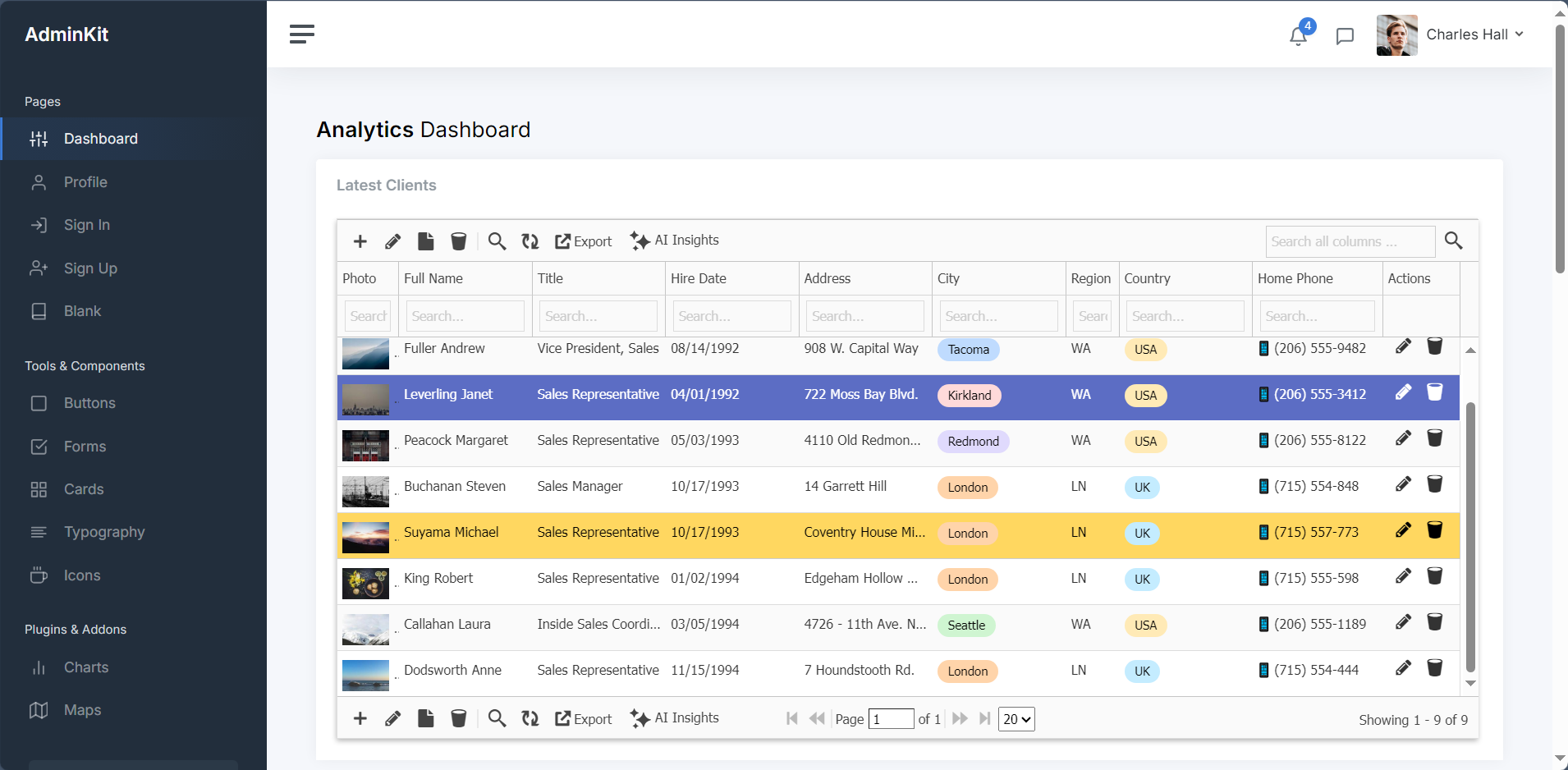
Somewhere around 2017, the web development industry collective-brain decided that every internal tool, admin dashboard, and operational back-office app needed to be a Single Page Application (SPA).
If a support manager needed an admin view to update a user’s subscription or audit an order log, we’d suddenly find ourselves architecting a setup like this:
- Frontend: React / Vue / Svelte with Vite, Tailwind, State Management (Zustand/Redux), TanStack Query, and a half-dozen npm packages.
- Transport Layer: REST API endpoints or a GraphQL schema with complex resolver logic.
- Backend: Laravel, Symfony, or Go handling authentication, validation, serialization, and database queries.
That’s two complete codebases, two build systems, and a serialization pipeline — just to update a row in a database.
In 2026, with AI code generators writing thousands of lines of JavaScript overnight, this architecture is quietly causing massive tech-debt crises in dev teams everywhere.
It’s time to stop cargo-culting SPAs for internal software. There is a much faster, server-driven alternative hiding right inside your existing PHP stack.
The “AI Horizon” Paradox: Why SPAs Break Down Faster Now
It’s easy to ask AI to “Build a React admin table with sorting, pagination, inline editing, and CSV export.” AI will gladly spit out 400 lines of JSX, a state reducer, and three API custom hooks in 10 seconds.
The catch? AI write-only code turns frontend SPAs into a maintenance hazard:
- State Drift: When an AI-generated SPA component updates local state before the server API responds, a dropped request causes the screen to lie to your internal team about their data.
- Serialization Tax: You spend half your prompt budget getting the backend DTO to match the frontend TypeScript interfaces.
- Dependency Rot: Six months later, npm packages deprecate, peer dependencies break, and nobody wants to touch the build chain.
The “Aha!” Realization: For internal tools, your database table schema IS your application state. Splitting that state across a network boundary with a JS framework doesn’t add value — it just creates a sync engine you have to maintain.
Pre-Answering the Critics (The Anti-Flame-War Firewall)
Before the comment section ignites, let’s get ahead of the obvious critiques:
1. “Are you saying we should use full-page browser reloads for everything like it’s 2004?”
No. Nobody wants a flashing white screen every time they click page 2 of a table. Modern server-rendered architecture (using lightweight DOM-diffing transport like HTMX, Livewire, or server-backed datagrid components) executes targeted, chunked DOM updates. You get fluid sub-100ms UI interactions without managing client-side routers or state stores.
2. “What about complex client-side state like Figma, Canva, or Slack?”
SPAs win for rich client-heavy applications. If your app requires real-time canvas manipulation, offline drag-and-drop state machines, or audio processing, build an SPA. But an internal CRM, order dashboard, inventory log, or reporting tool is fundamentally a data-entry interface. Treating a database CRUD interface like Figma is an architectural mistake.
3. “Aren’t SPAs safer because of client-side XSS protection?”
Every mature PHP framework (Laravel, Symfony, CodeIgniter) auto-escapes output natively at the template level. In fact, SPAs frequently introduce more security vulnerabilities in internal software because engineers often default to broad API permissions, leaving backend endpoints exposed to unauthorized client-side inspection.
The Modern PHP Alternative: Direct Server-Driven UIs
Instead of decoupling your frontend and backend into two separate projects, modern server-rendered PHP allows you to map your relational data directly to interactive UI controls in pure PHP.
┌────────────────────────────────────────────────────────┐
│                   THE SPA APPROACH                     │
│  [Database] ↔ [ORM] ↔ [API Controllers] ↔ [JSON]       │
│  ↔ [Network] ↔ [State Store] ↔ [React UI]              │
└────────────────────────────────────────────────────────┘
                           VS
┌────────────────────────────────────────────────────────┐
│             THE MODERN PHP ALTERNATIVE                 │
│  [Database] ↔ [PHP Server Engine] ↔ [Targeted HTML]    │
└────────────────────────────────────────────────────────┘
By keeping the business logic, SQL queries, authorization, and UI definition within the server environment:
- Zero Serialization Work: No mapping database models to JSON, and no mapping JSON to TypeScript models.
- Instant Features Out-of-the-Box: Server-driven UI components (like GridPHP or Livewire/Alpine patterns) give you inline cell editing, complex multi-column filtering, sub-grids, and Excel/PDF generation natively in PHP.
- Zero Build Step Friction: No
node_modules, no Webpack/Vite config files, and no npm security vulnerabilities breaking your CI pipeline during a emergency bug fix. - Sub-Second Feature Delivery: A feature request like “Add a multi-column filter for order status” becomes a 2-line backend configuration change rather than a 2-day cross-stack API sprint.
The Bottleneck Isn’t PHP — It’s Architectural Over-Engineering
If you are building a new consumer SaaS app where every micro-interaction requires custom animation, invest in a dedicated frontend team.
But if you are running or updating existing PHP applications — or building fast back-office tools for operational teams — stop taking on the tax of a decoupled JavaScript stack.
Embrace server-side rendering, keep your data layer close to your UI layer, and spend your dev hours building features that move the needle instead of debugging state synchronization.
Build Server-Driven Admin Panels in Minutes
Tired of writing thousands of lines of JavaScript boilerplate just to CRUD database tables?
GridPHP lets you build responsive, interactive PHP data grids—complete with inline editing, multi-column search, master-detail views, and Excel exports—directly from your database in just a few lines of code. No npm, no build steps, no SPA overhead.
👉 Try the Free GridPHP Demo or Explore 100+ Live Code Examples