
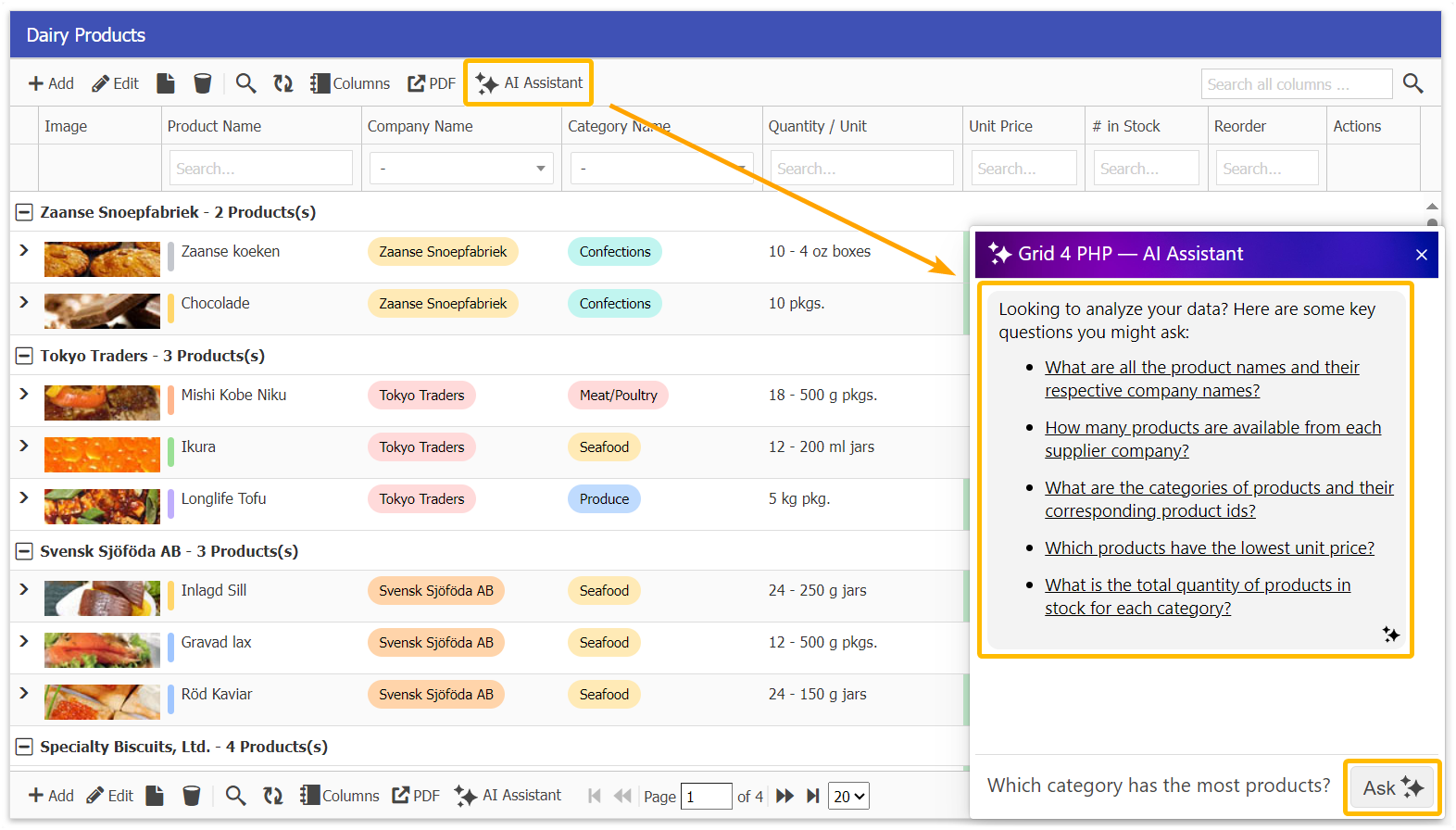
Upgrade Your Spreadsheet to a Database with AI-Powered DataGrid
Many developers and businesses start by managing data in Excel spreadsheets or Google Sheets. While spreadsheets are easy to use, they quickly become messy, hard to scale, and insecure when shared. If you’ve ever struggled with broken formulas, version conflicts, or slow performance, it’s time to upgrade your spreadsheet to a real database.
That’s where GridPHP comes in — turning your spreadsheet-like workflow into a powerful PHP MySQL database editor. You get the flexibility of a spreadsheet, combined with the security, scalability, and performance of a relational database.
Why Move Beyond Spreadsheets?
- 📉 Spreadsheets don’t scale: Large data sets become slow and error-prone.
- ⚠️ Data integrity issues: Anyone can break formulas or accidentally delete rows.
- 🔒 Security risks: Sharing Excel files isn’t safe for sensitive data.
- 🤝 Collaboration limits: Difficult to manage real-time, multi-user edits.
GridPHP: Your Spreadsheet-to-Database Upgrade
With GridPHP, you can replicate the spreadsheet editing experience directly on top of a MySQL or PostgreSQL database. Developers get an instant PHP CRUD editor with features like:
- ⚡ Editable Data Grid: Inline editing & form editing just like a spreadsheet.
- 📊 Smart Table UI: Sorting, filtering, grouping, and pagination built-in.
- 📥 CSV/Excel Import & Export: Migrate spreadsheets directly into your database.
- 🎨 Modern Themes: Bootstrap 5 responsive designs for admin panels.
- 🤖 AI DataGrid Assistant: Query, filter, and summarize your data in plain English.
Code Example – From Spreadsheet to Database
Here’s how simple it is to turn your MySQL table into a live, editable PHP grid:
  <?php
  include("inc/jqgrid_dist.php");

  $db_conf = array(
      "type"     => "mysqli",
      "server"   => "localhost",
      "user"     => "root",
      "password" => "",
      "database" => "mydb"
  );

  $g = new jqgrid($db_conf);
  $g->table = "inventory"; // imported spreadsheet table

  echo $g->render("list1");
  ?>
This single snippet gives you an editable web-based database interface that feels like a spreadsheet — but powered by MySQL.
Unique Benefits
- ✅ Spreadsheet simplicity with database reliability.
- ✅ Multi-user support with role-based access control.
- ✅ Avoid data corruption and maintain integrity.
- ✅ Rapid development — no need to code CRUD manually.
Try GridPHP Today
If you’re tired of juggling messy spreadsheets, download GridPHP and instantly upgrade your workflow to a secure, scalable database editor.
Stop fixing spreadsheets — start managing real data.