
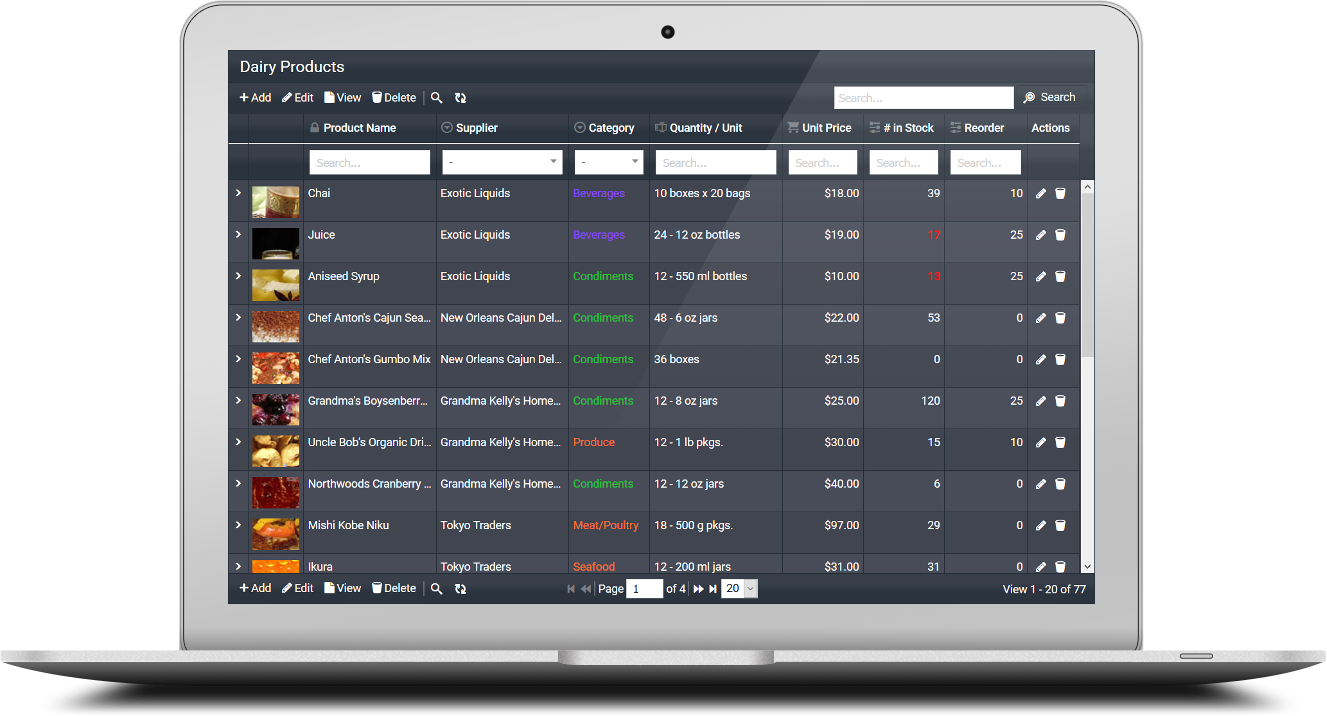
PHP MySQL Editor – Fast, Secure & Browser-Based Data Management
Editing and managing MySQL data is one of the most common requirements for PHP developers. Managing MySQL data shouldn’t require clunky desktop tools or endless boilerplate code. A modern PHP MySQL Editor lets you browse, edit, and manage tables directly in the browser—ideal for admin panels, internal dashboards, and CRUD-heavy apps. With the right toolkit, you can turn raw database tables into a clean, editable interface in minutes 🚀.
Instead of coding repetitive CRUD logic manually, you can use GridPHP to instantly create a PHP MySQL Editor with sorting, filtering, pagination, and inline editing — all in just a few lines of code.
What Is a PHP MySQL Editor?
A PHP MySQL Editor is a web-based interface for creating, reading, updating, and deleting MySQL records (PHP CRUD). It behaves like a spreadsheet—inline edits, instant saves, smart filters and data validation—without writing repetitive code. Think of it as a developer-friendly layer on top of MySQL that ships with the essentials out-of-the-box.
Why Use GridPHP for PHP MySQL Editing?
- ⚡ Minimal Code: Fully functional CRUD in under 10 lines.
- 📊 Smart Table UI: Sorting, filtering, search, and paging out of the box.
- ✍️ Editable Grid: Inline editing and form-based editing for records.
- 🔄 MySQL CRUD Support: Create, read, update, and delete data with built-in validation.
- ⚡ Sorting & Pagination: Smooth navigation across large datasets.
- ✅ Relations Support: Lookups for foreign keys, dropdowns for related tables.
- 📂 Import/Export: Handle CSV/Excel seamlessly.
- 🎨 Bootstrap UI: Responsive and modern look without extra effort.
- 🤖 AI DataGrid Assistant: Ask in plain English to filter, search, or summarize your MySQL data.
Benefits Over Manual Coding
- Speed: Ship production-ready data screens in hours, not weeks.
- Maintainability: Centralized CRUD logic and reusable components.
- Consistency: Uniform UX for tables, filters, and exports across modules.
- Scalability: Server-side processing handles large tables efficiently.
- Flexibility: Hook into events, validators, and custom actions without reinventing the wheel.
Common Use Cases
- Admin panels for SaaS and internal tools
- Content and catalog management (products, users, orders)
- Operational dashboards with editable queues and statuses
- Data cleaning and back-office editing for support teams
Code Example – PHP MySQL Editor in Action
Here’s how you can create a PHP MySQL Editor in just a few lines using GridPHP:
  <?php
  include("inc/jqgrid_dist.php");

  $db_conf = array(
      "type"     => "mysqli",
      "server"   => "localhost",
      "user"     => "root",
      "password" => "",
      "database" => "mydb"
  );

  $g = new jqgrid($db_conf);
  $g->table = "users"; // MySQL table to edit

  echo $g->render("list1");
  ?>
That’s it — this snippet instantly gives you a browser-based PHP MySQL Editor with CRUD, sorting, paging, and filtering enabled.
Try It Yourself
Stop wiring CRUD by hand. Spin up a PHP MySQL Editor that’s fast, secure, and easy to customize.
Download and try it free — build a production-ready MySQL editor in minutes.