I’ve released a new version for premium customers covering several features and fixes. Here are the updates.
Features
I’ve released a new version for premium customers covering several features and fixes. Here are the updates.
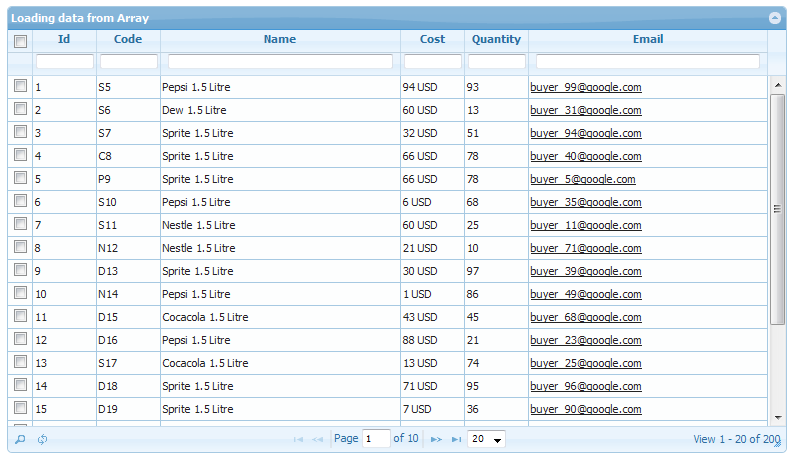
After several requests from valuable customer, i’ve added option to display php grid from php array data as input (no database connection required).
It’s usage is very simple. Suppose you have an array, then all you have to do is to pass it in table parameter. See code sample below. Do consider the format of array should be consistent as it is in example (data and colums may change).
$name = array('Pepsi 1.5 Litre', 'Sprite 1.5 Litre', 'Cocacola 1.5 Litre', 'Dew 1.5 Litre', 'Nestle 1.5 Litre');
for ($i = 0; $i < 200; $i++)
{
$data[$i]['id'] = $i+1;
$data[$i]['code'] = $name[rand(0, 4)][0].($i+5);
$data[$i]['name'] = $name[rand(0, 4)];
$data[$i]['cost'] = rand(0, 100)." USD";
$data[$i]['quantity'] = rand(0, 100);
$data[$i]['discontinued'] = rand(0, 1);
$data[$i]['email'] = 'buyer_'. rand(0, 100) .'@google.com';
$data[$i]['notes'] = '';
}
// pass data in table param for local array grid display
$g->table = $data;
This will show the grid in read only mode, and options like search, sorting and paging will be available. You can also use custom formatter to change display of data in grid, for e.g. making hyperlink or show as tag etc. Working example included in package.
We recently added Frequently Asked Questions section, to help our developers base. To access FAQs, It’s under support menu on top right bar. If you still don’t find it (smile), here is the link.
One more update … v1.4.8 is about to release, so stay tuned.
Recently we revamped the live demo section of website, and now almost all of PHP Grid features are on showcase. Check it out by visiting this link.
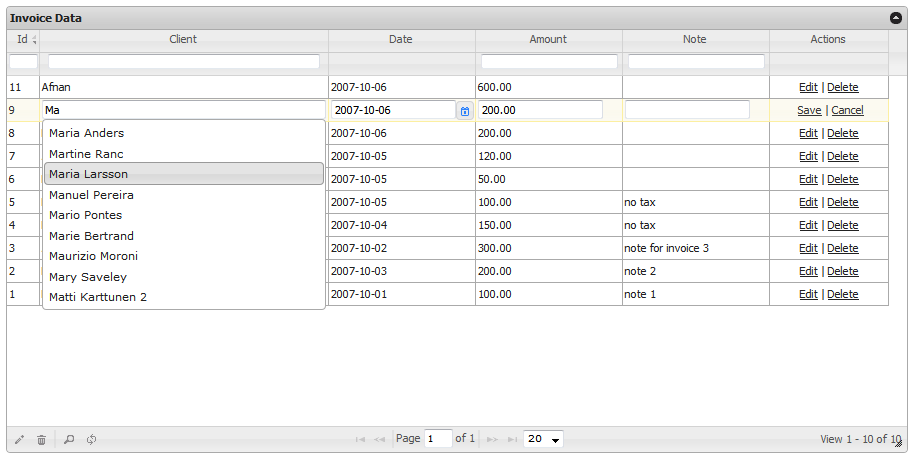
Usually behavior is grid loads in display mode and on clicking edit, it turns to editing mode of a row. Sometimes we need to open whole grid in default editing mode and do the editing without clicking edit on each row.
This example provides solution for that. See attached image for more.
Refer: Demos > Editing > Default edit

Due to several requests from members, With Excel & PDF, Now you can also export your grid data as CSV, which could be an input to your other data processors.
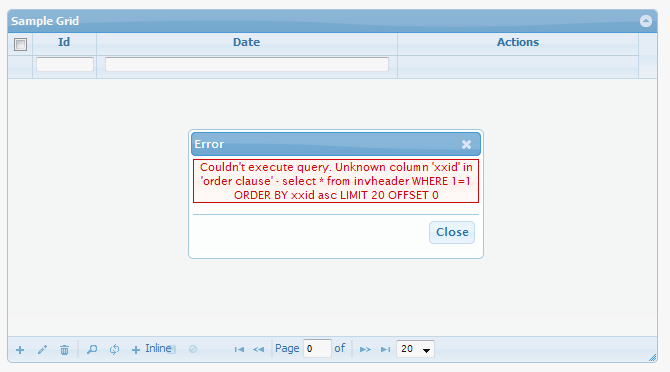
Due to any configuration issue if your server is generating errors, you can view the exact technical issue behind it by using debug mode. Debug mode is enabled by default and it will show the server side failure reason. For e.g.
When going in production mode, you should disable the debug mode by following config.
$g = new jqgrid(); $g->debug = 0;
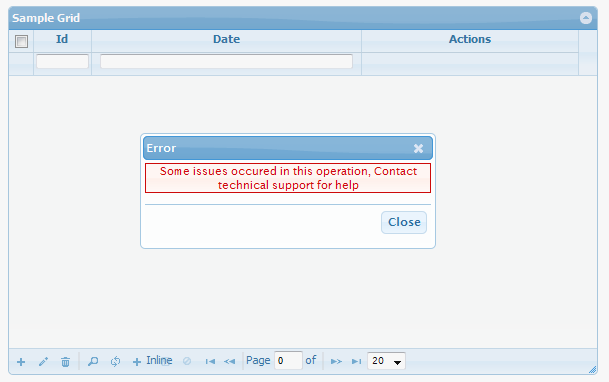
In non-debug mode if your grid generates errors for some unfortunate reason, it will be display non-technical message to contact support team.
To write your own insert/update/delete implementations, we use custom events that allows us to have our custom business case coding. We’ve added another helper function that will push your server side validation error to php grid, and display it as error dialog.
For example, if you have written your on_insert function, and want to validate that client does not already exist in database, you can write this code. It will prompt the ‘already exist’ message as data entry error.
The helper function name is ‘phpgrid_error’.
function add_client($data)
{
$check_sql = "SELECT count(*) as c from clients where LOWER(`name`) = '".strtolower($data["params"]["name"])."'";
$rs = mysql_fetch_assoc(mysql_query($check_sql));
if ($rs["c"] > 0)
phpgrid_error("Client already exist in database");
mysql_query("INSERT INTO clients VALUES (null,'{$data["params"]["name"]}','{$data["params"]["gender"]}','{$data["params"]["company"]}')");
}
It is available in latest build, so eligible premium members can claim their copy.
Added another example of client side custom JS validation w.r.t. particular field. Now you can write your own validation implementation (be it ajax remote checking or complex regex) on each field while adding or editing information in php grid control. For example, certain value must be greater than 100.
If you wish to have back-end PHP level validation, it is also doable using custom on_insert and on_update events.
Currently, it is packaged in premium version. To request for premium package, click here