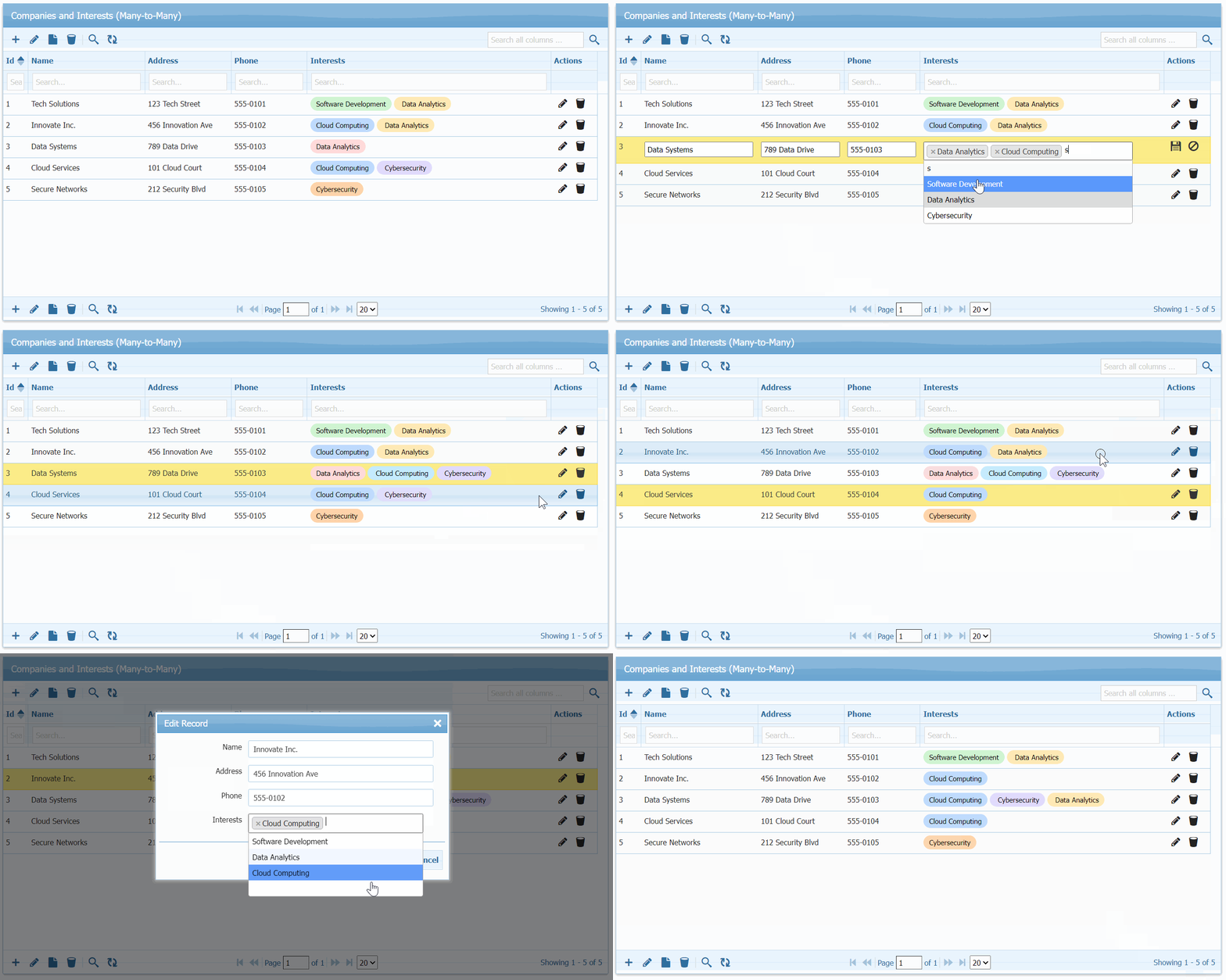
Bootstrap admin templates solve the design problem, GridPHP solves the functionality problem. Integrate GridPHP with popular templates to get Full CRUD capabilities in minutes.
The Problem Every Developer Faces
You’ve just downloaded or purchased a beautiful admin template – maybe AdminLTE, Sb-Admin, Tabler, or a premium ThemeForest theme. The dashboard looks stunning. The charts are polished. The UI components are pixel-perfect. The documentation is comprehensive.
But here’s what’s missing: actual functionality.
Admin templates give you beautiful layouts, stunning widgets, and impressive demo pages. What they don’t give you is the ability to actually manage data. There’s no way to:
- Create new users, products, or records
- Display database records in searchable, sortable tables
- Edit existing data with validated forms
- Delete records with proper confirmation
- Filter and search through your data
- Export data to CSV, Excel, or PDF
- Handle pagination for large datasets
- Manage relationships between database tables
In short: admin templates lack CRUD (Create, Read, Update, Delete) operations – the fundamental building blocks of any real application.
This means developers spend 40-60 hours after buying a template to hand-code these basic operations. You’re essentially paying for a beautiful frontend, then rebuilding the entire backend from scratch for every project.
Use Cases & Scenarios
- Small Business Owners: Managing a retail shop or restaurant, need inventory/booking tracking but can’t justify developer costs or SaaS subscriptions
- Solo Developers: Building internal tools for local businesses on tight budgets, can’t spend days on CRUD interfaces and stay profitable
- Non-Profits: Zero budget for software, managing donors/volunteers with basic PHP knowledge and shared hosting
- Students & Bootcamp Grads: Building portfolio projects that demonstrate full-stack skills beyond basic tutorials
- In-House IT Staff: Management requests internal tools without budget approval, already stretched thin maintaining existing systems
How GridPHP Solves This
GridPHP bridges this gap by providing production-ready CRUD functionality that integrates seamlessly with any Bootstrap admin template:
What GridPHP Adds:
- Database-driven datagrids – Display any database table with sorting, searching, and pagination
- Inline editing – Edit records directly in the grid or through modal forms
- Advanced filtering – Filter by any column with dropdown, date range, or text search
- Bulk operations – Delete, export, or update multiple records at once
- Data validation – Built-in validation rules for forms
- Export functionality – Export to CSV, Excel, PDF with one click
- Responsive design – Works perfectly on desktop, tablet, and mobile
- Customizable themes – Automatically matches your template’s styling
The Result: Your AdminLTE, Sb-Admin, or any Bootstrap template goes from “beautiful but empty” to “beautiful and functional” in few minutes – without writing repetitive CRUD code or modifying the template’s design.
Instead of spending weeks building user management, product catalogs, order processing, and other data operations from scratch, you configure GridPHP once and get all of it working immediately.
Testcase Templates
I integrated GridPHP with multiple admin templates – from premium to free, Bootstrap 4 to Bootstrap 5 – to discover something powerful: any Bootstrap-based admin template (AdminLTE, AdminKit, Vuexy, SB Admin 2, Tabler, and hundreds more) can become a fully functional application in under 2 hours. I validated the integration approach with these templates representing different styles and price points:
Free Templates:
- AdminLTE – 45,000+ GitHub stars, most popular
- SB Admin 2 – 16,997+ downloads, Bootstrap 4 classic
- Tabler – Modern Bootstrap 5, minimal and fast
Premium Templates:
- Vuexy – 29,600+ ThemeForest sales, Bootstrap 5
- Limitless – Material Design, enterprise-grade
These represent the full spectrum of Bootstrap templates available today. The same approach works with Sneat, Gentelella, Material Dashboard, Argon, and virtually any other Bootstrap-based template.
Integration Results
All templates integrated successfully with full CRUD capabilities including: create/read/update/delete operations, search and filtering, pagination, data export (CSV, Excel, PDF), responsive design, and template styling preservation.
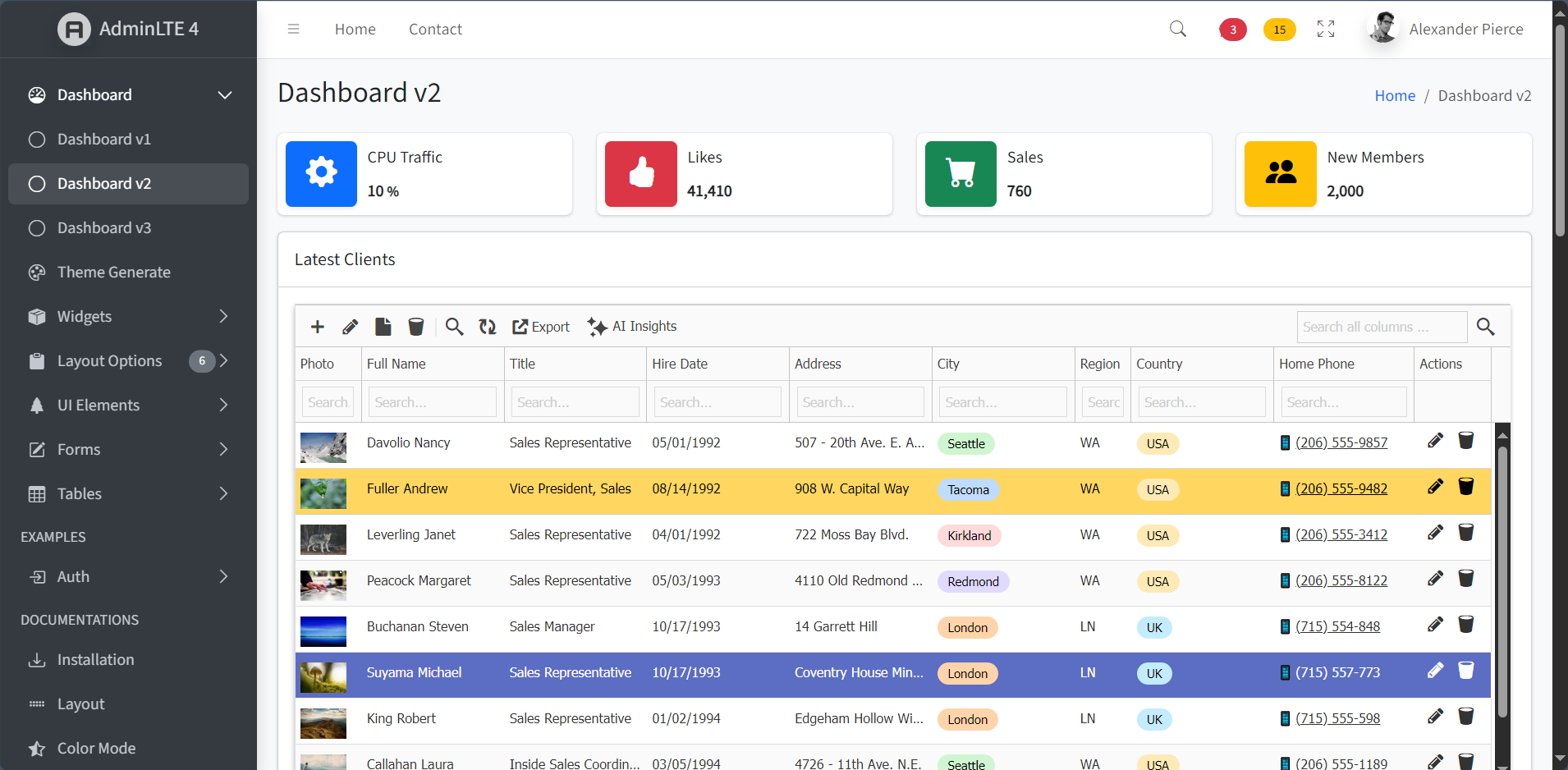
✅ AdminLTE (Free – Bootstrap 4)
Integration Time: 40 minutes
Difficulty: Very Easy
Result: Perfect integration
AdminLTE is the most popular free admin template with 45,000+ GitHub stars. Its clean Bootstrap 4 structure and extensive documentation made integration straightforward.
Screenshot:
✅ Vuexy (Premium – Bootstrap 5)
Integration Time: 45 minutes
Difficulty: Easy
Result: Perfect integration with dark mode
Vuexy represents modern Bootstrap 5 templates with 29,600+ ThemeForest sales. The integration matched the template’s modern aesthetic perfectly, including dark mode support.
Screenshot:

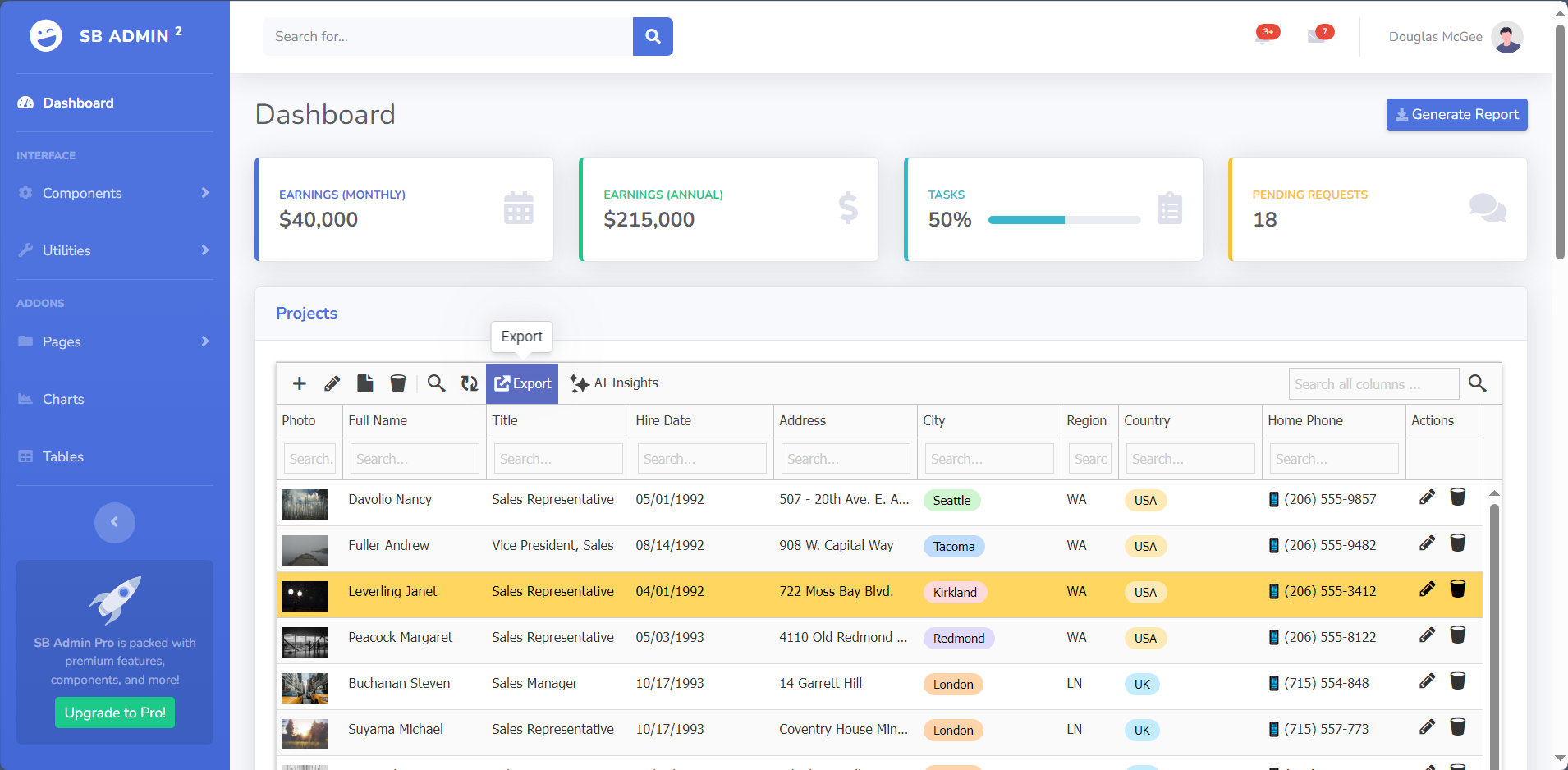
✅ SB Admin 2 (Free – Bootstrap 4)
Integration Time: 35 minutes
Difficulty: Very Easy
Result: Flawless integration
With 16,997+ downloads, SB Admin 2 was the fastest integration thanks to its straightforward Bootstrap 4 structure and standard classes.
Screenshot:
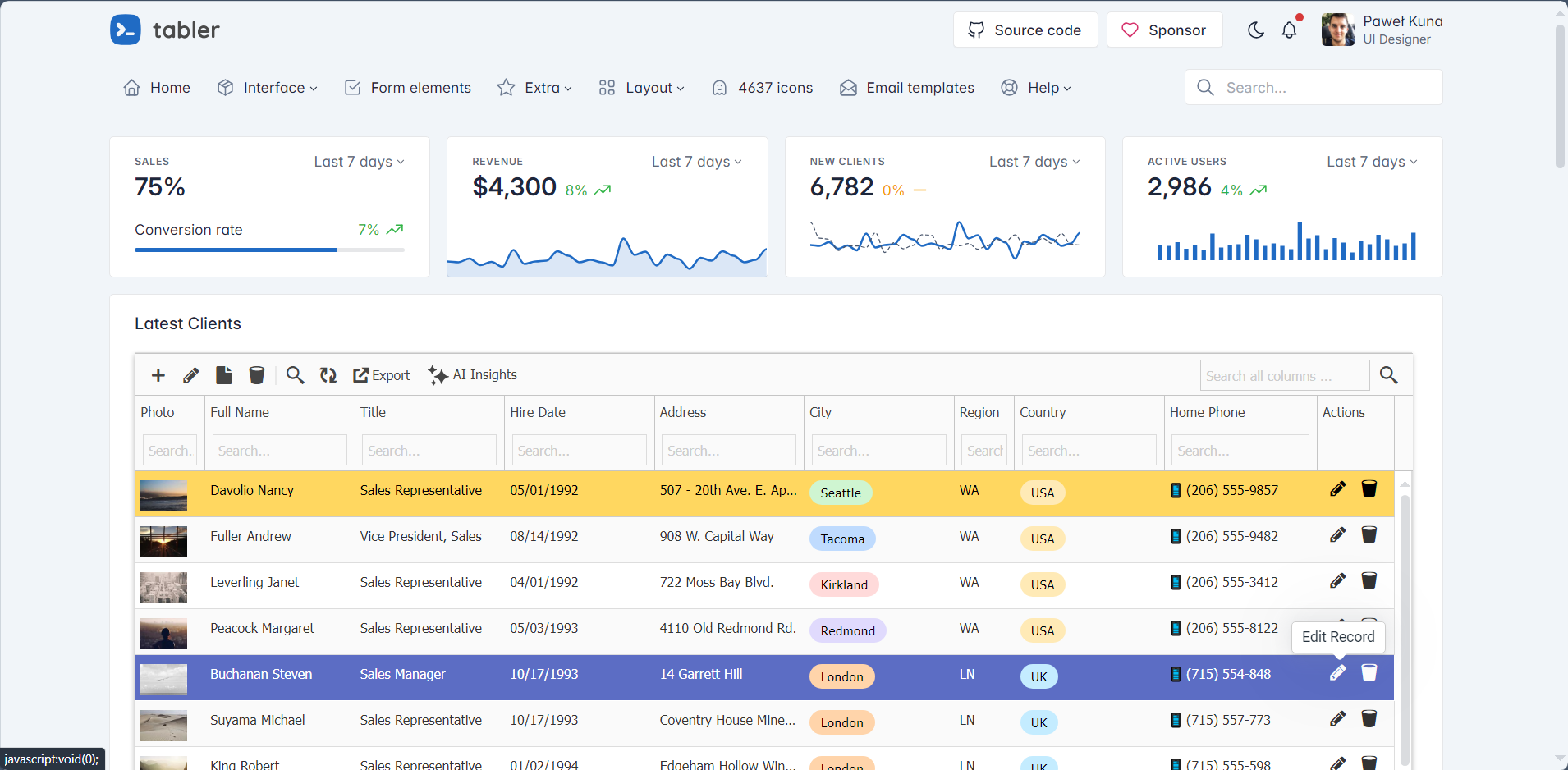
✅ Tabler (Free – Bootstrap 5)
Integration Time: 40 minutes
Difficulty: Very Easy
Result: Fast, modern integration
Tabler is a popular open-source Bootstrap 5 template known for its minimal design and fast performance. The clean codebase made integration smooth.
Screenshot:
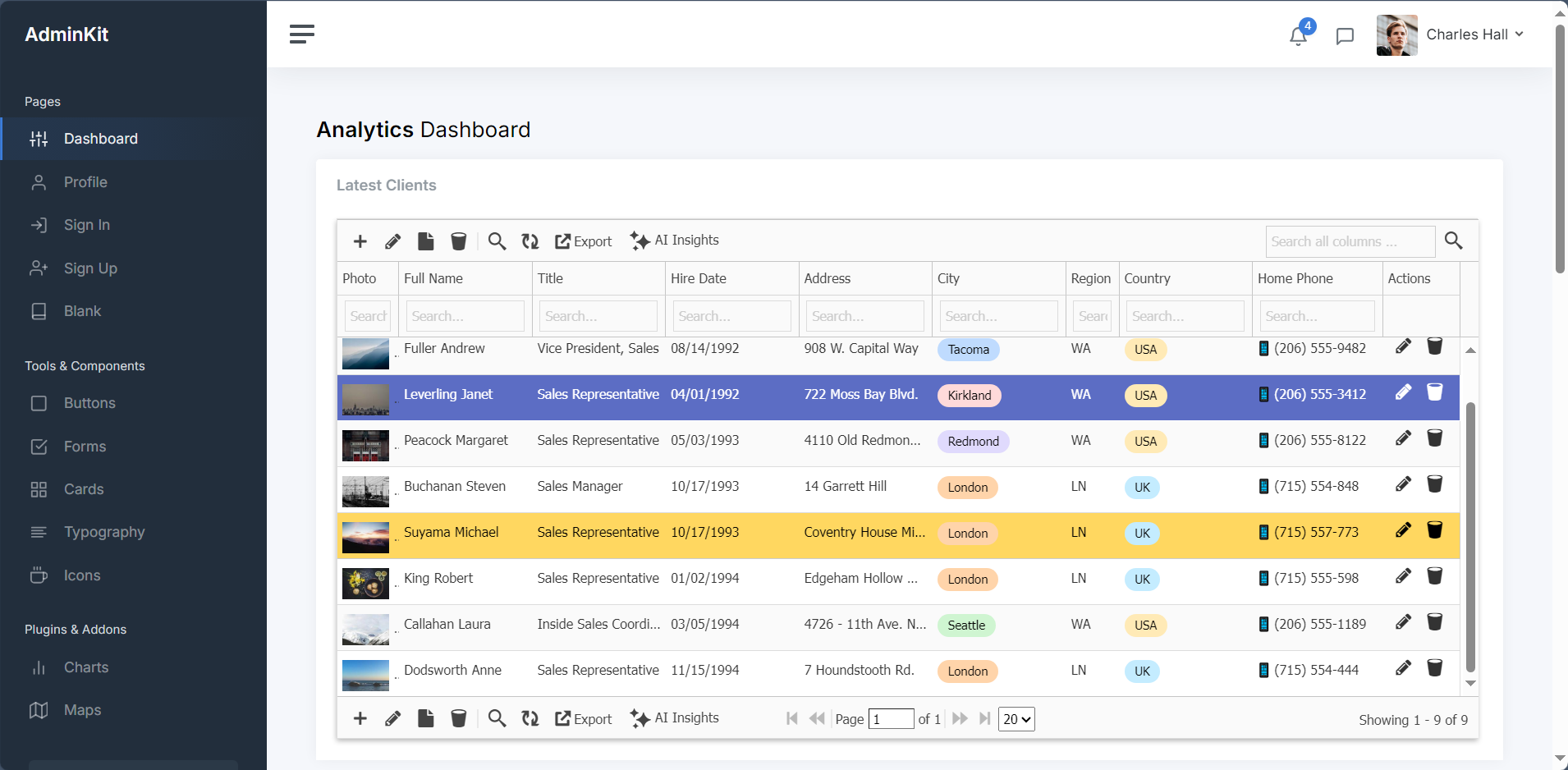
✅ AdminKit (Free – Bootstrap 5)
Integration Time: 50 minutes
Difficulty: ⭐⭐☆☆☆ (Easy)
Result: Clean, contemporary integration
AdminKit represents modern minimalist templates like Volt or Soft UI Dashboard. The modern Bootstrap 5 approach and minimal design philosophy resulted in a fast, contemporary admin panel with excellent mobile responsiveness.
Screenshot:
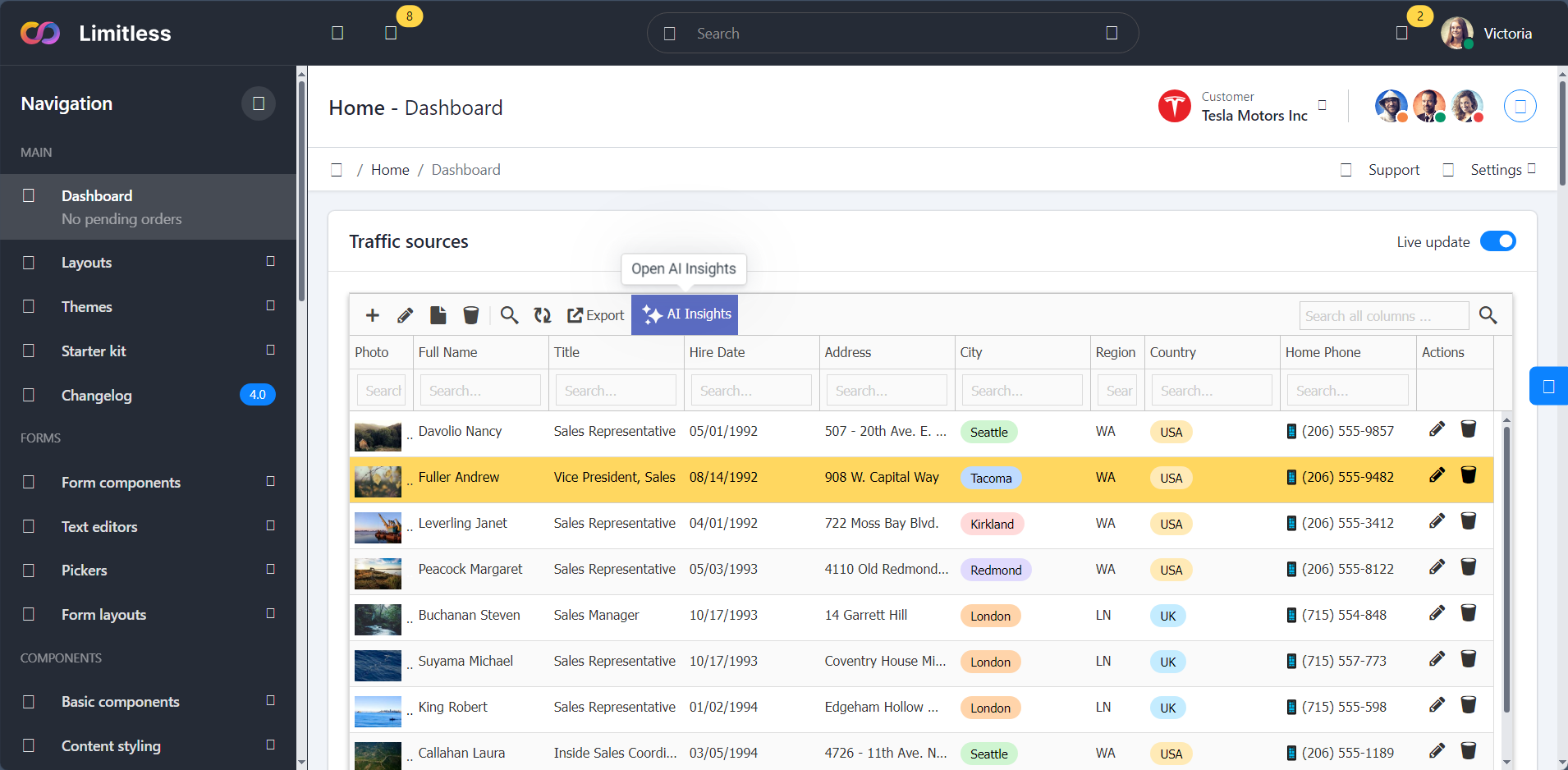
✅ Limitless (Premium – Material Design)
Integration Time: 1 hour 15 minutes
Difficulty: Moderate
Result: Excellent integration
Limitless represents Material Design templates. While requiring slightly more configuration due to custom components, the result was seamless integration with advanced filtering options.
Screenshot:
Download & Integration Guidelines
To download latest version of these free admin templates and see the GridPHP integration guide with sample code of the dashboards:
Cost-Benefit Analysis
Traditional Hand-Coded CRUD Approach:
- Development time: 40-60 hours
- Developer cost (@$50/hr): $2,000-$3,000
- Template cost: $0-$49
- Total: $2,000-$3,049
GridPHP Integration Approach:
- Integration time: 2-4 hours
- Developer cost (@$50/hr): $100-$200
- Template cost: $0-$49
- GridPHP license: Free (or $99 Pro)
- Total: $100-$348
Savings: $1,700-$2,700 per project (85-90% reduction)
Who Should Use This Approach?
Perfect For:
✅ Freelancers building client admin panels
✅ Agencies with multiple similar projects
✅ Startups needing fast MVPs
✅ Developers tired of repetitive CRUD coding
✅ Anyone who bought a template and needs backend functionality
Not Ideal For:
❌ Highly custom, unique data operations
❌ Projects requiring complex business workflows
❌ Applications with non-standard data models
Conclusion: Works with AdminLTE, CoreUI, and Any Bootstrap Template
After validating GridPHP integration with AdminLTE, CoreUI, Vuexy, SB Admin 2, Tabler, and Limitless – representing premium and free, Bootstrap 4 and 5, Material Design and standard – the conclusion is clear:
Any Bootstrap-based admin template (AdminLTE, CoreUI, Tabler, Sneat, Gentelella, Material Dashboard, Argon, Volt, and hundreds more) can be transformed into a fully functional application using the same integration pattern.
Key Takeaways:
- Integration is consistently fast – 35 minutes to 1.5 hours regardless of template
- The pattern is truly universal – Works with AdminLTE, Sb-Admin, Adminkit, Vuexy, Tabler, and more
- No template modifications needed – Keep your template pristine
- Significant ROI – 85-90% reduction in development time vs hand-coding
- Production-ready – All CRUD operations work flawlessly
Your Template Will Work Too
Using AdminLTE? Sb-Admin? Tabler? Some premium ThemeForest template? It doesn’t matter. If it uses Bootstrap (3, 4, or 5), the integration pattern shown here will work.
Ready to transform your admin template?
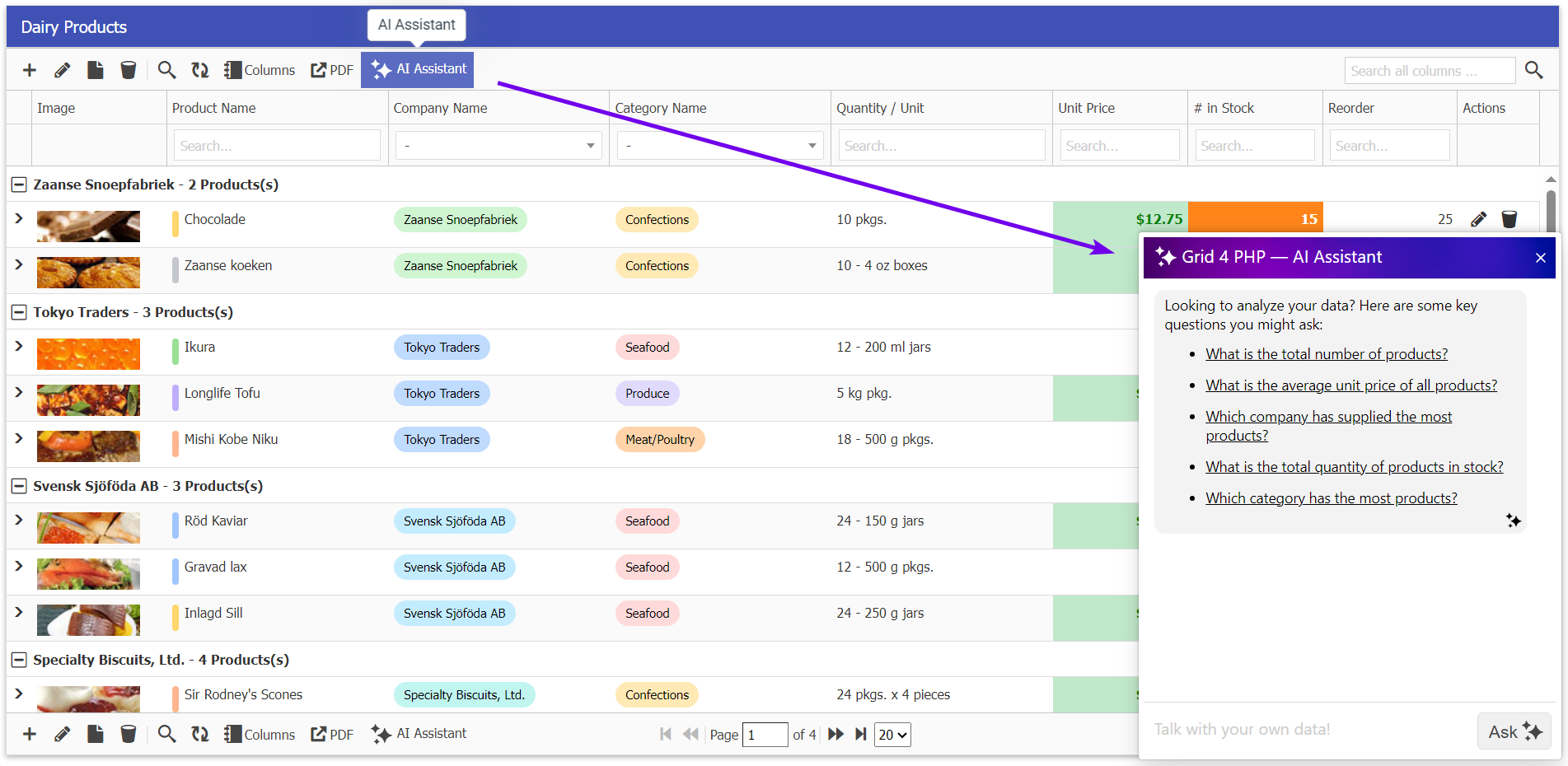
Bonus AI Insights Feature
Now, you can interact with your DataGrid like never before. Simply ask questions about your data, and the AI Assistant will provide instant insights, trends, and summaries – saving your time and effort, Read more about AI Data Insight feature.
Get Started
Unlocking Full Version
- Want to use product with no limits, Buy License
- Already have Active Subscription? Get Full Version Update
- Existing Customer with Expired Subscription? Renew at 50% of base price (Limited-time Offer)
Ready to elevate your applications? Contact our support team to learn how these features can transform your next project.
Start building better applications today with GridPHP templates!